Production Databases Without Fear: Practical Patterns for Safe, Reproducible Reads


Production databases should feel serious, not scary.
Most engineers don’t open a connection to prod because they want to do something dramatic. They just want to:
- Understand a strange user report
- Verify what a background job actually did
- Trace a data issue across a few tables
That’s read work. But the tools and habits around it are often optimized for something else: speed, power, and “you can do anything if you’re careful.”
This post is about a calmer stance: safe, reproducible reads as the default way to touch production. The goal is simple:
- Reduce fear without pretending risk doesn’t exist
- Make the safe path the obvious path
- Turn once‑off investigations into trails you can replay later
Along the way, we’ll look at concrete patterns you can apply in your existing stack, and how an opinionated browser like Simpl can make those patterns feel natural instead of heroic.
Why Safe, Reproducible Reads Matter
Three quiet problems show up on almost every team:
-
Fear of prod.
- Newer engineers are afraid to connect at all.
- Experienced engineers carry pager anxiety into every query.
-
Unreproducible investigations.
- Someone “figured it out in SQL” during an incident.
- A week later, nobody can reconstruct what they ran, in what order, or why.
-
Risk disguised as routine.
- A shared GUI with broad write access.
- A hotfix script copy‑pasted from staging.
- A quick
UPDATErun in the same session as a harmlessSELECT.
You feel this during incidents, but the root cause is day‑to‑day read work that isn’t structured or guarded.
Related posts like Read-Only by Default: Building Safer Production Database Workflows Without Slowing Engineers Down and Safe by Default: Practical Patterns for Exploring Production Data Without Fear go deeper on policy and UX. Here, we’ll stay closer to the ground: concrete patterns you can adopt this week.
Principle 1: Separate Read Sessions From Write Sessions
The first pattern is almost boring:
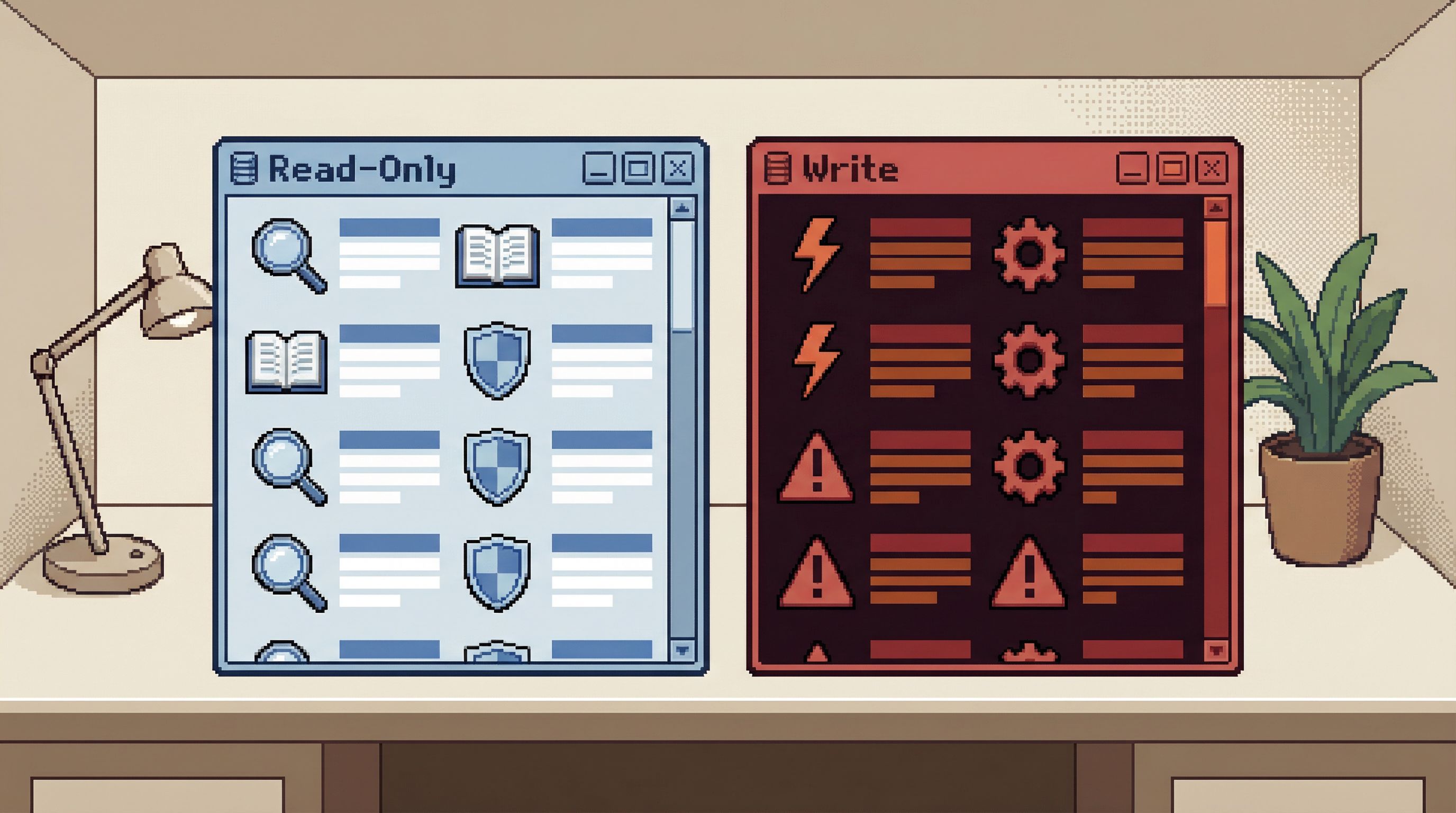
Never mix exploratory reads and writes in the same session.
When reads and writes share a connection, your brain treats them as the same kind of action. That’s how UPDATE and DELETE become muscle memory instead of deliberate choices.
Instead, create two distinct modes:
-
Read mode
- Connections are read‑only at the database level.
- Credentials cannot perform
INSERT/UPDATE/DELETEor DDL. - The UI or CLI profile is visually distinct (color, prompt, theme).
-
Write mode
- Rare, explicit, and usually tied to a change process.
- Separate tool, separate profile, or at least a different window.
- Strongly associated with migrations, backfills, or well‑reviewed scripts.
How to implement this in practice
-
Create dedicated read‑only roles in your database.
- For Postgres, that means a role with
SELECTprivileges only, noCREATE, noALTER, noDELETE. - Use this role for day‑to‑day debugging and exploration.
- For Postgres, that means a role with
-
Give your read‑only connections a different look.
- CLI: change the prompt color for read‑only profiles.
- GUI: use a different theme or connection name prefix, like
prod‑ro. - In an opinionated browser like Simpl, treat read‑only as the default connection type.
-
Reserve write access for a minority of people and workflows.
Once this separation exists, you can treat “I’m in read mode” as a guarantee: you can’t break prod by asking questions.
Principle 2: Make Every Read Session Reproducible by Default
Fear fades when you know you can retrace your steps.
Most tools treat queries as disposable. You run them, maybe scroll a bit, and then they vanish into history. That’s how incidents turn into folklore:
- “I think I joined
orderstopaymentsand filtered by that flag…” - “Somewhere in there we realized the job was running twice.”
Instead, treat each read session as a trail:
- A visible, ordered sequence of queries
- With parameters and context preserved
- Easy to replay, share, and extend
This is the core idea behind posts like Read Trails, Not Logs: Turning Database Sessions into Shareable Narratives and From Tabs to Trails: Turning Ad-Hoc Database Exploration into Reproducible Storylines.
A simple pattern for trails
You don’t need a new tool to start, though an opinionated browser like Simpl bakes this in.
-
Name the question at the top.
- In your notebook, doc, or tool: “Why did user 12345 get double‑charged on Feb 3?”
-
Log each query with a short intent line.
-- Check Stripe charges for user 12345-- Compare internal invoices vs Stripe charges
-
Keep queries in a single linear sequence.
- Avoid ten tabs with slight variants.
- Append, don’t scatter.
-
Save and link the trail.
- Store it next to the ticket, incident doc, or runbook.
- Make it discoverable for the next person with the same question.
Over time, these trails become reusable patterns:
- “Standard investigation for missing email events”
- “Standard check for double billing”
- “Standard trace for delayed jobs in queue X”
A tool like Simpl can turn this from a manual discipline into a default: one window, one visible trail, no tab explosion.
Principle 3: Standardize a Few Safe Read Patterns
Most teams don’t need infinite flexibility. They need a small set of well‑worn paths that feel trustworthy.
Think in terms of patterns, not just queries.
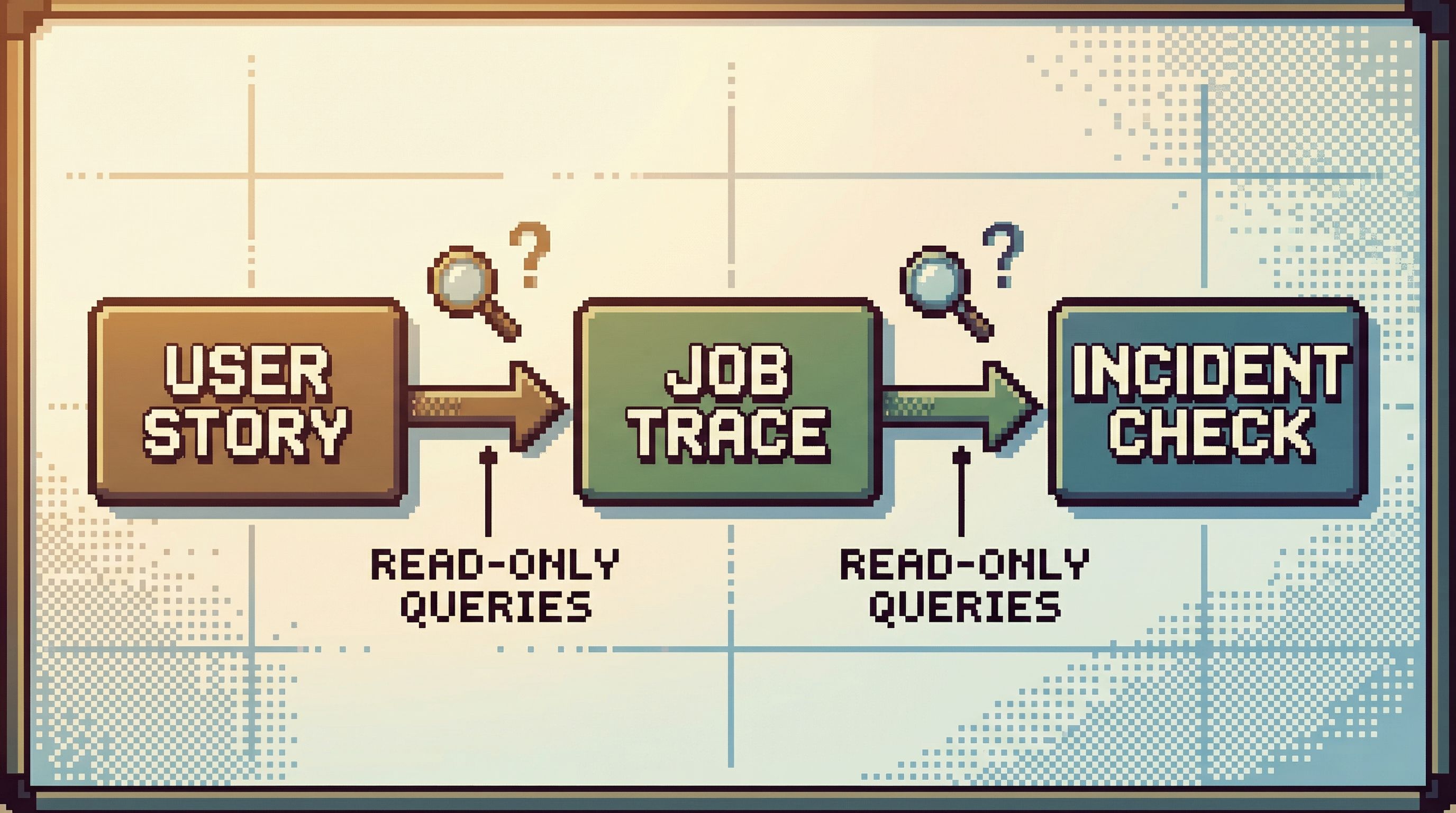
Pattern: “Single user story”
For any user‑centric product, define a standard way to answer:
“What has this user experienced recently?”
This often means:
-
Start with the user row
SELECT * FROM users WHERE id = :user_id;
-
Trace key relationships
- Orders, subscriptions, feature flags, experiments.
-
Overlay events or logs
- From an events table, audit log, or tracking system.
Codify this as a template:
- A small set of queries with named parameters
- Documented assumptions (timezones, soft deletes, feature flags)
- Clear notes on how to interpret edge cases
Pattern: “Job or workflow trace”
For background work:
-
Start from the job row
SELECT * FROM jobs WHERE id = :job_id;
-
Follow state transitions
- Status history, retries, failure reasons.
-
Join to domain entities
- Users, orders, invoices touched by the job.
Again, turn this into a replayable trail.
Pattern: “Incident sanity check”
During production incidents, you don’t want to invent queries under pressure. A calm workflow like the one in Production Incidents Without the Maze: A Linear Workflow for Tracing Data Issues helps here.
Define a short, ordered set of checks:
-
Scope
- How many users / rows / regions are affected?
-
Freshness
- Are writes landing?
- Are background jobs draining?
-
Consistency
- Do external systems (e.g. Stripe) disagree with internal state?
Each step is a small, safe, read‑only query. During an incident, you follow the checklist instead of improvising.
Principle 4: Use Constraints to Reduce Noise
Safe reads aren’t just about avoiding writes. They’re about avoiding chaos.
When every query is possible, every query is also a distraction. You end up with:
- Huge
SELECT *queries against hot tables - Ad‑hoc joins that accidentally scan millions of rows
- Investigations that drift into irrelevant tables “just in case”
Opinionated constraints create calm:
-
Limit result sizes by default.
- First 100 or 500 rows, with an explicit “load more.”
-
Nudge toward indexed, selective filters.
- Encourage queries that start from a primary key or unique identifier.
-
Hide or de‑emphasize dangerous affordances.
- No inline “Edit row” in production.
- No one‑click “Truncate table.”
Tools like Simpl are built around this idea: opinionated read paths that keep production data quiet and focused instead of turning every session into a free‑for‑all.
For a deeper dive into this design philosophy, see Quiet by Constraint: Using Opinionated Read Paths to Tame Production Data Chaos and Opinionated Read Paths: Why Most Teams Need Guardrails More Than Admin Superpowers.
Principle 5: Treat Context as Part of the Query
A query is not just SQL. It’s:
- The question you’re asking
- The assumptions you’re making
- The environment you’re running it in
When you ignore context, you get:
- Queries copied from staging to prod without adjustments
- Confusion about which timezone a timestamp is in
- Misinterpretation of soft‑deleted or archived data
A minimal context checklist
Before you trust the result of a production read, make these explicit:
-
Environment
- Which database / cluster / region?
- Read replica vs primary?
-
Time
- What time window are you querying?
- What timezone are you assuming?
-
State flags
- Soft deletes, archival flags, feature flags.
- Are you filtering them correctly?
-
Sampling or limits
- Are you looking at all rows or a subset?
- If it’s a subset, how was it chosen?
Capture this context alongside the query in your trail. A tool like Simpl can make this feel natural: one linear session with query, parameters, and notes in one place.
Principle 6: Prefer Calm, Single-Window Sessions
Most database tools encourage tab sprawl:
- One tab per question
- One tab per variant of a query
- One tab per table you might need later
The result is fragmented attention. You lose the story of what you were doing.
A calmer alternative:
- One window, one trail, one visible task.
- Append queries instead of opening new tabs.
- Scroll back through the same session to recall context.
This is the stance behind The Single-Window Database Session: Structuring Deep Work Without Tabs, Panels, or Overlays and Database Work Without the Side Quests: Reducing Context Switching in Day-to-Day Queries.
When you keep everything in one linear view:
- You make fewer context mistakes.
- You’re more likely to notice when a query contradicts an earlier result.
- It becomes trivial to share the entire investigation as a single artifact.
An opinionated browser like Simpl leans into this: fewer panels, fewer overlays, more focus on the trail itself.
Putting It All Together: A Safe, Reproducible Read Workflow
Here’s how these principles look in a concrete session.
Scenario: A customer reports they were billed twice.
-
Enter read‑only mode.
- Connect to prod using your read‑only role.
- Visually confirm you’re in the safe profile.
-
Name the session.
- “Double billing investigation – user 12345 – Feb 21, 2026.”
-
Follow the “single user story” pattern.
- Query the user row.
- Fetch recent orders and invoices.
- Compare internal invoices to external payments.
-
Log each step as part of a trail.
- Short intent comments.
- Notes on anything surprising.
-
Capture context.
- Time window: last 30 days.
- Timezone: UTC.
- Environment: prod, primary read replica.
-
Conclude and share.
- Link the session from the ticket.
- Summarize the root cause and the exact rows involved.
At no point did you:
- Run a write in the same session
- Open ten tabs
- Rely on memory to reconstruct what happened
This is what “production databases without fear” looks like in practice: not heroics, just a handful of opinionated patterns you repeat.
Summary
Safe, reproducible reads are not a luxury. They’re how you:
- Lower the emotional cost of touching production
- Shorten incidents without turning them into scavenger hunts
- Turn one‑off investigations into reusable knowledge
The core patterns are simple:
- Separate read and write sessions at the credential and UI level.
- Treat sessions as trails, not disposable logs.
- Standardize a few investigation patterns for users, jobs, and incidents.
- Use constraints (limits, read paths, hidden writes) to reduce noise.
- Capture context as part of every query.
- Prefer single‑window, linear sessions over tab explosions.
Tools like Simpl exist to make these patterns feel natural. But you can start applying them right now, even with the tools you already have.
Take the First Step
You don’t need a full migration to a new stack to make production feel calmer.
Pick one small change you can make this week:
- Create a prod read‑only role and switch your default connections to it.
- Define a single user story pattern and write it down.
- Run your next investigation as a single, named trail instead of a handful of ad‑hoc queries.
If you want a tool that’s built around these ideas from the start—read‑heavy, calm by default, and focused on reproducible trails—take a look at Simpl. It’s an opinionated database browser designed for exactly this kind of work: production databases, without the fear.