Production Incidents Without the Maze: A Linear Workflow for Tracing Data Issues


Production incidents rarely fail because you didn’t have enough data.
They fail because you had too much of it, in too many places, with no clear order of operations.
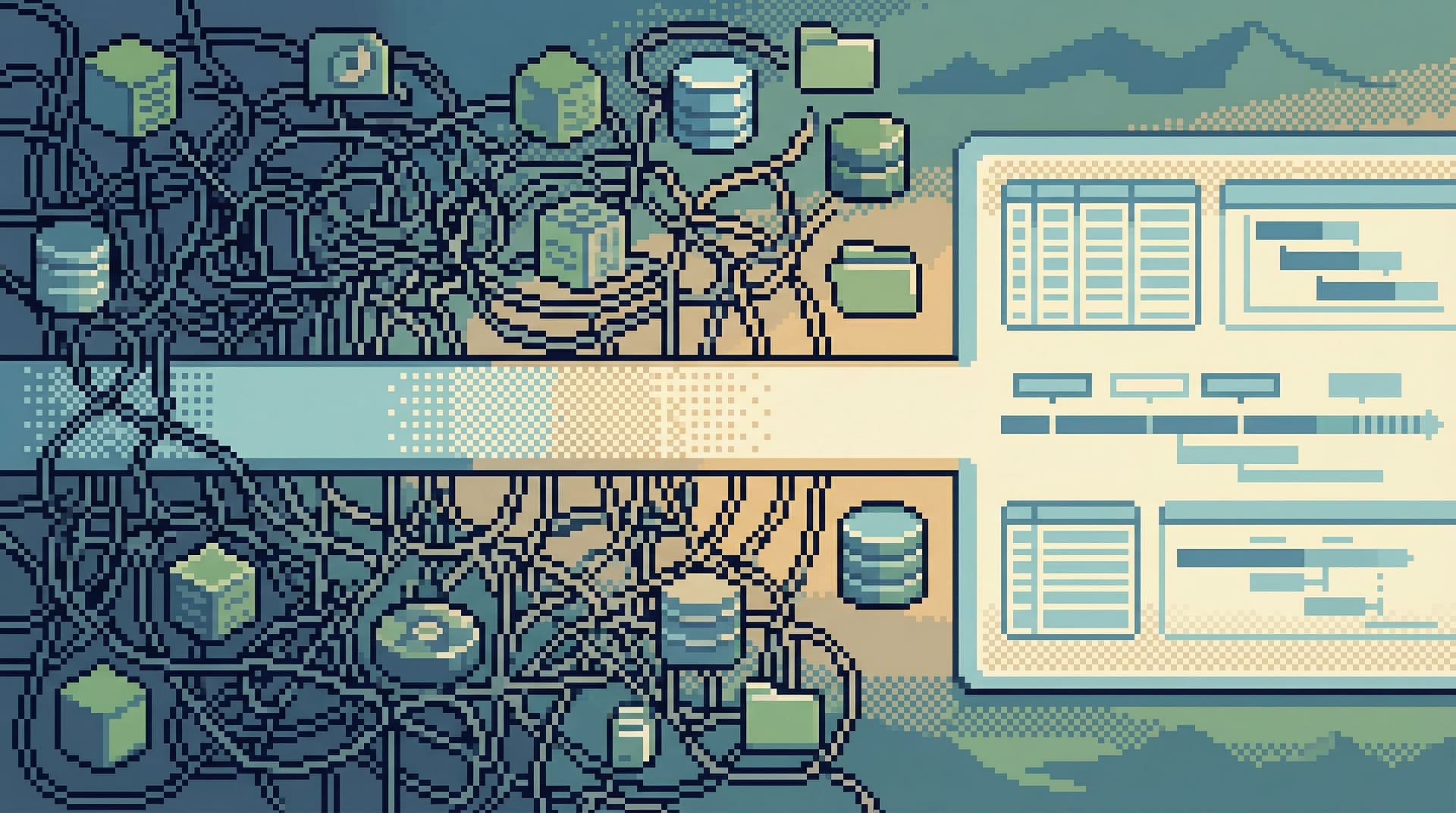
Alerts, dashboards, logs, traces, ad‑hoc SQL, screenshots in Slack. Everyone opens everything. The incident channel fills with partial clues and half-formed theories. You end up with a maze, not a path.
This post is about the opposite stance: a linear workflow for tracing data issues. One clear line from “something is wrong” to “we understand exactly what happened in the data.”
Tools like Simpl are built around that idea: a calm, opinionated way to explore production data without turning every incident into a scavenger hunt.
Why a Linear Workflow Matters During Incidents
When something breaks in production, you’re juggling three constraints at once:
- Time – Incidents cost money, trust, and focus.
- Risk – You’re touching production data, often under pressure.
- Cognitive load – The more tools and threads you track, the more likely you are to miss the obvious.
A linear workflow doesn’t mean you never backtrack. It means you:
- Move in a deliberate sequence instead of bouncing between tools.
- Ask one question at a time, in a defined order.
- Treat the database as a narrative source of truth, not just another noisy panel.
This is the same philosophy behind posts like “The Quiet Debugger: How to Investigate Production Incidents Without Drowning in Data” and “Incident Triage Without the Firehose: A Focused Approach to Production Data During Outages”. Here, we’re narrowing in on one specific slice: data correctness and data‑shaped incidents.
Examples:
- A user was charged twice.
- A job never ran, or ran twice.
- A metric is clearly wrong, but only for a subset of tenants.
- A migration “succeeded,” but rows look off.
These aren’t infrastructure failures. They’re data stories gone wrong.
The Core Idea: One Story, One Spine
Think of each incident as a story with a spine:
A specific subject, moving through a sequence of states, across a small number of tables and services.
Your job isn’t to inspect every system; it’s to reconstruct that story in the simplest possible way.
A linear workflow enforces three constraints:
- Start from the subject, not the system.
- “This user’s subscription was cancelled incorrectly,” not “What’s up with the billing service?”
- Follow the timeline, not the architecture diagram.
- What happened first? What happened next? Which write actually changed reality?
- Stay read‑only and narrow until you have a complete narrative.
- No hotfixes, no backfills, no schema changes until the story is clear.
This is the same posture we argue for in “Designing for Read-Heavy Work: Why Most Database Sessions Should Never Start With ‘WRITE’”. Incidents are where that philosophy gets tested.
A Linear Workflow for Tracing Data Issues
Here’s a concrete workflow you can adopt and teach. It’s opinionated on purpose.
1. Name the Incident in Terms of Data
Before you touch a tool, write one sentence that describes what is wrong in the data, not what you think is wrong in the system.
Examples:
-
Bad: “Billing is broken.”
Better: “user_id=123was charged twice for invoiceinv_456on 2026‑02‑18.” -
Bad: “Jobs are stuck.”
Better: “Jobs in queueemail_welcomecreated after 2026‑02‑18 09:00 UTC remain inpendingstatus with noprocessed_attimestamp.” -
Bad: “The churn dashboard is lying.”
Better: “Foraccount_id=789, Stripe shows active, but oursubscriptionstable showsstatus='canceled'since 2026‑02‑10.”
This single sentence becomes the spine of your investigation. Put it in the incident ticket, the Slack channel topic, or the top of your Simpl session.
Why it matters:
- Forces you to identify concrete entities (user, job, invoice, account).
- Gives you immediate filters and primary keys for your first queries.
- Reduces the temptation to start by staring at dashboards.
2. Anchor on a Single Subject Row
Next, pick one canonical row that represents the incident subject. This is your anchor.
Examples:
users.id = 123jobs.id = 98765subscriptions.id = 4321orders.public_id = 'ORD-2026-02-18-001'
Then, in your database browser (or in Simpl), do just one thing:
- Load that row.
- Read every column that could plausibly matter.
Ask:
- What are the key timestamps (
created_at,updated_at,processed_at)? - What are the key foreign keys (
account_id,subscription_id,job_id)? - What are the key state fields (
status,state,error_code)?
Write down what you see, in plain language:
“User 123 is
active, created at 2026‑02‑10, last updated 2026‑02‑18 09:05 UTC,plan_id=pro_monthly,billing_account_id=42.”
This is your ground truth snapshot.
If your tools try to push you into editing or writing at this stage, that’s a smell. This phase should feel like what we describe in “Quiet by Constraint: Using Opinionated Read Paths to Tame Production Data Chaos”: a narrow, calm hallway through the data.
3. Reconstruct the Timeline Around That Row
Now that you have a subject, build a time-ordered narrative.
You want a simple question:
“What happened to this subject, and in what order?”
Patterns that work well here:
-
Event or log tables:
- Query
eventsoraudit_logsforsubject_id = 123ordered byoccurred_at. - Look for state transitions, retries, errors.
- Query
-
Related domain tables:
- For a billing issue:
invoices,payments,payment_attemptsbyaccount_idoruser_id. - For a job issue:
jobs,job_executions,job_errorsbyjob_idorqueue.
- For a billing issue:
-
Write-focused tables with timestamps:
- Any table where state changes are captured with
updated_ator versioning columns.
- Any table where state changes are captured with
Make the timeline explicit. For example:
- 09:00 – Subscription created (
status='active'). - 09:05 – Invoice
inv_456generated. - 09:06 – Payment attempt
pay_001failed withcard_declined. - 09:07 – Retry scheduled.
- 09:08 – Payment attempt
pay_002succeeded. - 09:09 – Subscription set to
status='canceled'(unexpected).
You’re looking for the first surprising transition. That’s usually where the bug lives.
A calm database browser like Simpl should make this step feel like scrolling a story, not juggling panels. If you find yourself opening new tabs for every related table, you’re drifting back into maze territory.
4. Narrow the Hypothesis Before Expanding Scope
At this point, you have:
- A clear subject row.
- A concrete timeline of what happened.
Only now do you form a hypothesis.
Examples:
- “The subscription cancellation job is running even after a successful retry.”
- “The job worker never dequeued items created after 09:00 UTC.”
- “The metric query is counting soft-deleted rows.”
The key is to keep the hypothesis narrow and falsifiable.
Then, and only then, you widen the scope:
- Check for siblings:
- “Show me other subscriptions with the same
statuschange pattern in the last 24 hours.”
- “Show me other subscriptions with the same
- Check for cohort patterns:
- “Filter by region, plan, or feature flag to see if the bug clusters.”
- Check for time windows:
- “Did this start after a deploy or migration window?”
This is where teams are most tempted to open more dashboards and tools. Resist the urge to turn the incident into a general exploration session. You’re still following one spine; you’re just checking if it repeats.
If your tool supports it, this is a good moment to save your investigation as a trail—a sequence of queries and views someone else can replay later, as we describe in “Read Trails, Not Logs: Turning Database Sessions into Shareable Narratives”. Simpl is designed around that kind of reproducible narrative.
5. Separate “Fix the Data” From “Fix the System”
Once you understand the story, you’ll usually see two distinct tracks:
-
Data repair:
- Backfilling missing rows.
- Correcting bad states.
- Re‑running jobs for a specific cohort.
-
System repair:
- Fixing the bug in application logic.
- Adjusting job scheduling or retry behavior.
- Tightening constraints or invariants at the database level.
The linear workflow helps you keep these separate:
-
First:
- Confirm the exact shape of the bad data.
- Quantify the blast radius.
- Decide whether you can safely patch the data before the system fix ships.
-
Then:
- Create a precise reproduction scenario for engineers.
- Attach your timeline and queries to the ticket.
- Implement and deploy a code or configuration fix.
In practice, you’ll often:
- Use your calm browser (like Simpl) for investigation and validation.
- Use controlled scripts, migrations, or admin tasks for writes and backfills.
Keeping your investigation environment read‑only by default dramatically reduces the chance of turning one incident into two. If your main production tool doesn’t make that easy, the patterns in “Read-Only by Default: Building Safer Production Database Workflows Without Slowing Engineers Down” are a good starting point.

6. Turn the Incident Into a Reusable Path
The incident is not over when the page stops firing.
It’s over when:
- The bug is fixed.
- The data is corrected (or consciously left as-is with clear rationale).
- The path you took is captured in a form someone else can follow.
Concretely:
- Save the exact queries you used to:
- Identify the bad rows.
- Quantify impact.
- Verify the fix.
- Capture the timeline in the ticket:
- “At 09:00 X happened, at 09:05 Y, at 09:08 Z (unexpected).”
- Turn the investigation into a named view or trail:
- “Billing: double‑charge investigation for duplicated invoices.”
- “Jobs: stuck email_welcome queue after 2026‑02‑18 09:00 UTC.”
This is where tools like Simpl shine: instead of leaving your investigation as a pile of shell history and screenshots, you end up with a calm, linear artifact that:
- New engineers can replay when a similar incident happens.
- On‑call rotations can use as a reference.
- Product and support can skim to understand what really happened.
Over time, your incident catalog becomes a library of linear workflows, not a graveyard of disconnected logs.
Designing Your Stack Around Linear Incident Workflows
A linear workflow is partly process, partly tooling. You can implement most of it with psql and discipline, but it’s easier if your tools share the same opinions.
Look for (or build) tools that:
- Default to read-only for production connections.
- De‑emphasize write affordances during investigations.
- Encourage single-subject focus (one user, one job, one invoice at a time).
- Make timelines first-class:
- Easy ordering by timestamps.
- Clear visibility into history and state transitions.
- Support trails or sessions you can save and replay.
This is the core philosophy behind Simpl: a browser for production data that favors guardrails, narrative, and calm over raw power and surface area.
If your current database client feels more like an IDE, you may be fighting against its defaults every time an incident hits. Posts like “When Your Database Browser Tries to Be an IDE (and How to Walk It Back)” dig deeper into how to unwind that drift.
Putting It All Together
A linear workflow for production data incidents looks like this:
-
Name the incident as a data problem.
One sentence, concrete entities. -
Anchor on a single subject row.
Load it. Read it. Write down what you see. -
Reconstruct the timeline.
Use events, logs, and related tables to see what happened and when. -
Form a narrow hypothesis, then widen carefully.
Check siblings, cohorts, and time windows without losing the spine. -
Separate data repair from system repair.
Don’t mix hotfixes with exploration. Validate everything against the narrative. -
Capture the path as a reusable trail.
Save queries, timelines, and views so the next incident starts on step 3, not step 0.
The benefits compound:
- Shorter incidents, because you’re not wandering the maze.
- Lower risk, because you stay read‑only until you fully understand the story.
- Better onboarding, because new engineers can follow existing trails instead of improvising.
- Quieter incident channels, because there’s a shared, linear path to follow.
Take the First Step
You don’t need to redesign your entire incident process to get value from this approach.
Start small:
- For the next data-shaped incident, insist on a one-sentence data description before anyone opens a tool.
- Pick one subject row and build a written timeline before you look at global metrics.
- Save your queries and notes as a simple trail—whether that’s in your existing client, a doc, or a focused browser like Simpl.
From there, tighten the loop:
- Move more of your incident investigation into calm, read‑only sessions.
- Turn successful investigations into named, shareable paths.
- Gradually reshape your tools and habits around one story, one spine.
Production incidents don’t have to feel like a maze. With a clear, linear workflow—and tools that respect your attention—you can trace data issues calmly, quickly, and with far less risk.