The Anti-BI Habit: Teaching Engineering Teams to Reach for a Browser, Not a Dashboard


Most engineering teams don’t suffer from a lack of dashboards.
They suffer from a reflex.
Something looks off in production? Open the BI tool. Click a dashboard. Add a filter. Hope the chart you need already exists.
Over time, that reflex hardens into habit. Every data question becomes a dashboard question—even when what you really need is to look directly at the rows.
The anti-BI habit is a different stance: teach engineers to reach for a focused database browser first, and dashboards only when they’re truly the right tool.
Not because BI is bad. But because most engineering work is:
- Narrow, not broad
- Investigative, not reporting-oriented
- About specific entities and events, not long-term trends
A calm, opinionated database browser like Simpl is built for that kind of work.
Why this habit matters
Dashboards are optimized for monitoring and communication:
- Aggregate views
- Stable metrics
- Shared alignment across teams
Engineering work, especially around production, is optimized for understanding and causality:
- What happened to this user?
- Did this job run twice?
- Why did this order get stuck?
Those are drilldown questions, not dashboard questions. We’ve written before about this split in From Dashboards to Drilldowns: Why Engineering Teams Need a Different Kind of Data Tool.
When teams default to BI for everything, a few things happen:
-
Debugging gets slower.
- You spend time hunting for “the right dashboard” instead of going straight to the data.
- You adapt your question to whatever the dashboard already shows.
-
Incidents become maze-like.
- People open multiple dashboards, each with slightly different numbers.
- The incident channel fills with screenshots and links instead of a clear query trail.
- Postmortems become archaeology instead of replay. (We explored this pattern in The Single-Query Incident Review: Replaying Outages from One Calm Data Trail.)
-
Ownership gets fuzzy.
- Dashboards are often owned by data teams, not the engineers closest to the code.
- Small schema changes quietly break charts.
- Engineers stop trusting the numbers and quietly open a SQL client anyway.
-
Cognitive load goes up.
- BI tools are mode-heavy: explore vs. build vs. view vs. share.
- Every chart pulls at your attention, even when irrelevant.
- You’re forced to interpret aggregates when you really need raw events.
The anti-BI habit isn’t about removing dashboards. It’s about putting them back in their lane—and giving engineering teams a calmer, more direct way to read production data.
Browser-first vs dashboard-first: what actually changes
Shifting from a dashboard reflex to a browser reflex changes how work feels day to day.
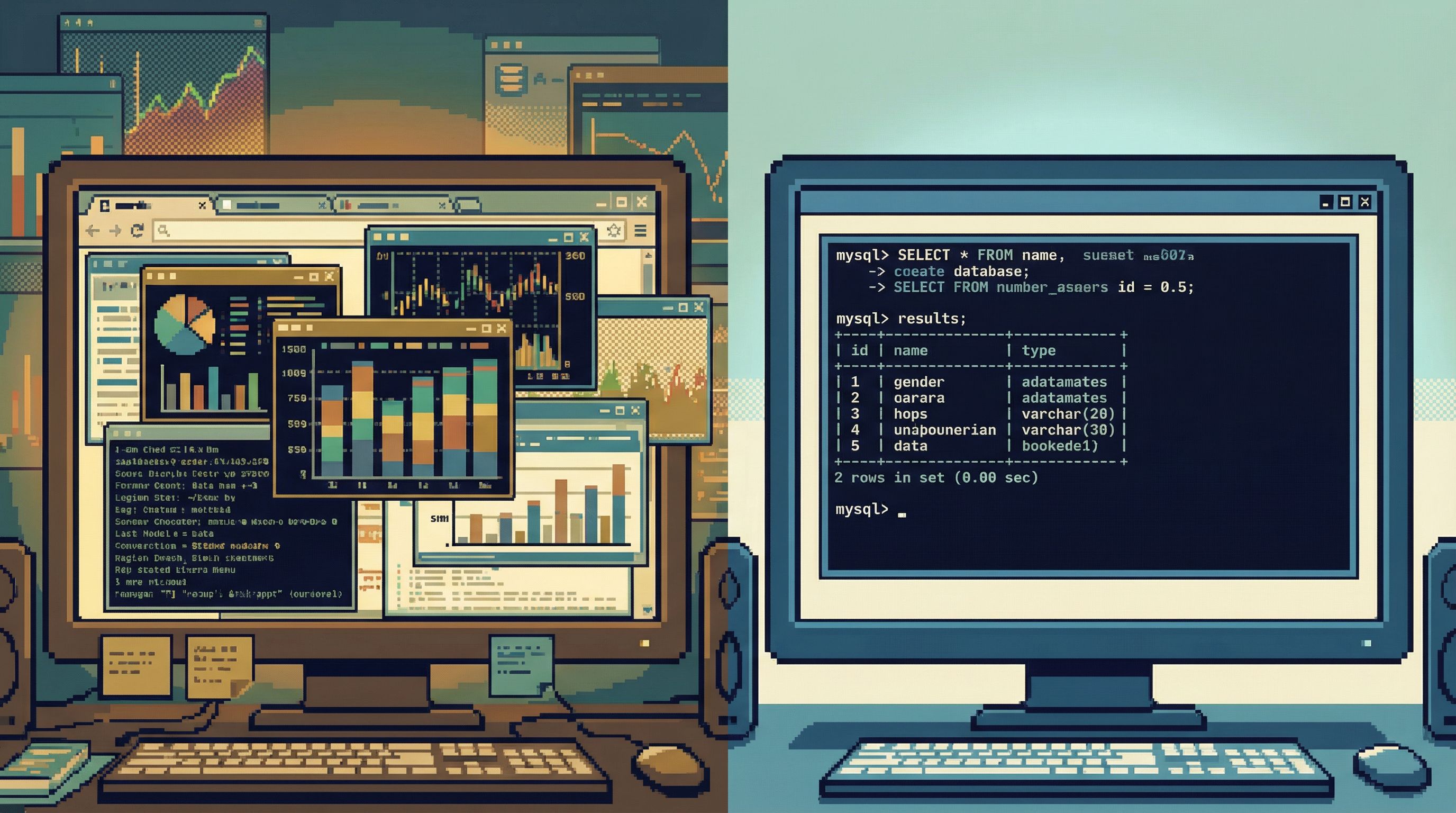
Dashboard-first workflow:
- Something looks wrong.
- Open the main dashboard.
- Stare at a few charts.
- Add filters, time ranges, segments.
- Realize you still don’t know what happened to this user or this job.
- Open a SQL client or admin panel as a last resort.
Browser-first workflow:
- Something looks wrong.
- Open a purpose-built database browser like Simpl.
- Start from the concrete thing you care about: user, order, job, event.
- Follow a narrow trail across a few tables.
- Only if you need broader patterns do you jump to BI.
The key differences:
- From aggregates to entities. You start from rows, not charts.
- From hunting to tracing. You follow a linear path instead of fanning out across dashboards.
- From passive to active understanding. You’re not just observing; you’re asking precise questions and getting precise answers.
This is the same stance behind The Calm Query Console: Why Most Database Work Needs Fewer Modes, Not More Features: fewer surfaces, more clarity.

Where BI quietly breaks down for engineering work
BI tools shine when:
- You’re tracking long-term metrics.
- You want to share a stable view with many stakeholders.
- You’re asking "how are we doing overall?"
They struggle when engineers are asking:
- “What exactly did this job do at 03:12 UTC?”
- “Why did this user get two emails?”
- “Which rows changed between these two deploys?”
Common friction points:
1. Aggregation hides the story
Dashboards compress reality:
- A spike in
failed_paymentsdoesn’t tell you which payments failed. - An uptick in
error_ratedoesn’t tell you which users hit the error. - A flat
DAUchart doesn’t show you who quietly churned.
For debugging, you need narratives, not just numbers:
- A single user’s journey across tables.
- A single job’s effect across rows.
- A single incident’s footprint in data.
2. Dashboards are slow to change
Even in teams with strong data practices, updating dashboards is not instant:
- New dimension? File a ticket.
- New metric? Wait for a modeling change.
- New question? Hack a temporary chart.
Engineering questions change hourly. A browser like Simpl lets you adapt in minutes:
- Point at the live schema.
- Filter by the exact ID you care about.
- Iterate on queries without waiting for a modeling layer.
3. Mixed ownership, mixed trust
When engineers don’t own the dashboards they rely on:
- They hesitate to trust edge cases.
- They don’t know how metrics are defined.
- They fall back to ad-hoc SQL during incidents anyway.
That creates a quiet, constant tax: two sources of truth, neither fully trusted.
4. Dashboards encourage wandering
BI UIs are built to invite exploration:
- Suggested charts
- Recommended dashboards
- Drilldowns that lead to more drilldowns
For production debugging, that’s often the opposite of what you want. You need a narrow, linear path, not a playground.
We’ve written about the cost of wandering in The Anti-Explorer View: Why Less Navigating Makes Production Databases Feel Safer.
What an anti-BI habit looks like in practice
Habits are social, not just personal. To move your team from dashboards to browsers, you need to reshape defaults, examples, and guardrails.
1. Make the browser one click away
Engineers reach for whatever is closest.
Concretely:
- Put your database browser (e.g. Simpl) in:
- Incident runbooks
- On-call docs
- Internal wikis for debugging workflows
- Add it to:
- Your SSO app launcher
- Team bookmarks
- Engineering onboarding checklists
The goal: when someone asks, “Where do I look at the data?” the answer is a browser link, not “search for the dashboard.”
2. Start from entities, not metrics
Teach people to phrase questions in terms of specific objects:
- Instead of: “Is conversion down?”
- Ask: “What happened to these 10 users who dropped off?”
- Instead of: “Why is the error rate up?”
- Ask: “Show me rows for these requests that failed.”
In your browser, this translates to:
- Entry points by user ID, order ID, job ID, request ID.
- Predefined views that stitch together the 3–5 tables that matter for a given story.
3. Normalize links to queries, not screenshots of dashboards
Every time someone pastes a screenshot of a dashboard into Slack, you reinforce the BI reflex.
Instead, encourage:
- Links to saved queries in your browser.
- Links to entity-focused views (e.g. “user 12345 in the subscriptions view”).
- During incidents, a single shared query trail instead of a pile of charts.
This is the heart of the pattern we described in Production Reads Without the Rabbit Holes: Structuring Safe, Linear Debugging Sessions: one path, not ten.
4. Use BI as a second step, not the first
Deliberately flip the order:
-
First: Use a browser to understand the concrete story.
- Which rows changed?
- Which users were affected?
- What sequence of events actually happened?
-
Then: Use BI to understand the broader impact.
- How many users look like this?
- How has this metric moved over time?
- Is this isolated or systemic?
This keeps dashboards in their proper role: context and communication, not primary investigation.
5. Put guardrails around browser use, not just BI
A common fear: “If we encourage people to use the database directly, won’t that be dangerous?”
It doesn’t have to be.
Patterns that help:
- Read-first, read-only roles for production.
- A browser that doesn’t even expose writes for everyday work.
- Query guardrails: limits, warnings on wide scans, environment labels.
We’ve gone deeper on this in posts like Guardrails in the Query Editor: UX Patterns That Make Unsafe Reads Hard by Default and Guardrails Before Governance: A Practical Approach to Safer Day‑to‑Day Database Access.
A tool like Simpl bakes these constraints into the experience so “use the browser” doesn’t secretly mean “open a full SQL IDE against prod.”
How to teach this habit to an existing team
Changing tools is easy. Changing habits is not.
Here’s a concrete path you can follow over a few weeks.
Step 1: Pick three common workflows
Choose situations where engineers currently reach for dashboards but shouldn’t have to:
- A user reports a billing issue.
- A background job behaves strangely.
- A feature flag rollout looks wrong for a subset of users.
For each workflow, define:
- The primary entities (user, order, job, flag).
- The tables that matter.
- The questions you typically ask.
Step 2: Design a browser-first path for each
Using your database browser (for example, Simpl):
- Create entry points for each entity type.
- Predefine a compact view that joins or aligns the key tables.
- Save a couple of starter queries that match the questions you listed.
The goal is not to cover every edge case. It’s to make the first correct move obvious.
Step 3: Update runbooks and docs
Wherever your team currently says “check the dashboard,” update it.
For each workflow:
- Replace generic advice like “look at the billing dashboard” with:
- A link to the browser view for the relevant entity.
- A short, linear checklist: “Open this view → filter by user ID → follow these columns.”
Make the browser path the documented default.
Step 4: Run one incident fully browser-first
The next time you have a real production issue:
- Declare up front: “We’re running this one browser-first.”
- Ask people to:
- Share links to queries, not screenshots.
- Keep a single thread or doc with the evolving query trail.
Afterwards, review:
- What felt smoother?
- Where did people still fall back to dashboards?
- What views or queries should you add to make the next one easier?
This is where posts like The Read-First Incident: Running Postmortems from a Single Calm Query Trail can give you a template.
Step 5: Make it visible and repeatable
Habits stick when they’re:
- Visible. Share short write-ups: “Here’s how we debugged X entirely through the browser.”
- Recognized. Call out good examples in standup or incident reviews.
- Easy to copy. Turn successful browser sessions into saved views and shared links.
Over a few incidents and a few onboarding cycles, the reflex shifts. “Open the dashboard” becomes “open the browser.”
What this unlocks for your team
When engineers default to a calm database browser instead of a dashboard, a few quiet but important things change:
-
Cleaner mental models.
- People understand the actual shape of data, not just its aggregates.
- Schema quirks and edge cases are visible, not hidden behind charts.
-
Faster, more confident debugging.
- You can answer “what happened to this user?” in minutes.
- You spend less time arguing about whose dashboard is “right.”
-
Better incident reviews.
- You have a replayable query trail instead of a collage of screenshots.
- You can re-run the exact same investigation when a similar issue appears.
-
Calmer production access.
- A read-first, browser-based workflow feels less dangerous than a full SQL IDE.
- Guardrails make safe reads the default, not the exception.
In short: you get engineering-grade understanding of your data without turning every question into a BI project.
Bringing it back to Simpl
Simpl exists for exactly this habit.
It’s an opinionated database browser that:
- Starts from entities and questions, not dashboards and metrics.
- Emphasizes read-first, guardrailed access to production.
- Keeps your work as a linear query trail you can share and replay.
If your team feels stuck between “too much BI” and “too much raw SQL,” a tool like Simpl gives you a third path: calm, focused reads that make the anti-BI habit feel natural.
Summary
- Dashboards are great for monitoring and communication, but they’re a poor default for engineering investigation.
- An anti-BI habit means teaching teams to reach for a focused database browser first, and BI only when they need broader patterns.
- This shift reduces cognitive load, speeds up debugging, and makes incidents easier to replay.
- You can build the habit by:
- Making the browser one click away.
- Starting from entities, not metrics.
- Normalizing links to queries instead of screenshots.
- Running incidents browser-first.
- Capturing and sharing successful patterns.
- A purpose-built browser like Simpl reinforces this habit with opinionated read paths and guardrails.
Your next move
Don’t try to change everything at once.
Pick one recurring engineering workflow—billing issues, job debugging, feature flag rollouts—and do it browser-first for the next week.
- Set up a simple, entity-focused view in your database browser.
- Update the relevant runbook to point there instead of a dashboard.
- Ask the team to share links to queries, not charts, when they talk about that workflow.
Watch what happens.
If that one path feels calmer, clearer, and faster, you’ll know you’re ready to teach the anti-BI habit more broadly.
And if you want a tool that’s built around this way of working from the start, take a look at Simpl—a calm, opinionated database browser for teams that want to reach for a browser, not a dashboard.