Beyond Object Trees: Intent‑First Navigation Patterns for Modern Database Browsers


Most database tools still start from the same assumption: the schema is the primary way you navigate.
Schemas → tables → columns.
A giant object tree on the left. A blank query canvas on the right. Your job is to translate a concrete question — “Why did this customer’s invoice change?” — into a path through that tree.
It works. Until it doesn’t.
When you’re under incident pressure, pairing with support, or tracing a subtle product bug, the object tree stops being a map and starts being a maze. You know the answer is “in the data somewhere,” but the tool keeps asking you the wrong first question:
“Which object do you want?”
Instead of: “What are you trying to understand?”
Intent‑first navigation flips that order.
Tools like Simpl argue that the primary object of work is not the table — it’s the question. The schema is still there, but it’s no longer the front door. The front door is intent.
This post looks at what that actually means in practice: concrete navigation patterns that start from intent, not object trees, and how to design or choose a browser that supports them.
Why object trees feel safe — and quietly slow you down
Object trees are comforting:
- They’re complete. Everything is visible somewhere.
- They’re predictable. Schemas, tables, columns, in a fixed hierarchy.
- They’re familiar. Every IDE and admin console uses them.
But when you watch real debug sessions, a different picture shows up:
- Most questions don’t start at the schema level. They start with a user, an ID, an error, or a time window.
- Most navigation is back‑filled. You paste an ID into a query bar, then hunt through the tree to find where that ID “probably” lives.
- Most of the tree is irrelevant noise. For a given incident, you might touch 5–10 tables. The rest of the tree is just cognitive overhead.
We explored this attention problem in more detail in posts like The Anti‑Workspace: Why Fewer Panels Make Database Debugging Easier and Focus‑First Database Tooling: Measuring Cognitive Load Instead of Feature Count. The short version: the more decisions you have to make before you see relevant rows, the worse your tools are serving you.
Object trees maximize decisions. Intent‑first navigation tries to remove them.
What “intent‑first” actually means
Intent‑first navigation is not a vague UX slogan. It’s a concrete design stance:
The primary navigation entry points should match the shapes of real questions, not the shapes of database objects.
In practice, most production questions fall into a few recognizable intents:
- Entity‑centric: “What happened to this user/order/invoice/job?”
- Event‑centric: “What happened around this error/trace/log?”
- Change‑centric: “What changed between then and now for this entity or slice?”
- Scope‑centric: “Which entities match these conditions right now?”
An intent‑first browser like Simpl doesn’t hide the schema. It just refuses to make it the first thing you see. Instead, it offers:
- Entry points that start from IDs, errors, or time ranges.
- Trails that follow how you actually reason about incidents and stories.
- Guardrails that keep you inside a calm, read‑first loop.
The rest of this post breaks that down into patterns you can adopt, whether you’re designing tooling or choosing one.
Pattern 1: Start from a concrete anchor, not a table
Most real work starts from an anchor:
- A user ID from support.
- An order ID from logs.
- A stack trace from your error tracker.
- A timestamp from an alert.
An intent‑first browser should let you start there directly.
What this looks like
Instead of:
- Expand
public. - Scroll to
users. - Click
users. - Open a query panel.
- Write
SELECT * FROM users WHERE id = '...' LIMIT 1;.
You should be able to:
- Paste the ID into a single entry field.
- Choose "User" (or have it inferred).
- Land on the relevant row, with linked related entities one click away.
Concretely, that means designing for:
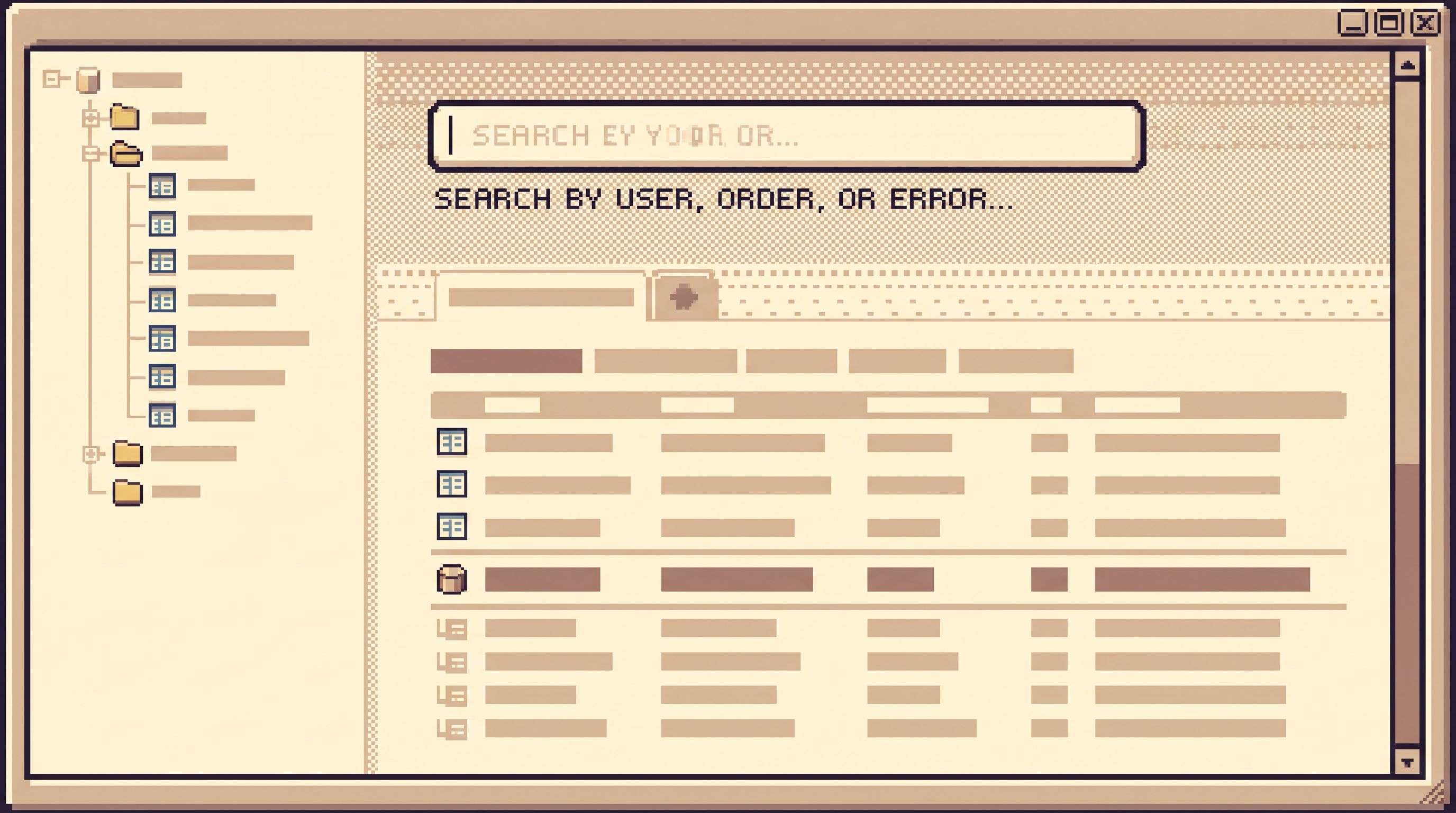
- Global ID search. A single box that can resolve
user_id,order_id,invoice_idwithout making you pick a table first. - Type‑aware parsing. Recognizing UUIDs, numeric IDs, email addresses, and other common keys.
- Soft disambiguation. If an ID could belong to multiple entities (e.g., same UUID pattern used in multiple tables), show a small, clear choice — not a full schema tree.
We dug into this idea of shrinking the path from external signal to relevant rows in The Calm Data Shortcut: Going From Stack Trace to Relevant Rows in Under Five Clicks. The principle is the same here: the first move should be “paste anchor, see rows,” not “hunt for table.”
How to adopt this pattern
If you’re designing or tuning your own tools:
- Add a single, global search box that can:
- Look up primary entities by ID or natural key.
- Offer a tiny, opinionated dropdown of entity types, not raw tables.
- Build a thin mapping layer from entity names to underlying tables:
User → app_public.usersOrder → billing.ordersJob → worker.jobs
- Make that mapping the default navigation surface for everyday work.
If you’re evaluating tools, look for:
- A way to start from an ID without first choosing a database object.
- Evidence that the tool understands “user” and “order” the way your team does, not just
public.usersandbilling.orders.
Pattern 2: Follow trails, not trees
Once you’ve landed on a relevant row, the next question is rarely “Which table now?” It’s usually:
- “What else is related to this?”
- “What happened before and after this row?”
- “Where did this value come from?”
Traditional tools answer that by sending you back into the tree: find the foreign key table, open it, write a join, run another free‑form query.
An intent‑first browser instead offers trails:
- You start at a row.
- You click into related entities.
- You move forward and backward in time.
- The tool quietly records the path: what you looked at, and why.
This is the same posture we argued for in The Post‑Workspace Browser: Database Debugging Without Tabs, Tiles, or Timelines: one primary surface, one clear question, one linear trail.
What this looks like
From a single row view, you should be able to:
- Click a foreign key and land on the target row in a new step of the trail.
- Expand a related collection (e.g., “Invoices for this user”) as a scoped list, not a generic table browse.
- Move through a time‑ordered history of changes for that entity, especially when combined with opinionated time travel patterns like those in Opinionated Time Travel: Calm Patterns for Reading Historical States in Production Data.
The key: every move is attached to your original intent, not to the schema. You’re not “browsing tables”; you’re following a story.
How to adopt this pattern
Design‑wise:
- Treat row view as a first‑class screen, not a side effect of running
SELECT *. - Show related links as named relationships, not just foreign key column names.
- Keep a visible trail of steps:
User 123→Invoice 456→Invoice events→Job 789.
- Allow simple annotations or labels on steps: “suspect,” “confirmed,” “irrelevant.”
Operationally:
- Encourage teams to share trails, not screenshots or raw queries.
- During incidents, ask: “Can someone paste the trail?” instead of “Can someone paste the query?”
Tools like Simpl are built around this idea: a calm, linear trail of reads instead of a pile of tabs.
Pattern 3: Encode common intents as first‑class entry points
Most teams have a small set of recurring questions that show up in every debug session:
- “Why did this subscription change state?”
- “Why did this job retry?”
- “What did we charge this customer, and what did we think we were charging at the time?”
In a tree‑first world, each of these is a mini project: remember the tables, reconstruct the joins, re‑implement the filters.
In an intent‑first world, they become named entry points:
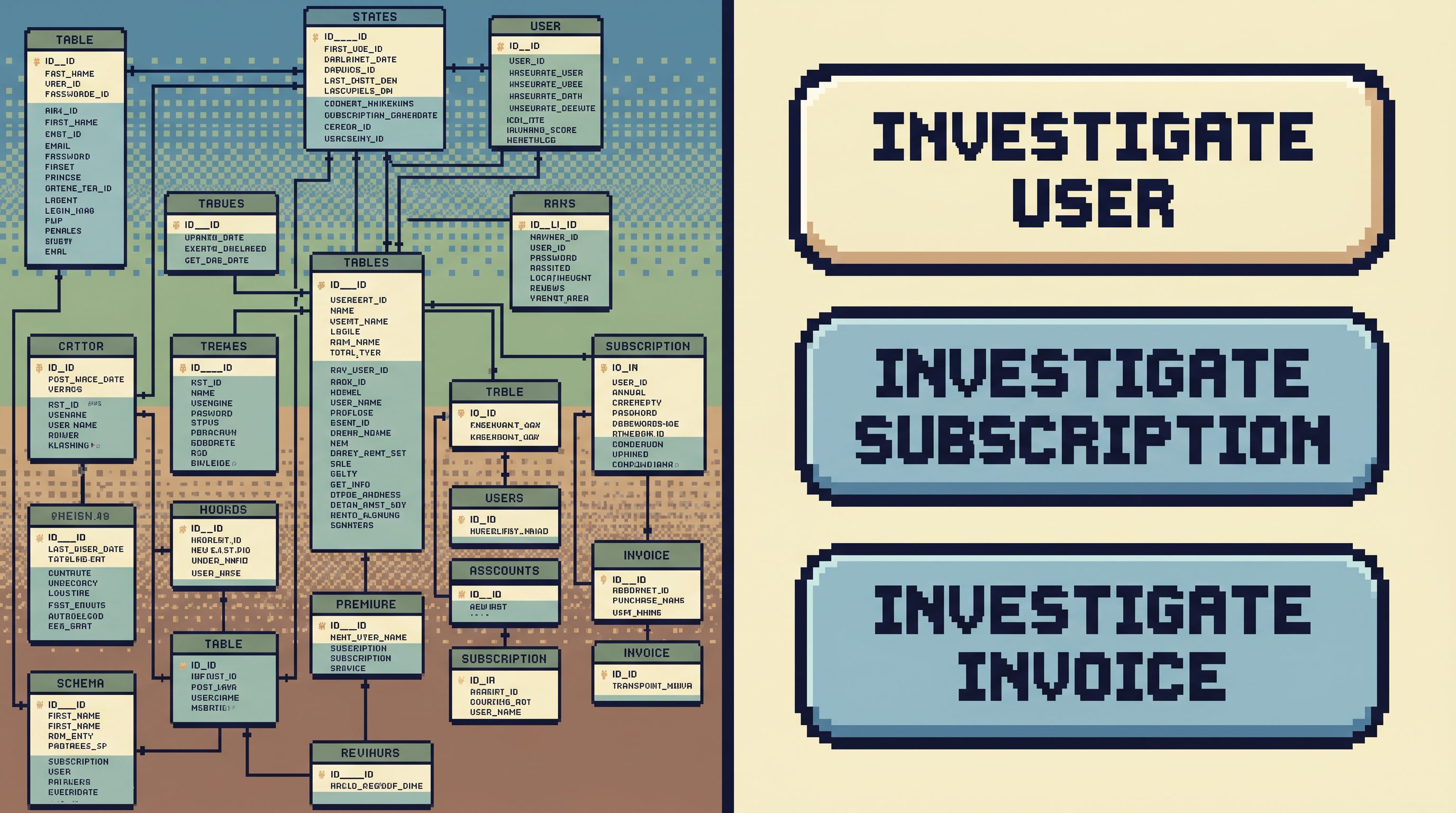
- “Investigate subscription.”
- “Investigate job.”
- “Investigate invoice.”
Each entry point is a small, opinionated flow:
- You provide the anchor (ID, email, or similar).
- The tool runs a known, safe query pattern.
- You land on a composed view with the right related data in reach.
What this looks like
In an ideal browser, you might see a short list like:
- Investigate user — start from
user_idor email. - Investigate subscription — start from
subscription_id. - Investigate invoice — start from
invoice_id. - Investigate job — start from
job_id.
Each one:
- Has a fixed, reviewable query behind it.
- Surfaces just enough related context to feel oriented.
- Is designed to be safe to run in production.
This is closely related to the “single‑path admin” stance from The Single‑Path Admin: Using Read‑Only Trails to Design Safer Write‑Adjacent Workflows: you design a narrow set of flows that everyone can trust, instead of letting every incident re‑invent navigation.
How to adopt this pattern
On your team:
- List your top 5 recurring questions about production data.
- For each, write down the ideal navigation path:
- Which entity do you start from?
- Which related entities do you always end up touching?
- Which time ranges matter?
- Turn each into a named, shared query or view in your browser:
- Even if your tool is generic, you can usually save queries or bookmarks.
- Name them by intent, not by table.
- Put those intents as visible, first‑class options in your tooling docs or internal runbooks.
Then, set a norm:
- During incidents, start from a named intent when possible.
- Only fall back to free‑form querying when you’re truly in new territory.
Over time, this builds a library of calm, repeatable flows that feel more like tools and less like one‑off hero queries.
Pattern 4: Show structure as context, not as a destination
Intent‑first navigation doesn’t mean hiding the schema. It means changing when and how it appears.
Instead of a permanent, full tree, you want contextual structure:
- Just enough schema to stay oriented.
- Only when it helps answer the question at hand.
We explored this stance in The Calm Schema Surface: Showing Just Enough Structure for Everyday Production Reads. The key idea is simple: structure should support reading, not demand configuration.
What this looks like
In a row‑ or trail‑centric view, structure can show up as:
- A small, inline schema summary:
- Table name.
- Primary key.
- Key relationships.
- Hoverable column metadata:
- Type.
- Nullable.
- Short description.
- A compact relationship map:
- “This user has subscriptions, invoices, jobs.”
What you avoid is:
- A giant, always‑visible tree of every schema.
- Forcing people to navigate by expanding folders.
- Treating “browse table” as the default first move.
How to adopt this pattern
If you control the UI:
- Demote the full object tree to a secondary panel or an on‑demand overlay.
- Promote entity‑level views and trails as the main surface.
- Invest in micro‑metadata: short, readable descriptions for key tables and columns that show up exactly where they’re used.
If you’re stuck with tree‑first tools, you can still:
- Create saved views or materialized perspectives that represent entities, not raw tables.
- Document a minimal schema surface for incident work: the small subset of tables most sessions actually touch.
Pattern 5: Guardrails in the navigation, not just in permissions
One quiet benefit of intent‑first navigation is safety.
When your primary interface is a blank SQL editor plus a full object tree, the path from “I want to read something” to “I just ran a risky query” is short.
When your primary interface is a set of opinionated, read‑focused flows, the opposite is true:
- Common intents are encoded as safe, reviewed queries.
- Trails are read‑only by default.
- Free‑form querying is still possible, but clearly a separate mode.
This aligns with the stance in Guardrails in the Flow, Not the Setup: Designing Safer Reads Without More Permissions Work and the read‑only contract described in Opinionated Read‑Only by Design: Why Simpl Refuses to Become Your Admin Panel.
What this looks like
A calm, intent‑first browser like Simpl will typically:
- Default every navigation pattern to read‑only.
- Make write‑adjacent actions (like triggering a retry) explicit, rare, and clearly separated.
- Encourage teams to treat trails as artifacts that can be reviewed and replayed.
The navigation itself becomes a safety feature: it’s hard to wander into dangerous territory when the main paths are narrow and well‑lit.
Putting this into practice on your team
You don’t need to redesign your whole stack to benefit from intent‑first patterns. You can start small.
Here’s a pragmatic path:
-
Observe one real incident or debug session.
- Take notes on the actual navigation steps.
- Highlight every time someone had to stop and think: “Which table now?”
-
Name the underlying intents.
- Was the work primarily entity‑centric? Event‑centric? Change‑centric?
- Which anchors (IDs, timestamps, errors) actually drove the session?
-
Design one opinionated flow for the most common intent.
- For example: “Investigate subscription” from
subscription_id. - Encode it as a saved query, a small internal tool, or a custom view in your browser.
- For example: “Investigate subscription” from
-
Expose that flow as a first‑class option.
- Link it from your incident runbook.
- Teach on‑call engineers to start there.
-
Iterate based on real use.
- Watch how people use the flow.
- Tighten the queries.
- Add just‑enough related context.
-
Gradually demote the object tree.
- Keep it available, but no longer the default starting point.
- Encourage people to reach for intents first, tables second.
Over a few cycles, you’ll notice the same effect we’ve seen in teams that adopt a single calm surface like Simpl: fewer navigation decisions, more time actually reading and explaining what happened.
Summary
Object trees made sense when the primary job of a database tool was “give me full access to everything.” For most engineering teams doing production work, that’s no longer the real job.
The real job is:
- Start from a concrete question.
- Reach the relevant rows quickly.
- Follow a clear trail through related entities and time.
- Capture enough of that trail that others can replay it.
Intent‑first navigation patterns support that job directly:
- Anchors over tables. Start from IDs, errors, and timestamps.
- Trails over trees. Follow stories, not folders.
- Named flows over ad‑hoc queries. Encode recurring intents as first‑class entry points.
- Contextual structure over global trees. Show just enough schema, when it helps.
- Guardrails in the flow. Make the safe path the default, not the exception.
Whether you adopt a purpose‑built browser like Simpl or retrofit these ideas into your existing tools, the outcome is the same: calmer sessions, fewer decisions, and a navigation model that matches how your team actually thinks.
Take the first step
You don’t need a full redesign to move beyond object trees. Pick one small experiment:
- Add a global ID search that lands on entity views instead of raw tables.
- Turn your most common debug question into a named, shared flow.
- Run your next incident using a single, intent‑first surface instead of juggling five tools.
If you want a tool that already leans this way, try Simpl: an opinionated database browser built around calm, intent‑first navigation rather than schema trees and blank canvases.
Start from the question. Let the schema follow, not lead.