The Calm Query Handrail: Designing Just-Enough Guidance for Risky Production Reads


Production reads are supposed to be the safest thing you can do to a database.
You’re “just” looking.
But anyone who has watched a wide SELECT tip over replicas, or seen a half‑baked debug query leak sensitive data into logs, knows that reads carry real risk:
- Risk to performance (unbounded scans, accidental fan‑out)
- Risk to privacy (grabbing more columns than you meant to see or share)
- Risk to understanding (ambiguous queries that look plausible but answer the wrong question)
Most teams respond with two blunt tools:
- Lock production behind heavy permissions and reviews.
- Hand everyone a full SQL editor and hope training is enough.
Neither feels calm.
A better pattern is to build a query handrail: a set of light, opinionated constraints that guide people toward safe, legible production reads without turning every query into a ticket.
This post is about what that handrail looks like in practice, and how tools like Simpl can embody it as a default posture.
Why risky reads need a handrail
Risky reads don’t usually start risky.
They start as:
- “Let me just see this user’s invoices.”
- “I’ll pull a quick list of jobs around the incident time.”
- “I want to sanity‑check this migration on real data.”
Then, under time pressure, they drift:
- The filter gets a little looser.
- A
JOINgets added without thinking about cardinality. - Someone runs the query on the primary instead of a replica.
The problem isn’t SQL skill. It’s lack of guardrails at the exact moment attention is thinnest.
A calm query handrail matters because it:
- Makes the safe path the obvious path. The “right” way to look at production data should be the shortest distance from intent to rows.
- Pushes risk into design time, not incident time. You decide once how risky patterns should behave instead of improvising during every outage.
- Keeps the mental model simple. People remember a few clear patterns, not a wiki of exceptions.
If you’ve already been thinking about linear, low‑noise debug flows, this builds directly on ideas from posts like The Calm Debug Loop and The Calm Query Cliff.
What a query handrail is (and isn’t)
A query handrail is not:
- A permissions matrix.
- A linter that yells after the fact.
- A 200‑page SQL safety doc.
A query handrail is:
- A small set of constraints that shape how queries are formed.
- A UI that nudges you into safe defaults.
- A few opinionated patterns around where, when, and how reads run.
Think of it as the banister on a staircase:
- You can still move fast.
- You can still choose your steps.
- But you always have something solid to hold onto, especially when you’re tired or rushing.
Principle 1: Intent first, not schema first
Risky reads often start from the wrong first question:
“What table do I want?”
That pushes people into schema wandering and ad‑hoc joins. A calm handrail flips the order:
“What am I trying to understand?”
From there, the tool can:
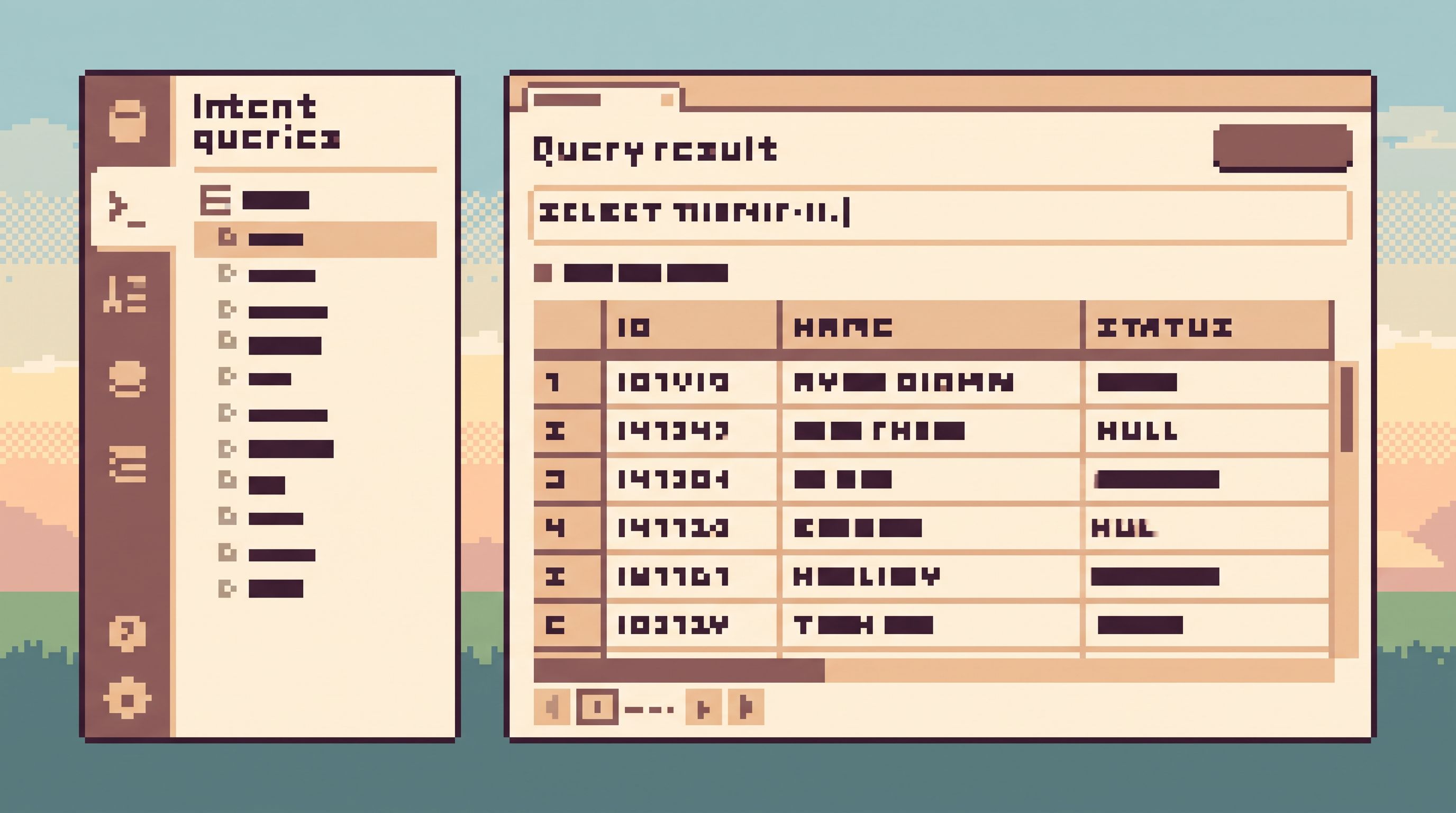
- Suggest pre‑shaped entry points: “Find user by email,” “Inspect invoice by ID,” “List jobs around timestamp.”
- Apply opinionated filters first, not as an afterthought.
- Hide entire classes of columns or tables that are irrelevant for that intent.
This is the same stance as Beyond Object Trees: the navigation starts from intent, not from a giant left‑hand schema tree.
Concrete moves:
- Build a small catalog of intent forms (e.g., “Look up user,” “Trace order,” “Inspect job run”). Each form maps to a known, safe query shape.
- In a tool like Simpl, make those intents the default entry points instead of dropping users into a blank query editor.
- For ad‑hoc SQL, ask for a short natural‑language description first, and show it back next to the query. It’s a small friction that forces intent to be explicit.
Principle 2: Default to narrow, bounded reads
Most “risky” reads share a few traits:
- They touch too many rows.
- They touch too many columns.
- They run in the hottest part of the system.
You don’t fix that with a training slide. You fix it with defaults.
Design defaults that quietly cap risk:
-
Hard row caps on interactive queries
- 500–2,000 rows is usually enough to debug a situation.
- Make the cap visible and intentional: “Showing first 1,000 rows. Refine filters or export to see more.”
-
Column whitelists per intent
- For “support‑style” reads, only expose the handful of columns that matter.
- Keep sensitive or noisy columns behind an explicit “show more” action.
-
Replica‑first routing
- Run exploratory reads against replicas by default.
- Only allow primary reads for a small set of well‑understood, pre‑reviewed patterns.
-
Time‑bounded queries
- Every query that touches a time‑series table should have a clear window: “Last 15 minutes,” “Yesterday,” “This billing period.”
- Make “no time filter” a visible anti‑pattern that requires a deliberate override.
How this looks in a calm browser like Simpl:
- Intent forms that always include a time or ID constraint.
- A visible, non‑dismissible row cap indicator.
- A subtle badge like “Replica · Safe read” vs “Primary · Heavy read (review recommended).”
Principle 3: Make dangerous shapes hard to express
Some query shapes are almost always a bad idea in production:
SELECT *on hot, wide tables.- Unbounded
JOINs between large tables. - Full‑table scans without predicates on partition keys.
Instead of trusting everyone to remember every pitfall, design your surface so those shapes are hard to even think about.
Borrow patterns from The Calm Query Cliff:
1. Gentle friction for SELECT *
- Auto‑expand
*into explicit columns in the editor, so people see what they’re actually asking for. - Add a small inline hint: “This table is wide; selecting all columns may be slow. Consider narrowing to what you need.”
2. Join presets instead of free‑form joins
- Offer named relationship paths:
user → invoices,invoice → payments,job → logs. - Under the hood, these are well‑tested join clauses with safe predicates.
- Make ad‑hoc joins possible but slower to reach.
3. Guardrails on predicates
- For known hot tables, require at least one predicate on a partition or index key.
- If someone tries to run a query without it, show a specific, helpful prompt: “This table is sharded by
tenant_id. Did you mean to filter by tenant?”
4. No write surface in the same tool
- Don’t mix read‑only and read‑write sessions in the same UI.
- A calm browser like Simpl should be read‑only by design; schema changes and data edits belong in a separate, heavier tool.
Principle 4: Keep the session linear and explainable
Risk grows when people lose the plot.
You start from one user, one incident, one invoice. Ten minutes later you’re:
- Looking at five different tables.
- Running three similar queries with tiny tweaks.
- Unsure which result actually answered the question.
A calm handrail keeps the session linear:
- One primary question.
- A short trail of related views.
- A clear sense of how you got from A → B → C.
This builds on patterns from From Data Wandering to Data Walkthroughs and The Calm Cursor.
Concrete design elements:
-
Single primary question per session
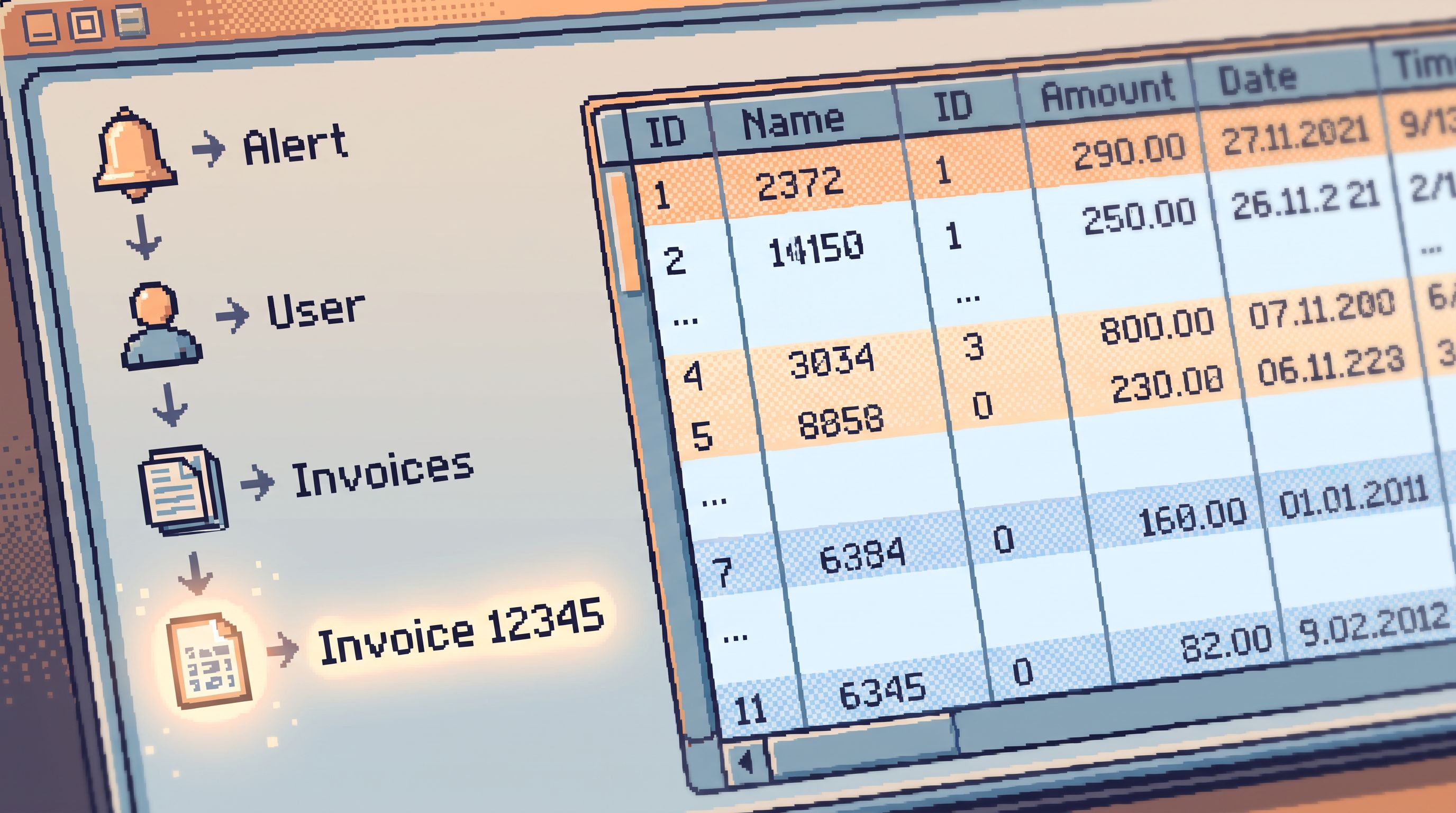
- Let the user name the question up front: “Why did invoice 12345 get voided?”
- Keep that question pinned at the top of the UI.
-
Breadcrumbs of moves, not tabs of queries
- Show a linear trail: “User → Invoices → Invoice 12345 → Payments.”
- Each step is a small, reversible move, not a new workspace.
-
Narrative‑friendly pagination
- Cursor‑based pagination that keeps “previous” and “next” aligned to a clear ordering (often time or ID).
- No arbitrary page numbers that break the story.
-
One canonical result per question
- Encourage saving or pinning the query that actually answered the question.
- Discourage a pile of nearly identical, unsaved queries.
Principle 5: Make risk visible, not surprising
A good handrail doesn’t just block bad moves. It makes the risk profile obvious before you commit.
People should be able to answer, at a glance:
- How heavy is this query?
- Where is it running?
- What kind of data will I see?
Useful signals to surface:
- Estimated row count bucket: “Light (<10k rows),” “Medium (~100k rows),” “Heavy (1M+ rows).” Even rough estimates help people pause.
- Data sensitivity hints: icons or labels indicating PII, financial data, secrets. Clicking through should feel deliberate.
- Environment badge: “Production · Read‑only,” “Replica · Safe for exploration,” “Sandbox · Training only.”
- Concurrency hints: “3 similar heavy queries running; expect slower response.”
You don’t need a full query planner UI. You need just enough visibility to nudge people away from accidental harm.
Principle 6: Practice in a sandbox that mirrors reality
A handrail is only useful if people are comfortable leaning on it.
That means they need a place to practice risky‑shaped questions safely:
- Same schema.
- Same navigation patterns.
- Different data.
This is the argument behind a calm query sandbox:
- A non‑production environment that feels identical to production in structure.
- Seeded with realistic, non‑sensitive data.
- Wired through the same intents, filters, and navigation as your real production browser.
When people learn to debug in the sandbox, they’re also learning the exact moves they’ll use in production — just with less risk. Tools like Simpl can make this seamless: switching from sandbox to production should feel like changing lenses, not changing tools.
Principle 7: Encode habits into the tool, not the wiki
The calm query handrail is most effective when it encodes team habits directly into the browser.
Instead of:
- “We usually filter by tenant first.”
- “We try not to run this query during peak hours.”
- “We always check related payments when looking at invoices.”
You bake those into:
- Default filters.
- Time‑of‑day hints or soft blocks.
- Linked views and related‑object shortcuts.
Over time, your browser becomes a living, opinionated representation of how your team safely reads production — not just a generic SQL surface.
A simple rollout path
You don’t have to redesign everything at once. A calm handrail can emerge in a few deliberate steps.
1. Pick three risky patterns
Look at the last six months of scary moments around reads:
- Which queries scared SREs or DBAs?
- Which debug sessions felt noisy or fragile?
- Which support flows consistently required senior supervision?
Pick three patterns to address first.
2. Design one intent form per pattern
For each pattern, define:
- The concrete question (e.g., “Inspect user by email,” “Trace invoice by ID”).
- The minimal columns needed.
- The safest predicates (tenant, time window, status).
Then build a simple, guided entry point for it in your browser or in Simpl.
3. Add visible row caps and environment badges
Even if you can’t change query shapes yet, you can:
- Cap interactive queries.
- Make it obvious whether you’re on primary, replica, or sandbox.
4. Introduce a sandbox that mirrors production
Wire the same intents and navigation into a non‑production environment.
- Encourage new hires and adjacent teams to start there.
- Use it for onboarding and for practicing incident drills.
5. Iterate with real incidents
After each incident or scary query, ask:
- “Where did the handrail fail?”
- “What move felt risky or confusing?”
- “What would have made the safe path more obvious?”
Then update intents, defaults, and hints accordingly.
This is the same quiet, iterative posture described in The Quiet DX Roadmap: small, deliberate changes that compound into a calmer stack.
Summary
Risky production reads aren’t a people problem. They’re a surface problem.
A calm query handrail doesn’t add more tools or more process. It adds just enough guidance at the exact moment someone is about to touch live data.
The key moves:
- Start from intent, not schema.
- Default to narrow, bounded reads.
- Make dangerous shapes hard to express.
- Keep sessions linear and explainable.
- Make risk visible before execution.
- Let people practice in a realistic sandbox.
- Encode team habits into the tool, not just the docs.
When you do this well, production reads stop feeling like walking a cliff edge with no rail. They feel like what they should have been all along: calm, focused work grounded in real rows.
Take the first step
You don’t need a full redesign to start.
Pick one real question your team asks every week:
- “What happened to this user?”
- “Why did this invoice change?”
- “Which jobs failed around this alert?”
Then:
- Turn that question into a single, opinionated intent with safe defaults.
- Expose it in your current tools or prototype it in a dedicated browser like Simpl.
- Run your next few debug sessions through that path and notice what gets quieter.
From there, add the next handrail, and the next. Over time, you’ll find that “risky production reads” have become something else entirely: a set of calm, well‑worn paths through your data that everyone on the team can trust.