Beyond Saved Views: Turning Common Production Reads into Opinionated ‘Runbooks in SQL’

Most teams already have some structure around their production reads:
- Saved queries in a BI tool
- Pinned tabs in an admin console
- A shared doc with “useful SQL” for incidents
They start with good intent and end in the same place: clutter. Stale filters. Duplicated queries. No one is sure which version is safe, or which one was used during the last incident.
This post is about a different stance: treat your most common production reads as runbooks in SQL—small, opinionated, reusable paths that encode how you investigate, not just what you select.
Tools like Simpl exist exactly for this middle layer: calm, repeatable production reads without the noise of full BI or admin tools.
Why “runbooks in SQL” matter
Most production questions repeat:
- “What happened to this user’s signup?”
- “Which orders are stuck in
processingfor more than 15 minutes?” - “Did last night’s migration touch any rows it shouldn’t have?”
- “What is the real state of this subscription in the database?”
You can answer all of these with ad‑hoc queries. But ad‑hoc has a cost:
- Inconsistent answers. Two engineers, same question, different predicates.
- Slow incidents. People rewrite the same query from memory, under pressure.
- Hidden knowledge. The best SQL lives in private scratchpads and shells.
- Risky habits. “Just add
LIMIT 1and ship it” against hot tables.
By contrast, a runbook in SQL is:
- Opinionated. It encodes the “right” way to investigate a scenario.
- Narrow. It answers one concrete question, not “everything about orders.”
- Parameterised. You bring a user ID, order ID, or time window; the SQL brings the rest.
- Stable. It evolves with the system, instead of forking into ten variants.
If you’ve read about opinionated trails and calm workflows in posts like “Database Work Without Bookmarks: Using Opinionated Trails Instead of Saved Queries” or “From Metrics to Rows: A Focused Workflow for Jumping from Alerts into Production Data”, this is the same idea—applied specifically to your most common production reads.
Saved views vs. runbooks in SQL
Most tools call them “saved views,” “saved queries,” or “favorites.” On the surface, a runbook in SQL looks similar. Underneath, it’s different in a few important ways.
1. From generic to scenario‑specific
Saved view:
SELECT * FROM orders ORDER BY created_at DESC LIMIT 100;
- Useful as a table browser.
- Useless when a customer says “my order is stuck.”
Runbook in SQL:
“Given an
order_id, show me everything I need to know about this order, its payments, shipments, and any recent status transitions.”
The difference is the unit of work:
- Saved views are table‑centric.
- Runbooks are question‑centric.
This is the same shift described in “From Microservices to Micro-Reads: Tracing a Single User Journey Across Many Databases”: you want small, focused reads that match the path of a real request, not a generic window into a table.
2. From free‑form filters to fixed perspectives
Saved views usually expose every filter the underlying table supports. That sounds flexible; it mostly creates noise.
A runbook in SQL is willing to say:
- “We always care about current rows here, so we filter to
deleted_at IS NULL.” - “We always sort by
created_at DESCbecause recency matters.” - “We always join to
paymentson this key, with this status filter.”
You’re not building a GUI. You’re encoding an opinion about how this investigation should be done.
3. From personal shortcuts to shared infrastructure
Saved views tend to be personal:
- Named however the creator feels that day
- Stored wherever the tool decides
- Rarely reviewed, never versioned
Runbooks in SQL are team objects:
- Named consistently:
incident_orders_stuck,support_user_signup_trail - Owned by a team (SRE, payments, growth)
- Reviewed like code, even if they live in a database browser like Simpl
What makes a good SQL runbook
A runbook in SQL is not just “a saved query with parameters.” It should carry structure, context, and guardrails.
Here’s a checklist.
1. A single, clear purpose
You should be able to finish the sentence:
“Use this when you need to understand X.”
Good examples:
- “Use this when a user’s signup failed after payment.”
- “Use this when an order is stuck in
processingfor > 10 minutes.” - “Use this to verify a subscription’s true state before a manual fix.”
Bad examples:
- “General user lookup.”
- “Order debugging.”
- “Payments report.”
If the purpose is vague, the SQL will be vague. Vague SQL is hard to trust.
2. Parameterised, but not open‑ended
A runbook should take a small number of required inputs—usually 1–3 identifiers or a narrow time range.
Examples:
user_idorder_idsubscription_idincident_window_start/incident_window_end
Avoid:
- Arbitrary WHERE clauses
- Free‑text search over many columns
- Optional filters that radically change semantics
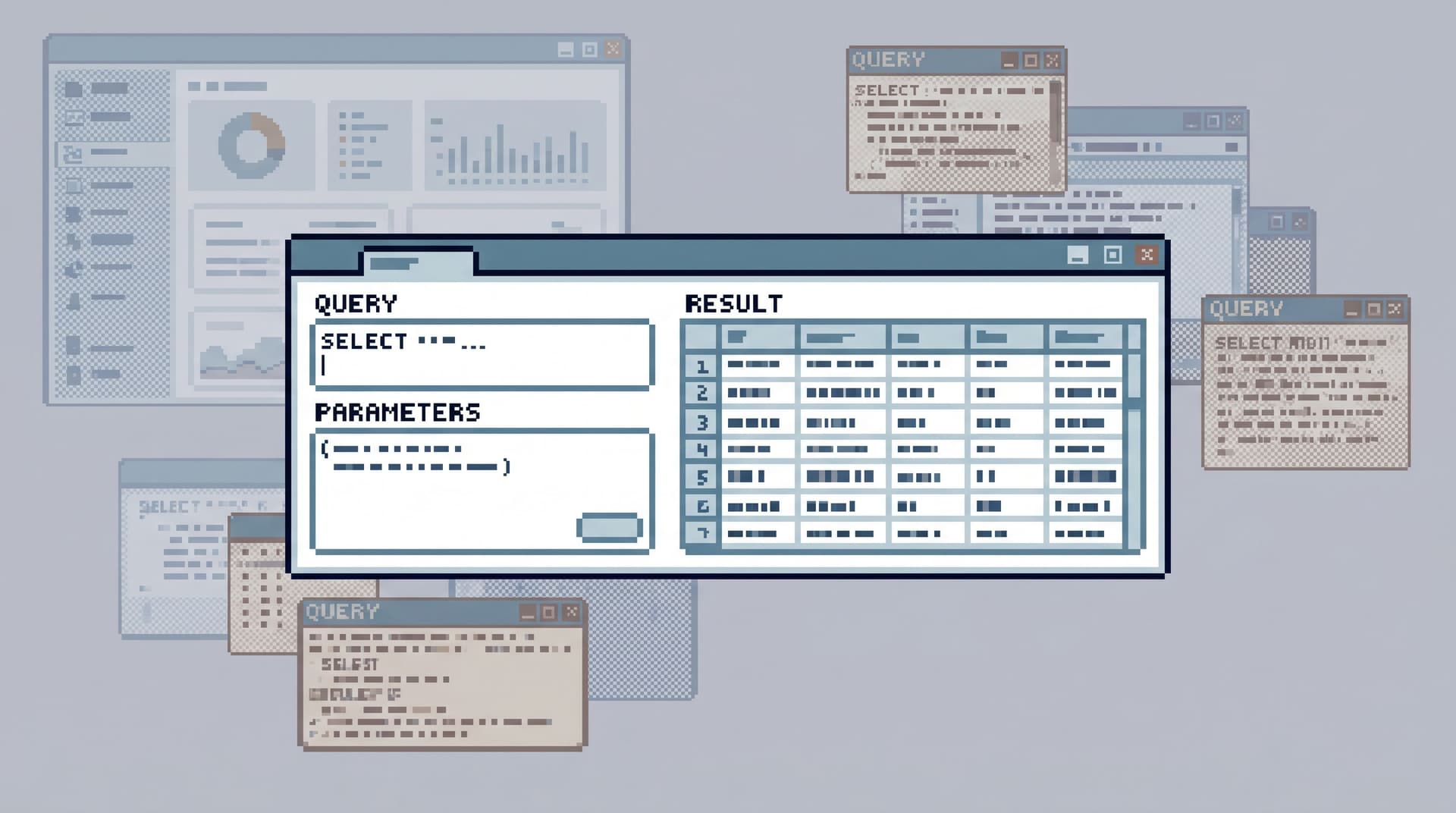
In Simpl, this often looks like a small, opinionated input form above the SQL: one or two fields, not a full query builder.
3. Opinionated joins and filters
The runbook should encode the right joins and the right filters, not expose them as options.
For example, consider an “order stuck” runbook:
- Join orders → payments → shipments
- Filter to the last N hours by
created_at - Exclude test accounts (
email NOT LIKE '%@example.com') - Exclude soft‑deleted records
Engineers shouldn’t have to remember these constraints under pressure. The runbook should.
4. Safe by default
Production safety is partly about query shape. A good runbook:
- Limits row counts by design (e.g.,
LIMIT 200on non‑ID‑based views) - Avoids
SELECT *in favor of explicit columns - Uses covering indexes where possible
- Avoids broad time ranges without an ID predicate
These are the same habits described in “Beyond ‘SELECT *’: Small Query Habits That Make Production Databases Feel Safer”.
A runbook is where you can bake those habits in so every engineer benefits, even if they never read the style guide.
5. Human‑oriented output
The result set should be readable by a tired engineer at 2 a.m.:
- Columns ordered by importance, not schema order
- Derived columns for key interpretations (
is_stuck,latency_ms,status_path) - Clear formatting for timestamps and durations
- Grouping related rows together where helpful
The runbook exists to answer a question quickly, not to mirror the schema.

How to turn common reads into SQL runbooks
You don’t need a giant project. Start with a handful of recurring questions and shape them into opinionated paths.
Step 1: Inventory your real questions
Look for patterns in:
- Recent incidents
- Support escalations
- On‑call handoffs
- Ad‑hoc queries in your logs or history
You’re looking for questions that keep coming back, such as:
- “Is this user fully onboarded?”
- “Which invoices failed to charge this morning?”
- “Did this background job actually process all its tasks?”
If you’re using a browser like Simpl, your query history already tells this story. This is where ideas from “Opinionated History: Turning Your Query Log into a Calm Knowledge Base” become directly useful.
Step 2: Pick 3–5 high‑leverage scenarios
Not every question deserves a runbook. Start with scenarios where:
- Time pressure is real (incidents, on‑call)
- Multiple teams care (support, product, infra)
- The SQL is non‑trivial (joins across services, tricky filters)
Examples:
-
Signup trail for a single user across services
Mirrors the path described in your microservices architecture. -
Order lifecycle for a single order ID
From creation to payment to fulfillment, with failure points. -
Subscription truth view
Reconciles billing provider state with internal state. -
Background job run inspection
Given a job run ID, show its tasks, retries, and failures.
Step 3: Write the first version like a narrative
When you draft the SQL, write it as if you’re telling a story:
- CTEs that mirror steps:
signup_event,auth_record,billing_customer - Comments that explain why a filter exists, not just what it does
- Column names that read like answers:
signup_succeeded,payment_attempts_count
Example structure (simplified):
WITH signup_event AS (
  SELECT ...
  FROM signup_events
  WHERE user_id = :user_id
  ORDER BY created_at DESC
  LIMIT 1
),

billing AS (...),
notifications AS (...)

SELECT
  se.created_at AS signup_at,
  b.status AS billing_status,
  n.last_email_sent_at,
  CASE
    WHEN b.status = 'paid' AND n.last_email_sent_at IS NOT NULL
    THEN 'complete'
    ELSE 'incomplete'
  END AS onboarding_state
FROM signup_event se
LEFT JOIN billing b ON ...
LEFT JOIN notifications n ON ...;
You’re not just querying tables. You’re encoding the canonical story of a signup.
Step 4: Wrap it in a calm interface
Once the SQL feels right, give it a stable home:
- A named, shared view in your database browser
- A small form for required parameters
- Clear description text: “Use for X, assumes Y, excludes Z”
This is where a focused browser like Simpl shines:
- You can keep the SQL visible for those who care.
- You can hide it behind a minimal interface for those who don’t.
- You avoid the sprawl of a full BI tool or admin console.
Step 5: Test it in real incidents and loops
A runbook is only real once it’s used under pressure.
For each new SQL runbook:
- Use it in at least 3 real incidents or support cases.
- Ask: did it answer the question fast, or did we still need ad‑hoc queries?
- Adjust columns, filters, and joins based on actual usage.
You’re aiming for a state where, for that scenario, people say:
“Just open the runbook and plug in the ID.”

Keeping SQL runbooks alive (and calm)
A dead runbook is worse than none: it creates false confidence.
Design a lightweight maintenance loop so your runbooks stay trustworthy.
1. Treat them like code, not bookmarks
- Store the SQL in version control, or at least behind review.
- Make changes via small, reviewed edits.
- Link to the runbook from relevant docs, tickets, and alerts.
2. Attach them to the workflows they support
Runbooks work best when they’re not “yet another place to look,” but the default next step in an existing flow.
Examples:
- From an alert about stuck orders, link directly to the
orders_stuckrunbook. - From a support escalation template, link to the
user_signup_trailrunbook. - From your incident template, include a section: “Which runbooks did we use?”
This connects to ideas in “From Tables to Tickets: A Straight-Line Workflow From Alert to Root-Cause Row” and “From Tickets to Trails: Designing Opinionated Paths from Jira Issues into Live Data”: the runbook is the concrete path from abstract description to real rows.
3. Add quiet guardrails
A few subtle constraints can keep runbooks safe over time:
- Time bounds by default. e.g., last 24 hours unless an ID is present.
- Hard limits on row counts for broad queries.
- No write permissions anywhere near the runbook’s surface.
If you’re using Simpl, this often means pairing opinionated SQL with opinionated read‑only roles and safe defaults for pagination and filters.
4. Review after incidents, not on a schedule
Instead of quarterly “runbook review” meetings, use incidents as natural review points:
After each incident:
- Which runbooks were used?
- Which ones were missing?
- Which ones were confusing or noisy?
Update or add runbooks while the context is fresh.
Where a tool like Simpl fits
You can implement SQL runbooks with almost any stack: raw SQL files, a basic admin console, even a CLI. But the experience changes dramatically when you have a focused browser layer.
A tool like Simpl sits in a specific place:
- Post‑BI. You already know something is wrong; you don’t need another chart.
- Pre‑admin. You don’t want schema changes, migrations, or raw consoles.
For runbooks in SQL, that means:
- A calm interface for a small number of high‑value views.
- Parameter forms instead of open‑ended editors.
- Opinionated defaults for pagination, filters, and safety.
- Shared, linkable trails you can paste into tickets and docs.
The goal isn’t to replace your existing tools. It’s to give your team a quiet, reliable place where common production reads feel boring in the best way: predictable, repeatable, and safe.
Summary
Turning common production reads into opinionated runbooks in SQL is about:
- Shifting from tables to questions. Each runbook answers one concrete scenario.
- Encoding judgment. The right joins, filters, and limits live in the SQL, not in someone’s memory.
- Making safety the default. Guardrails are baked into the query shape.
- Reducing noise. Fewer ad‑hoc queries, fewer screenshots, fewer “what’s the right query again?” moments.
- Sharing knowledge. Runbooks become shared team assets, not private shortcuts.
When you do this well, incidents shrink, on‑call feels calmer, and production reads stop depending on whoever remembers the “good” SQL from last time.
Take the first step
You don’t need a full catalog of runbooks to see the benefit. Start small:
- List the 3 most common production questions your team asks.
- For each, draft a single, opinionated SQL query that answers it.
- Put those queries somewhere visible, shared, and safe—ideally in a focused browser like Simpl.
- Use them in the next incident or support escalation. Refine based on real usage.
Over time, those three runbooks will turn into a small, trusted library of calm production reads—a set of opinionated paths your team can follow without noise, even when everything else feels loud.