The Quiet Query Diff: Comparing Production States Without Opening Ten Tabs

Production never stands still.
A feature flag flips. A background job re-runs. A migration rolls out to half your tenants. Somewhere in that movement, a support ticket appears:
“This user says their account looked different yesterday.”
You know the work ahead:
- Compare now to then.
- Compare prod to staging.
- Compare before and after a deploy.
And, on most teams, you also know the ritual:
- Three SQL tabs for different time ranges
- A BI dashboard for “yesterday’s snapshot”
- An admin console for current state
- Maybe a spreadsheet export “just to be safe”
Ten tabs later, you have a rough sense of what changed—and a headache.
This post is an argument for a quieter pattern: a query diff mindset. Not “run the same query in ten places,” but treating state comparisons as a first-class workflow you can do calmly, in one place, with one trail of understanding.
Tools like Simpl exist exactly for this middle layer: calm, opinionated database browsing that lets you compare states without turning your browser into a wall of tabs.
Why Comparing States Is Harder Than It Looks
On paper, “just compare before and after” sounds simple. In practice, state comparison goes wrong in a few predictable ways.
1. The multi-tab mirage
You open multiple tools to feel safer:
- SQL IDE for raw reads
- Admin console for “what the app sees”
- BI for aggregates
- Log viewer for context
Each tab holds a slightly different slice:
- Different time windows
- Different filters
- Different environments
You feel like you’re covering your bases. Really, you’re multiplying ways to be wrong.
This is the same anti-pattern we explored in Less Tabs, More Trails: Structuring Long Debugging Sessions as One Continuous Read Path. State comparison is just another place where trails beat tab piles.
2. Hidden assumptions in every query
When you compare states, you’re rarely comparing entire tables. You’re comparing:
- A subset of users
- A time-bounded slice of events
- A specific cohort or tenant
Each query bakes in assumptions:
- Which IDs you filter by
- Which time range you choose
- Which joins you include
Copying that query across tools and tabs almost guarantees drift: one missing filter here, one different timestamp there. Your “diff” becomes a comparison of different questions, not different states.
3. Time is a dimension, not a filter
Most production questions are quietly temporal:
- “What did this row look like before the migration?”
- “Which orders changed status between 02:00 and 02:15?”
- “How does staging compare to prod right now?”
If your tools treat time as just another WHERE clause, you end up hand-rolling your own history:
- Exporting CSVs
- Keeping screenshots
- Adding
updated_atfilters everywhere
It works—until you need to be precise.
A Different Stance: The Quiet Query Diff
A quiet query diff is not a new kind of SQL. It’s a way of structuring your comparisons so that:
- One question drives the work
- One trail holds the evidence
- One interface shows you both sides of the diff
Instead of:
“Run this query in prod, staging, and ‘yesterday’ and eyeball the difference,”
you want:
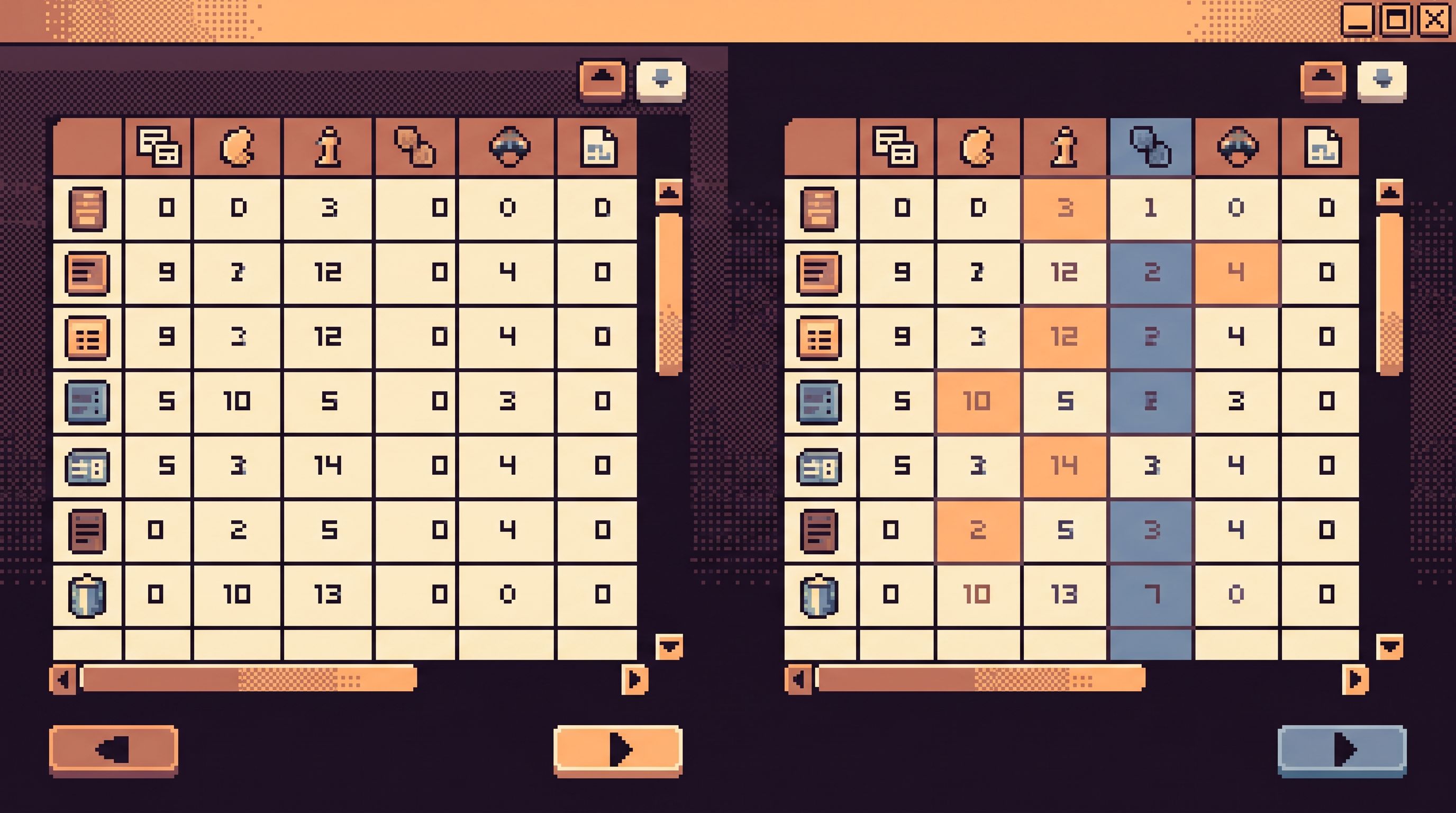
“Define the question once, then calmly move between states—time, environment, cohort—without rewriting or duplicating it.”
That’s the core idea behind opinionated database browsers like Simpl: treat queries as read paths you can replay across states, not as one-off commands you scatter across tools.
Common Scenarios Where Query Diff Matters
You already do query diffs, even if you don’t call them that. A few examples:
-
Migration verification
- Before: snapshot of key tables and edge-case rows
- After: same rows, same filters, same joins
- Goal: “Did we change exactly what we meant to change?”
-
Feature flag rollouts
- Cohort A (flag off) vs Cohort B (flag on)
- Compare behavior, counts, or specific user journeys
-
Incident timelines
- State at the start of the incident vs state after mitigation
- Rows that changed between two timestamps
-
Staging vs production sanity checks
- Does staging still resemble production for a key flow?
- Are test users in staging behaving like real users in prod?
In each case, the work is the same:
- Define a precise slice of data
- Hold that slice steady
- Move the context around it (time, environment, tenant)
Step 1: Start With One Precise Question
Quiet diffs start upstream: with a question that is narrow enough to compare.
A good query-diff question looks like:
- Specific subject: one user, one tenant, one job, one feature
- Concrete time frame: a well-bounded before/after window
- Clear outcome: “I want to know if X changed, and how”
Examples:
- “For user
U123, how did their subscription row change between 01:55 and 02:10 UTC?” - “For tenant
ACME, how manypending→paidtransitions happened after deployv2026.05.12-2?” - “For this payout batch ID, what’s different between staging and prod right now?”
Questions that are too broad:
- “Did anything weird happen after the deploy?”
- “Is staging close enough to prod?”
Broad questions produce broad diffs, which produce broad confusion. Narrow the subject until you can imagine the rows you want to see on screen.
If you’ve read From Tickets to Tables to Code: A Straight-Line Workflow for Everyday Production Debugging, this will feel familiar. Query diffs are just that straight line, with a fork in time or environment.
Step 2: Encode the Question as a Stable Read Path
Once you have the question, resist the urge to start opening tools. Instead, define one stable read path that represents the question.
Concretely, that means:
-
Write one canonical query (or small set of queries)
- Use explicit filters for IDs and time windows
- Join exactly the tables you need, nothing more
- Select only the columns that matter for the comparison
-
Make the variable parts explicit parameters
:user_id,:tenant_id,:batch_id:start_time,:end_time:environmentor:databaseif your tool supports it
-
Avoid environment-specific hacks
- No hard-coded schema names that differ between staging/prod
- No local-only functions or extensions
In a tool like Simpl, this becomes a named, parameterized read path instead of another ad-hoc query:
- “User subscription diff”
- “Payout batch lifecycle”
- “Tenant feature-flag state”
The important part: you define it once. The diff comes from how you run it, not how many copies of it you create.
Step 3: Move the Context, Not the Query
With a stable read path, you can now compare states by shifting context instead of rewriting SQL.
Compare across time
For temporal diffs, keep the subject fixed and slide the window:
- Run the read path at time A (before)
- Run the same path at time B (after)
- View the results side-by-side or as a timeline
Implementation options:
- Use
as_of/ point-in-time features if your database supports them (e.g., Postgres temporal tables via extensions, Snowflake Time Travel). - If you don’t have temporal storage, rely on
updated_atand event logs to reconstruct state slices.
The key is consistency:
- Same filters
- Same joins
- Same projection
Only the timestamp (or version) changes.
Compare across environments
For staging vs prod sanity checks:
- Point your browser at prod, run the read path
- Point it at staging, run the same path with the same parameters
- Compare the results inline, not in separate tools
A calm database browser should make this feel like changing a dropdown, not changing your entire workflow. This is the stance behind The Focused Staging Flow: Using One Opinionated Browser for Both Test and Prod Reads: one interface, multiple environments, identical paths.
Compare across cohorts
For feature flags or A/B experiments:
- Keep time and environment fixed
- Change the cohort parameter:
:cohort = controlvs:cohort = treatment - Compare metrics or row-level behavior between the two runs
Again: same query, different parameter. No new tabs.

Step 4: See the Diff as a Story, Not Just a Highlight
Most “diff” UIs focus on surface differences:
- Highlighted cells
- Changed values
- Added/removed rows
That’s useful, but for production work you usually care about the story:
- What changed first?
- What did that change trigger?
- Which changes matter for the user or the business?
To read the story, structure your diff views around:
-
Chronology
- Order rows or events by time
- Group changes into phases (before deploy, during incident, after fix)
- Annotate key transitions (status flips, ownership changes)
-
Invariants vs variants
- Call out fields that should never change (IDs, primary keys)
- Separate them visually from fields that are expected to move (status, counters)
-
User-facing impact
- Map row-level changes to what the user would have seen:
- “At 01:57, their subscription appeared as canceled.”
- “At 02:03, a retry flipped it back to active, but the invoice remained unpaid.”
- Map row-level changes to what the user would have seen:
A good query diff view helps you answer:
- “What would this have looked like from the outside?”
- “Where in this sequence did reality diverge from our expectations?”
This is where trails matter. A tool like Simpl is designed so your path through these comparisons is replayable—a single story you can share with a teammate, not a set of disconnected screenshots.
Step 5: Turn Recurring Diffs Into Quiet Templates
If you find yourself doing the same comparison more than twice, it deserves structure.
Common recurring diffs:
- “Post-migration sanity check for
usersandsubscriptions” - “Weekly staging vs prod check for the onboarding funnel”
- “Flag rollout health for
beta_feature_x”
Instead of:
- Rewriting SQL every time
- Rebuilding dashboards
- Reopening old Slack threads
Treat them as quiet diff templates:
- A small set of parameterized read paths
- Clear labels: inputs, expected invariants, expected movement
- Guardrails on filters and time ranges
This builds on the patterns from The Quiet Query Template: Turning Recurring Debug Flows into Opinionated, One-Click Reads. The twist here is that each template is explicitly about comparison:
- “Run this before and after a deploy.”
- “Run this in staging and prod.”
- “Run this for cohort A and B.”
Over time, your team accumulates a small library of diff templates that cover:
- High-risk migrations
- Critical flows (signup, billing, auth)
- Known tricky features
Not many templates. Just enough.
Practical Guardrails for Safe, Calm Diffs
Comparing production states touches real data and sometimes real risk. A few guardrails keep the work quiet:
-
Read-only by default
- Use tools and roles that cannot write to production during diff work.
- This reduces the cognitive load: you’re reading, not changing.
-
Scoped access
- Limit who can run which diff templates.
- Tie access to real read work, not job titles—an idea we unpacked in The Calm Access Model: Structuring Roles Around Real Read Work, Not Org Charts.
-
Predefined time bounds
- Offer sane defaults for time windows (e.g., last 15 minutes, deploy window) to avoid accidental full-table scans.
-
Performance-aware queries
- Design diff templates to use indexes and narrow slices.
- Avoid
SELECT *on large tables; select the minimal columns needed for the story.
-
Shareable trails, not screenshots
- Use URLs or saved sessions to share your diff with teammates.
- This keeps context live and reduces misinterpretation.
A read-first browser like Simpl bakes many of these guardrails into the defaults: read-only access, scoped environments, opinionated paths, and shareable trails.
Bringing It Together: One Trail, Two States
A quiet query diff workflow looks like this:
-
Start from a concrete question
- A support ticket, an incident, a migration checklist.
-
Define one stable read path
- Parameterized, minimal, environment-agnostic.
-
Shift context, not tools
- Time A vs time B
- Prod vs staging
- Cohort A vs cohort B
-
Read the story, not just the highlights
- Chronology, invariants, user impact.
-
Template what repeats
- Turn recurring diffs into calm, one-click flows.
The result is simple but powerful: you can explain what changed, when, and why—without ten tabs, three exports, and a pile of screenshots.
Summary
Comparing production states is everyday work: migrations, incidents, rollouts, sanity checks. Most teams treat it as an ad-hoc, multi-tab scramble.
A quieter approach is possible:
- Treat comparisons as structured read paths, not one-off queries.
- Keep the question stable and move the context around it.
- See diffs as stories over time, not just colored cells.
- Turn recurring comparisons into opinionated templates with guardrails.
With the right patterns—and a calm, opinionated browser like Simpl—you can move from noisy, tab-filled comparisons to a single, clear trail through your data.
Take the First Step
You don’t need a full migration to get value from query diffs.
Pick one recurring comparison you already do:
- Post-deploy checks for a critical table
- Staging vs prod for a key flow
- Before/after snapshots during incidents
Then:
- Write one precise, parameterized query for it.
- Run it in a single browser that can point at multiple environments.
- Save it as a named path you can reuse.
From there, you can grow:
- Add time-based comparisons.
- Add cohort-based comparisons.
- Add a handful of diff templates for your most important flows.
If you want a tool shaped around this way of working, explore how Simpl handles calm, opinionated read paths and trails. Start with one question, one path, and one quiet diff—and see how much production noise you can leave behind.