Mindful Data Work: Small Rituals That Keep Production Reads Out of the Doomscroll Loop


Production data work has a quiet failure mode.
You open your database “just to check one thing.” Ten minutes later you’re:
- Clicking through unrelated tables
- Re-running the same wide query with tiny tweaks
- Skimming charts, logs, traces, and tickets in parallel
- Half‑remembering what the original question even was
That’s the doomscroll loop for data work: a wandering, low‑intent session where attention leaks and risk climbs.
Mindful data work is the opposite posture. It’s not about meditation apps or deep theory. It’s about a few small rituals that keep production reads:
- Intentional instead of reactive
- Linear instead of tab‑driven
- Safe instead of improvised
Tools like Simpl exist for exactly this kind of work: an opinionated database browser that makes reading production data feel calm and bounded, not like another feed to scroll.
Why this matters more than you think
Production databases rarely fail because someone can’t write SQL. They fail because someone runs the right query in the wrong way, at the wrong time, on the wrong surface.
When production reads turn into doomscrolling, you quietly accumulate:
- Risk: wide scans on hot tables, unbounded filters, accidental joins on live systems
- Misinterpretation: jumping between partial views, mixing time ranges, reading stale dashboards alongside fresh rows
- Cognitive load: juggling tools, tabs, and contexts instead of following a single story in the data
This isn’t just a reliability problem. It’s a focus problem.
If you’ve ever felt the difference between a single‑intent SQL session and a tab‑storm of half‑finished queries, you’ve already seen the cost. We wrote about that posture in more depth in The Single‑Intent SQL Session: Writing One Query That Answers the Real Question.
Mindful data work is about making that calmer posture the default, not the exception.
Ritual 1: Start with one concrete question
Most doomscroll sessions start with a vague prompt:
“Something looks off with signups.”
That’s not a question. It’s a mood.
Before you touch the database, write down one concrete question you’re trying to answer. For example:
- “Why did user
1234get charged twice on July 3rd?” - “Which jobs for tenant
acmefailed between 10:00–10:15 UTC?” - “What did this subscription’s state look like before the downgrade yesterday?”
Then, make a small commitment:
I will not open a new tool or table until this one question is answered or explicitly parked.
A simple checklist helps:
- Question – One sentence, written somewhere visible (incident doc, ticket, or even the description field in Simpl).
- Scope – One user, one job, one invoice, one time window.
- Exit condition – What does “answered” mean? A specific explanation you could paste into Slack.
If you want a deeper pattern around this, Database Work Without Multitasking: Running a Whole Debug Session From One Intent walks through how to design an entire debug session around that single question.

Ritual 2: Choose one primary surface
Doomscrolling thrives on tool‑hopping.
- Logs in one tab
- Dashboards in another
- A SQL IDE with full write access
- An admin panel
- A notebook “just for quick checks”
Every new surface is another chance to drift away from the question.
A mindful alternative:
- Pick one primary surface for reading production data.
- Let other tools orbit it, not compete with it.
For many teams, that primary surface is a focused database browser like Simpl: read‑oriented, opinionated about navigation, and intentionally less powerful than a full SQL IDE.
A few practical constraints:
- Read‑only by default for production
- No scratchpad SQL on the same surface you use for incident reads
- No custom dashboard builders embedded in the browser
We go deeper on that separation in The Minimalist Data IDE: Where Simpl Ends and Your Editor Should Begin. The short version: treat your calm browser as the place you read production, and your IDE as the place you edit or explore.
Ritual 3: Set a timebox and a stopping rule
Endless scrolling feels safe because you’re “still looking.” In reality, it’s where you:
- Re‑run the same query with minor tweaks
- Keep widening time ranges
- Start opening unrelated tables “just in case”
A small, mechanical ritual helps:
- Set a visible timebox for the current question (for example, 15–25 minutes).
- Define a stopping rule before you start:
- “If I don’t have a plausible explanation by the end, I’ll write down what I’ve tried and escalate.”
- “If I’m opening a fourth table, I’ll stop and re‑state the question.”
During the session, notice the moment you feel the urge to “just check one more thing.” That’s often the edge of useful exploration and the start of doomscrolling.
A simple pattern:
- When the timer goes off:
- Summarize in two bullets what you learned.
- Decide explicitly: continue with a new timebox, or park the question.
This keeps production reads from turning into open‑ended archaeology.
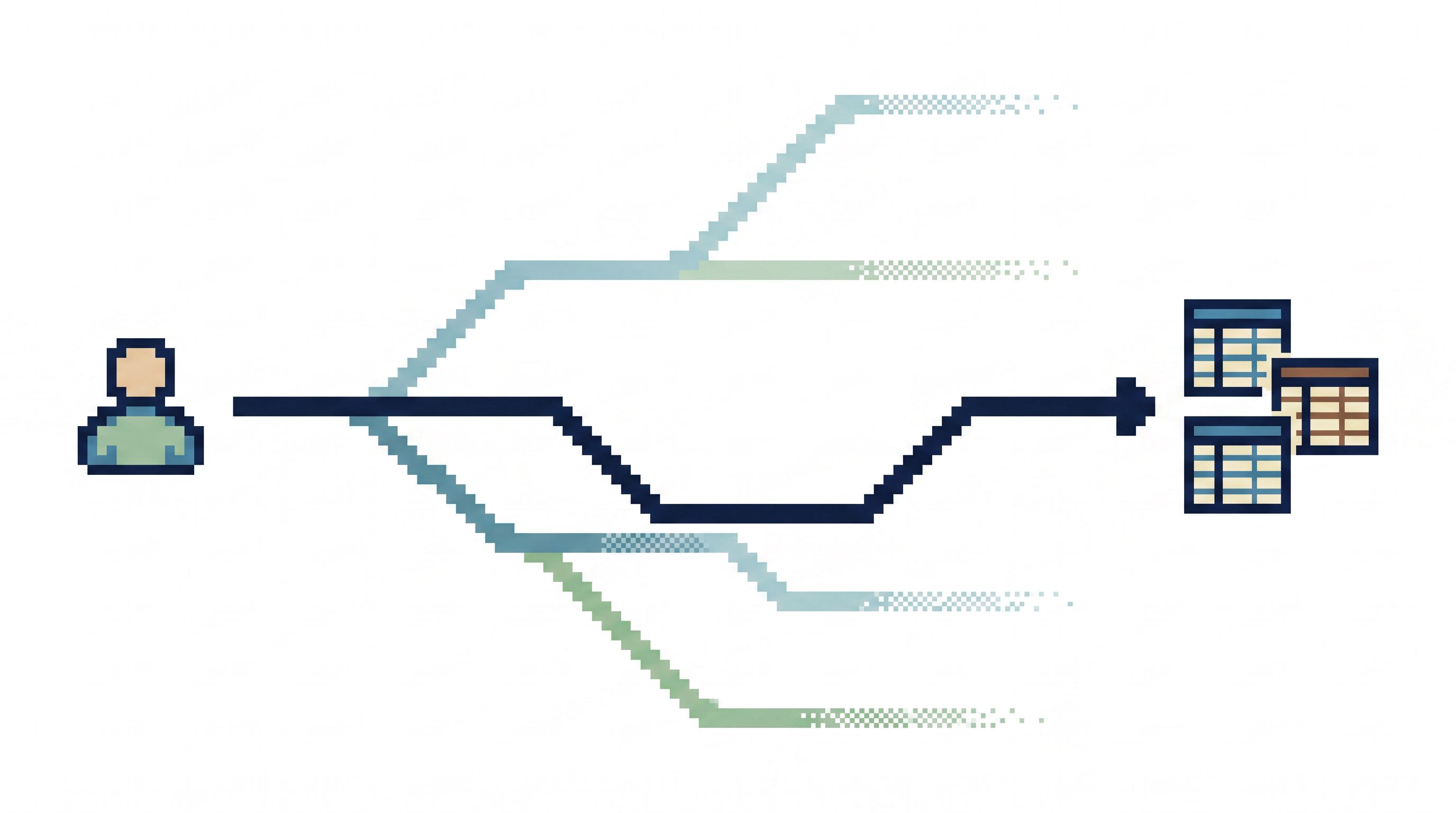
Ritual 4: Narrow the path from situation → rows
Mindful data work is not about fewer questions. It’s about a narrower path from a real‑world situation to the rows that explain it.
The anti‑pattern:
- Start from a blank SQL editor
- Browse a giant schema tree
- Guess at table names
- Write ad‑hoc joins on the fly
Instead, design a few opinionated entry points that match the questions you actually get:
- “I have a user ID” → a pre‑built view or template that fans out to relevant tables
- “I have an invoice ID” → a trail from invoice → line items → payments → events
- “I have a job ID” → job → attempts → logs → related entities
Practically, this can look like:
- Saved queries or views in your browser that accept a single parameter
- Shortcuts in your incident runbooks: “Given a subscription ID, open X view.”
- Browser‑level filters instead of free‑form search across every column
We explored this pattern more in Opinionated Filters, Not Free‑Form Search: Calmer Patterns for Narrowing Production Data. The principle is simple:
Make the obvious paths easy, and the wandering paths slightly harder.
The result: less roaming, more reading.
Ritual 5: Design for linear reading, not tab surfing
Most production debugging goes sideways when your data stops being a story and becomes a pile of tabs.
Mindful data work treats production reads as linear narratives:
- You start at one row.
- You follow a small number of links.
- You keep a visible trail of how you got there.
Practical ways to enforce that:
- Use cursor‑based pagination instead of arbitrary offsets.
- Next and Previous should move you through a meaningful order (time, version, or ID), not random pages.
- Favor in‑place navigation over new tabs.
- Open related rows in a side panel or a single detail view, not a new browser window every time.
- Keep a visible breadcrumb.
- “User 1234 → Invoices → Invoice 5678 → Payments” is easier to reason about than four separate tabs with cryptic titles.
If your browser supports it, lean on features that make this linearity explicit. Simpl, for example, is built around calm pagination and focused trails rather than a workspace full of tiles. We dug into why that matters in The Calm Cursor: Pagination Patterns That Keep Production Debugging Linear.
The goal is simple: your future self (or your teammate) should be able to replay the session as a story, not reconstruct it from scattered screenshots.
Ritual 6: Separate practice from production
A lot of doomscroll‑style risk comes from people learning on production:
- Trying new joins against live tables
- Experimenting with filters on hot paths
- Practicing time‑travel queries on real billing data
You want people to grow those skills. You don’t want them to do it while your primary database is under load.
A calmer pattern:
- Provide a realistic sandbox that mirrors production schema and navigation but uses non‑live data.
- Encourage people to:
- Practice incident runbooks there
- Rehearse common queries
- Explore new patterns (like historical reads or complex joins)
Then, when they step into production, the motions are familiar—and the urge to improvise is lower.
We outlined this pattern in The Calm Query Sandbox: Practicing Production Reads Without Touching Live Data. The takeaway:
Practice curiosity in the sandbox. Practice precision in production.
Ritual 7: Make risk‑heavy moves visibly harder
Mindful data work is not just about what you do; it’s also about what you make hard to do by accident.
Some examples:
- No raw
SELECT *on large, hot tables in your primary browser - Explicit limits on row counts for default queries
- Guardrails around historical reads so you don’t mix time ranges without noticing
You can implement this with:
- Tooling: opinionated browsers like Simpl that bias toward safe defaults
- Conventions: team‑wide norms like “never debug production from a notebook”
- Permissions: read‑only roles for most production work, with separate paths for writes
We explored this design stance more deeply in The Calm Query Cliff: Designing Browsers That Make Risky SQL Hard to Even Think About. The core idea:
Make the safe thing the easy thing. Make the dangerous thing the deliberate thing.
When the tool nudges you away from wide, unbounded queries, it’s much harder for a doomscroll session to quietly become an outage.
A simple checklist for your next production read
You don’t need to adopt every ritual at once. Start with a tiny checklist you can run before each session:
- Question – Have I written down one concrete question?
- Surface – Am I using one primary, read‑oriented tool?
- Timebox – Do I have a timer and a stopping rule?
- Path – Do I know my entry point from situation → rows?
- Linearity – Am I following a single trail, not opening new tabs for every thought?
- Practice – Is this exploration something I should rehearse in a sandbox instead?
- Risk – Am I about to run anything wide, unbounded, or historically tricky without guardrails?
Even checking off three of these will keep most production reads out of the doomscroll loop.
Summary
Mindful data work is not a grand philosophy. It’s a handful of small, repeatable rituals:
- Start from one clear question.
- Work from one primary surface for production reads.
- Add timeboxes and stopping rules so sessions stay bounded.
- Use opinionated entry points from real situations to specific rows.
- Design for linear reading, not tab surfing.
- Separate practice from production with a realistic sandbox.
- Make risky moves deliberately harder than safe ones.
Together, these patterns turn production debugging from a doomscroll into a story you can follow, explain, and repeat.
Take the first small step
You don’t need a full process overhaul to start.
For your next production question:
- Write the question in one sentence.
- Pick one calm surface—whether it’s Simpl or another focused browser—and commit to staying there.
- Set a 20‑minute timer.
- When the timer ends, write two bullets: what you learned and what you’ll do next.
That’s it. One question. One surface. One loop.
Run that loop a few times. Notice how much less your production reads feel like doomscrolling—and how much more they feel like reading a story you’re actually in control of.