Opinionated Filters, Not Free-Form Search: Calmer Patterns for Narrowing Production Data


Free‑form search feels powerful.
A blank query box. A schema tree. A search bar over every column.
You can type anything. You can join anything. You can filter on anything.
That freedom is exactly what makes production work feel noisy.
When you’re trying to understand a broken invoice, a stuck job, or a confused customer, you don’t need a canvas for any possible question. You need a narrow, reliable way to get from this real‑world situation to those specific rows — without dragging your attention through every possible option along the way.
This post is an argument for opinionated filters over free‑form search. Not as a UX flourish, but as a calmer default for how engineers and support teams narrow production data.
Tools like Simpl are built around this stance: an opinionated database browser that replaces open‑ended search with a small set of guided, context‑aware filters that match how production questions actually show up.
Why free‑form search feels powerful and ends up noisy
Most database tools give you some mix of:
- A global search bar over table names and columns
- A full SQL editor pointed at production
- Per‑column text search and ad‑hoc filters
On paper, this looks ideal. Any question is possible.
In practice, free‑form search in production has a few predictable failure modes:
-
You start from syntax, not intent.
The first question becomes: “What can I search on?” instead of “What am I trying to understand?”
You’re scanning column names instead of holding the real‑world scenario in your head. -
You over‑index on what’s easy to type.
You filter onemailbecause you have it in Slack, even though the real key issubscription_id.
You search forstatus = 'failed'because it’s obvious, not because it’s the discriminating signal. -
You accumulate partial filters that don’t compose into a story.
A text search here, a quickLIMIT 100there, a half‑rememberedWHEREclause.
You get glimpses of the data, but not a coherent path from “what happened?” to “here’s the explanation.” -
You quietly raise the stakes of every query.
With full SQL and free‑form search, it’s easy to:- Miss an index and lock a hot table
- Accidentally widen a filter in production
- Join across a huge dataset just to answer a narrow question
We wrote about this more broadly in The Post‑Playground SQL Editor: Why Less Freedom Makes Production Debugging Safer. Opinionated filters are one of the cleanest ways to get that “less freedom, more safety” posture without dumbing anything down.
What “opinionated filters” actually are
Opinionated filters are not just prettier dropdowns. They’re a stance:
Most production questions can be narrowed through a small, stable set of filter patterns.
Instead of “search anything,” you design and standardize:
- A handful of primary identifiers you always start from
- A few common time windows that match how incidents and questions actually show up
- A small library of domain‑specific predicates (“failed for billing reasons”, “user‑visible error”, “soft‑deleted but not archived”, etc.)
- A default sort and pagination pattern so you always land in a predictable place
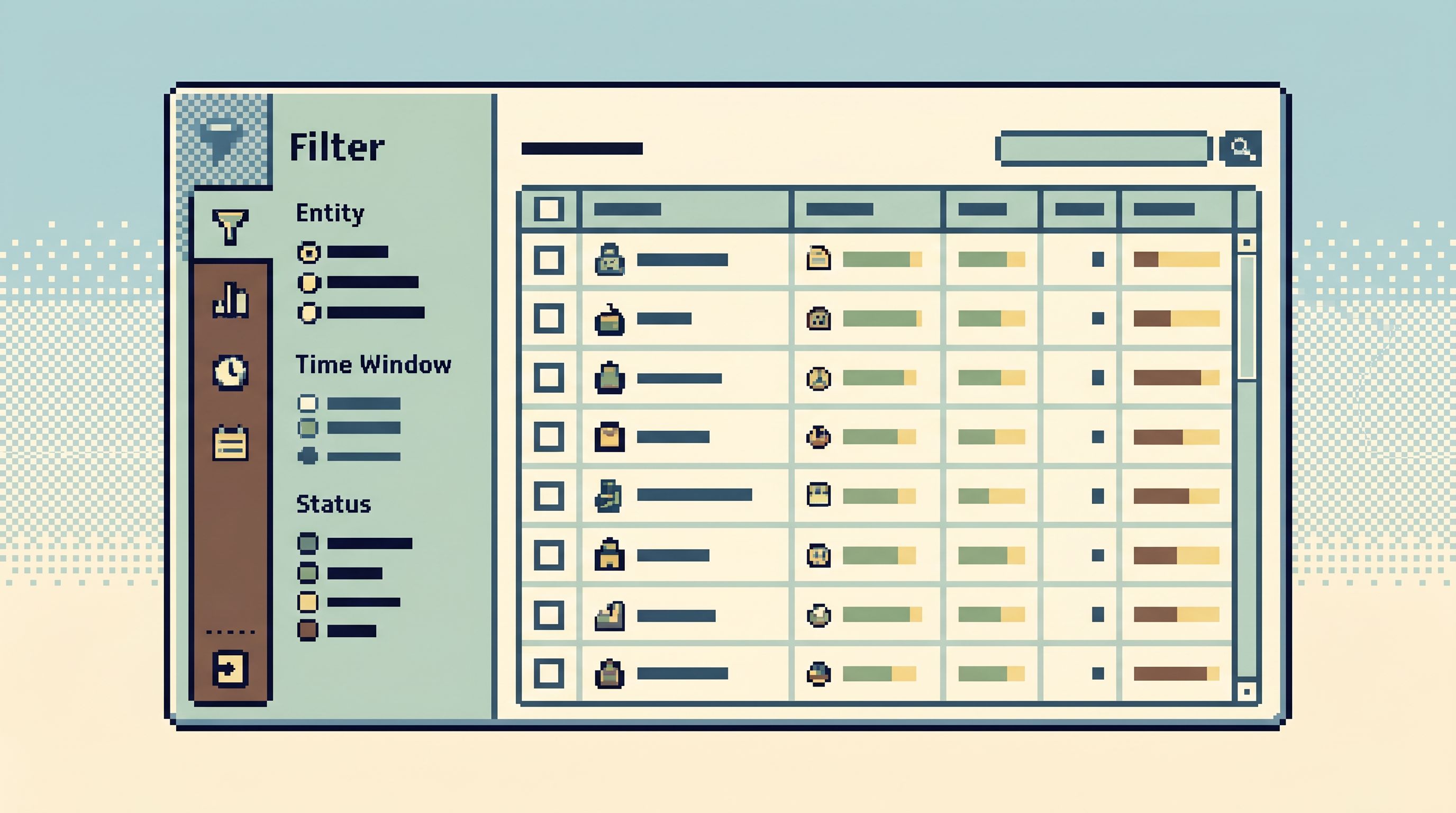
In a tool like Simpl, that looks less like a search bar and more like a calm panel of structured inputs:
- Entity selector (User / Subscription / Invoice / Job)
- Identifier input (ID, external reference, or stable slug)
- Time window (last 24h, last deploy window, custom range)
- Status and type filters (active / canceled / trial, etc.)
You can still drop to SQL when you need to. But the default path is a small, opinionated set of filters that match how your system is actually used.
Why opinionated filters make production work calmer
Three concrete benefits show up quickly when you move from free‑form search to opinionated filters.
1. Fewer decisions per minute
Every free‑form search box is a question: “What do you want?”
When you’re tired, on‑call, or pairing with support, that’s the wrong question.
Opinionated filters flip it to: “Here are the few levers that matter for this kind of question.”
You end up with:
- Less schema scanning. You’re not hunting for the “right” column to search.
- Less query thrash. You don’t keep rewriting the same
WHEREclause in slightly different forms. - More stable workflows. When everyone uses the same filters, it’s easier to review, teach, and improve them.
This is the same lens we use in The Calm DX Scorecard: Measuring Database Tools by Cognitive Load, Not Checklists: a good filter design lowers the number of choices you have to make before you see relevant rows.
2. Safer defaults under pressure
Opinionated filters make it easy to bake in:
- Read‑only by default for production browsing
- Sane limits and pagination for heavy tables
- Index‑aligned predicates that avoid table scans
- Safe time windows that match retention and performance constraints
Instead of trusting each person to remember WHERE created_at > now() - interval '7 days' AND status = 'active', the filter surface is that query, with explicit, reviewable options.
This pairs naturally with the posture in The Calm Read‑Only Contract: Structuring Database Access So Curiosity Never Feels Risky: curiosity is encouraged because the paths are constrained.
3. Better shared understanding of “how we look at data here”
When your team relies on free‑form search, everyone develops their own private query habits. That makes:
- Incidents harder to coordinate
- Handoffs harder to follow
- Debug narratives harder to reconstruct
Opinionated filters give you a shared vocabulary:
- “Apply the billing‑visible failures filter over the last deploy window.”
- “Start from the subscription by external ID filter, then narrow by event type.”
You’re not just sharing raw SQL; you’re sharing named patterns.
Common production questions, mapped to filter patterns
Most production questions fall into a small set of shapes. Instead of giving each shape a blank search box, you can design a dedicated filter pattern for it.
Here are a few to start with.
1. “What happened to this user?”
A calm filter pattern might include:
- Primary key:
user_id(or externalcustomer_idif that’s what support has) - Time window: last 7 days by default, with quick toggles for 24h / 30d
- Event type: logins, purchases, subscription changes, support interactions
- Surface: a linear trail of events, sorted by time
You don’t start by searching emails or scanning the users table. You start from a stable identifier, a bounded window, and a clear event stream.
2. “Why did this invoice look wrong?”
Here, the filter pattern might center on:
- Invoice identifier: internal ID, external reference, or payment processor ID
- State snapshots: before/after views for key transitions (draft → open → paid → void)
- Related entities: user, subscription, line items
This pairs well with the ideas in Opinionated Time Travel: Calm Patterns for Reading Historical States in Production Data: filters that assume you care about historical states, not just the latest row.
3. “Which jobs are stuck, and why?”
Instead of a blank search over a jobs table, design a filter like:
- Status: queued / running / failed / dead / completed
- Age: how long since created or last retry
- Shard / worker / queue name
- Error class / category (user error vs infrastructure vs dependency)
The point isn’t to cover every possible predicate. It’s to make the right predicates one click away.
Designing opinionated filters for your own system
You don’t need to redesign your entire database browser to get value from this. You can start by designing a handful of filters that live in whatever tool you already use — or by adopting something like Simpl that treats opinionated filters as a first‑class surface.
A simple way to begin:
Step 1: Collect real questions, not theoretical ones
Look at the last month of:
- Incident channels
- Support escalations
- Product debugging threads
Write down the questions people actually asked, in their own words:
- “Can we see every time this user’s plan changed in the last 30 days?”
- “Which tenants started failing right after the last deploy?”
- “How many retries did this job go through before we gave up?”
Group them by shape, not by table. You’ll usually find 5–10 recurring patterns.
Step 2: Name the primary identifiers for each pattern
For each question shape, decide:
- What’s the most stable identifier?
(user ID, subscription ID, tenant ID, invoice ID, job ID, etc.) - What does the person usually have in front of them?
(email from a ticket, external payment ID from a receipt, tenant slug from a URL)
Design your filters so they:
- Accept the common starting point (email, external ID)
- Resolve it once to the stable internal identifier
- Then drive all subsequent narrowing from that stable ID
This keeps the “fuzzy” search step at the edges and the “hard” filters in the middle.
Step 3: Standardize time windows that match how you work
Time is one of the most important filters in production, and one of the easiest to get wrong.
Define a small set of defaults that match your workflows:
- Last 24 hours — for fresh incidents
- Last deploy window — from the previous deploy to the current one
- Last 7 days — for most support and product questions
- Custom range — when you truly need it
Then design your filters so that:
- Every view has an explicit time window
- You can see and change it in one place
- New queries inherit sensible defaults instead of
ALL TIME
This is especially important when you start combining filters with historical reads, as described in Opinionated Time Travel.
Step 4: Encode domain‑specific predicates as first‑class options
Instead of forcing everyone to remember ad‑hoc WHERE clauses, turn your domain concepts into filter toggles.
Examples:
-
“User‑visible failures”
Map to:status = 'failed' AND error_category = 'user_visible' -
“Billing‑related errors”
Map to:error_source IN ('stripe', 'billing_service') -
“Soft‑deleted but not archived”
Map to:deleted_at IS NOT NULL AND archived_at IS NULL
These don’t have to be perfect. They just need to be:
- Named
- Shared
- Easy to adjust centrally
When they live inside an opinionated browser like Simpl, updating a predicate in one place improves the workflow for everyone.
Step 5: Keep the surface narrow on purpose
The temptation will be to add more filters for every edge case.
Resist it.
A good rule of thumb:
- 3–7 primary filters per question shape is usually enough
- If you’re adding a filter that only one person uses, consider whether it should live in SQL instead
- If a filter is rarely used but conceptually important (e.g., “include soft‑deleted rows”), make it explicit and visually distinct
Your goal isn’t to cover every possible question. It’s to make the common, high‑stakes questions almost effortless.
How opinionated filters change incident and debug sessions
When your primary surface is built around opinionated filters, the shape of a debug session changes.
Instead of:
- Paste an ID into a free‑form search box
- Manually stitch together multiple tables
- Rewrite filters three times as you remember more context
- Copy/paste partial results into Slack
You get something closer to the “single‑intent” posture we describe in The Single‑Intent SQL Session: Writing One Query That Answers the Real Question:
- Choose the question shape (User / Subscription / Invoice / Job)
- Enter the identifier you have
- Confirm or adjust the time window
- Apply one or two domain filters
- Read the rows in a linear trail
Because the filters are opinionated, you:
- Spend less time configuring the tool
- Spend more time reading and explaining what actually happened
- Leave behind a clear, replayable path others can follow
This is exactly the kind of calm, linear trail that tools like Simpl are designed to provide.

Getting started: one calm filter at a time
You don’t need a full redesign or a new tool to benefit from this.
A practical way to start this week:
-
Pick one high‑frequency question.
For many teams, that’s either “What happened to this user?” or “Why did this invoice look wrong?” -
Sketch the ideal filter surface on paper.
- What identifier do you start from?
- What time window is default?
- What 3–5 toggles or dropdowns capture the key predicates?
-
Implement it in the tool you already have.
- A saved query with parameters
- A small internal UI over your primary database
- Or a dedicated view in a browser like Simpl
-
Use it for a week, then refine.
Watch where people still drop to free‑form search. That’s a signal that either:- A filter is missing, or
- The question shape isn’t quite right yet
-
Only then, add a second pattern.
Don’t try to cover every incident type at once. Let one well‑designed filter teach you what “calm” feels like in your context.
Over time, you’ll end up with a small library of opinionated filters that cover most of your production work. Free‑form search and raw SQL become escape hatches, not the default.
Summary
Free‑form search and full SQL editors make sense for exploration. They are terrible defaults for everyday production reads.
Opinionated filters offer a calmer alternative:
- Start from real question shapes, not abstract tables
- Standardize on stable identifiers and sane time windows
- Encode domain‑specific predicates as first‑class options
- Keep the filter surface intentionally narrow
The result is a production workflow where:
- Engineers make fewer decisions before seeing relevant rows
- On‑call feels safer, even under pressure
- Debug sessions leave behind clear, shareable trails
Tools like Simpl exist to make this posture the default: an opinionated database browser that favors filters over free‑form search, and calm over configurability.
Take the first step
Pick one high‑stakes question your team asks every week.
Design a single, opinionated filter for it.
Make that filter the default way you answer that question for a week — whether that’s a saved query, a small internal UI, or a dedicated view in a tool like Simpl.
Notice how it changes the conversation:
- Less time arguing about how to search
- More time reading what actually happened
- A clearer, calmer story you can explain to anyone on the team
That’s the real promise of opinionated filters: not fewer features, but a quieter way to get from “something is wrong” to “here’s what the data says.”