Focused Reads in a Microservice World: Following One User Across Many Databases Without Getting Lost

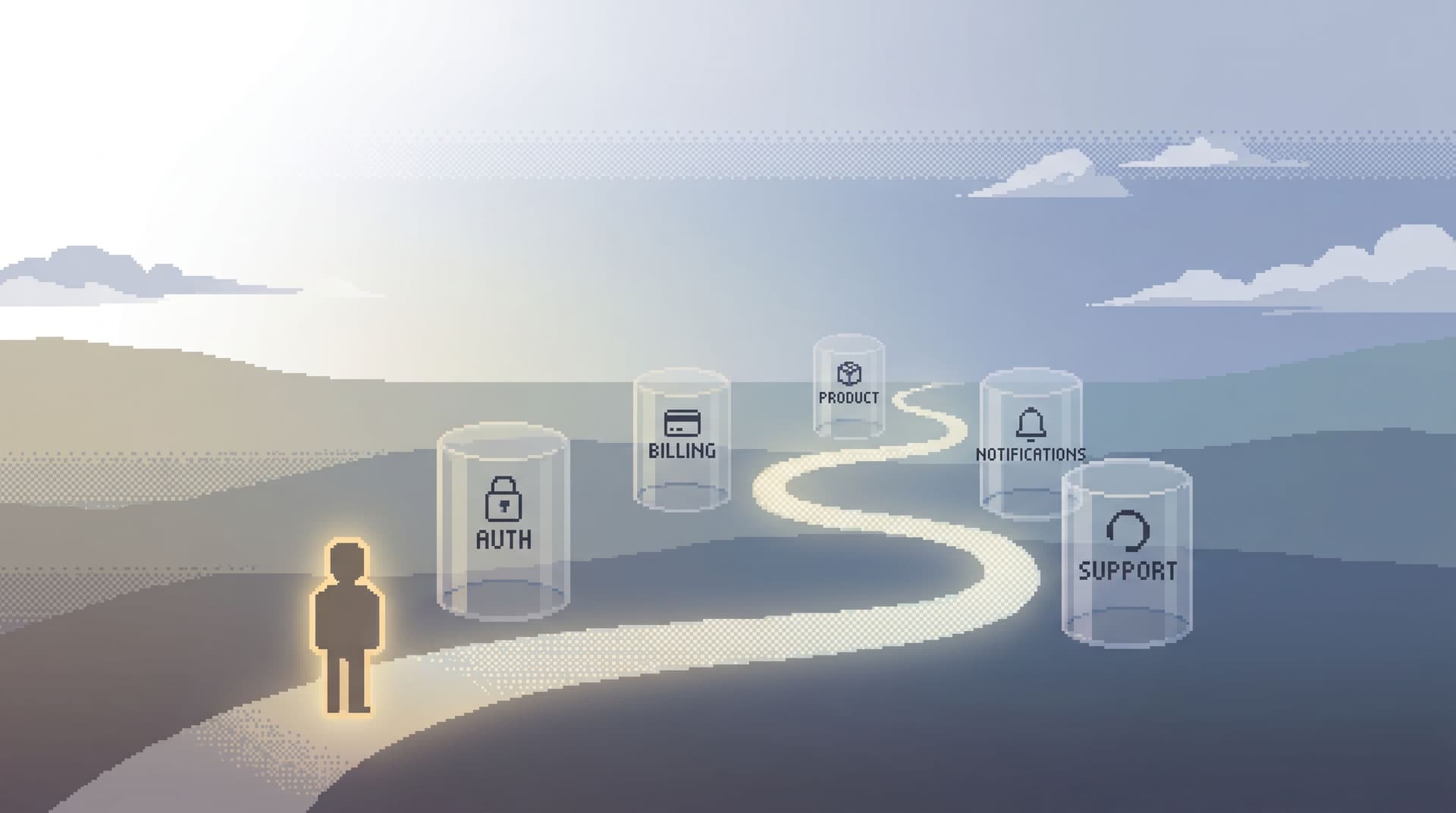
Microservices promised smaller, independent systems. What they actually gave most teams was something else: scattered data.
Auth has a database. Billing has a database. Notifications has a database. Analytics lives somewhere else entirely.
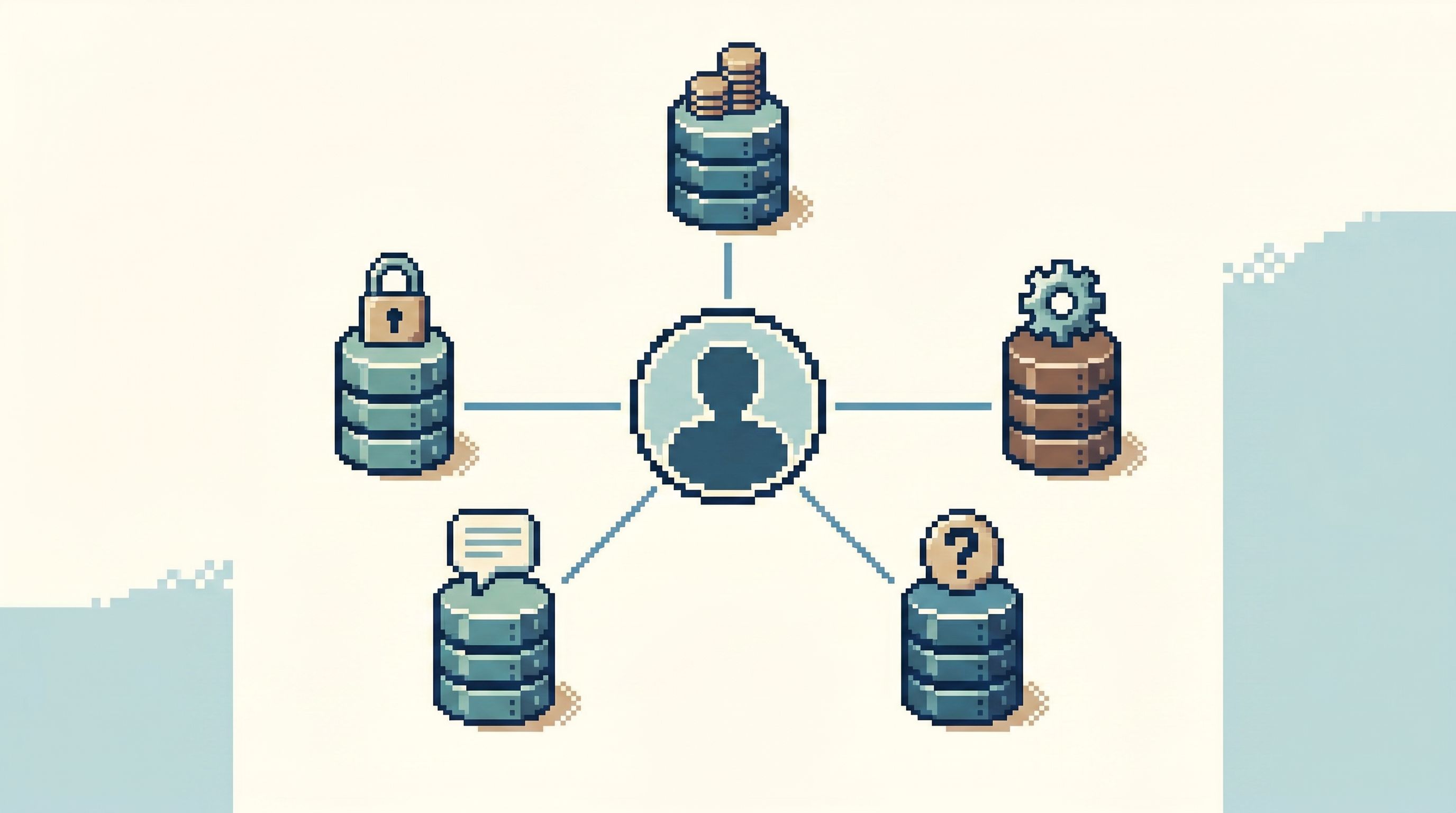
When a single user says, “Something is wrong,” their story is now fragmented across half a dozen data stores, tools, and teams. The hard part isn’t finding data. It’s following one user cleanly without losing the thread.
This post is about that thread: how to design focused reads that trace one user across many databases, without opening twenty tabs or rewriting the same ad‑hoc SQL.
Tools like Simpl exist specifically for this middle layer: a calm, opinionated database browser that makes cross‑service reads feel like reading one story, not chasing a map.
Why Following One User Is Quietly Hard Now
Most real production questions are narrow:
- “What happened to this user’s last three orders?”
- “Why did this customer’s subscription cancel and then reactivate?”
- “This user says they never got an email—did we try to send it?”
In a microservice setup, those questions cut across:
- Multiple OLTP databases (per service)
- Message queues and outboxes
- Analytics or event stores
- Sometimes search indexes or caches
The result:
- Context shatters. You see partial slices of the user in different tools and UIs.
- Navigation is by system, not by story. You jump from “auth DB” to “billing DB” instead of walking the user’s path.
- Every investigation is a custom job. New SQL, new filters, new joins, even though the shape of the question is the same.
If you’ve ever found yourself juggling a schema tree, a system diagram, and a support ticket at the same time, you’ve felt this.
Related: we’ve written about this style of work as one continuous trail rather than a pile of tabs in Less Tabs, More Trails: Structuring Long Debugging Sessions as One Continuous Read Path.
What “Focused Reads” Look Like in a Microservice World
A focused read is simple:
Start from one anchor (usually a user ID or external ID) and walk a straight, opinionated path through only the rows that matter.
In practice, that means:
- User-first, not table-first. You start with the user, then see their auth record, their subscriptions, their invoices, their emails, in that order.
- One entry point. You don’t decide between four tools. You start from a single browser session and branch from there.
- Pre-shaped queries. You’re not writing
SELECT *under pressure. The key reads are already encoded and easy to run. - Minimal surface area. For a given investigation, you see only the 3–5 tables that matter, not the entire architecture.
You can do this with any stack. An opinionated browser like Simpl just makes it feel natural instead of improvised.
Step 1: Choose a Single Anchor for the User
The first mistake teams make: they don’t agree on what “one user” actually means across services.
You might have:
users.idin authcustomers.idortenant_idin billingprofile_idin a profile service- An external ID from an IdP (e.g., Okta, Google, or your own UUID)
For focused reads, you need one anchor that can bridge all of these.
Pick a canonical identifier and stick to it. Common choices:
- An internal
user_idthat’s present in every service - A stable external ID (e.g.,
external_user_idfrom your auth provider) that’s stored everywhere
Then:
- Document the mapping between the canonical ID and each service’s IDs.
- Backfill missing references where possible so future investigations don’t hit dead ends.
- Add guardrail queries that help you map from “whatever you have” to the canonical ID.
For example:
- A query that takes an email and returns
user_id,customer_id, andprofile_id. - A query that takes a
customer_idfrom billing and returns the canonicaluser_id.
These mapping reads are often your most-used queries. Treat them as first-class tools, not throwaway lines in a notebook.
If you’re already thinking in terms of “puddles” of just-enough data per question, you’ll recognize this from From Data Lakes to Data Puddles: Shrinking What Engineers See to What They Actually Need.
Step 2: Define the User’s Core Trail Across Services
Once you have a canonical user anchor, you can design the actual trail.
Think of it as a fixed reading order for one user’s story:
- Identity & access – auth user, logins, MFA, feature flags
- Commercial state – subscriptions, plans, invoices, payments
- Product usage – key domain events (projects, workspaces, documents, etc.)
- Communications – emails, notifications, in-app messages
- Support history – tickets, escalations, manual interventions
For each layer, answer:
- Which database(s) hold this?
- What is the main table for this user’s records?
- What is the most important time-ordered view?
Then define a minimal, opinionated read for each:
-
Auth:
select * from users where id = :user_id;select * from login_events where user_id = :user_id order by occurred_at desc limit 20;
-
Billing:
select * from subscriptions where user_id = :user_id order by created_at desc;select * from invoices where user_id = :user_id order by issued_at desc;
-
Product:
select * from workspaces where owner_id = :user_id;select * from workspace_events where user_id = :user_id order by occurred_at desc limit 50;
-
Notifications:
select * from email_sends where user_id = :user_id order by sent_at desc limit 50;select * from notification_events where user_id = :user_id order by created_at desc limit 50;
You’re not trying to capture everything. You’re encoding the default trail a human would want to walk when answering “what happened to this user?”
Step 3: Move from Ad‑Hoc SQL to Reusable “Micro-Reads”
The next step is to stop rewriting these queries every time.
Instead of:
- Copy‑pasting SQL from old tickets
- Digging through a “useful queries” doc
- Rebuilding the same filters in a BI tool
Create small, reusable, parameterized reads:
- One input: usually
user_idor email - One intent: “show me X for this user”
- One obvious ordering: usually time
Examples:
- “User basics by email” → returns canonical
user_id+ key flags - “Recent logins for user” → last 20 login events
- “Billing status for user” → current subscription + last invoice
- “Recent outbound emails for user” → last 50 sends, with status
These are your micro-reads. Small enough to understand at a glance. Opinionated enough that people don’t reinvent them.
If you want to go deeper on this pattern, we wrote about it in The Quiet Query Template: Turning Recurring Debug Flows into Opinionated, One-Click Reads.
How a tool like Simpl helps here:
- You can encode these micro-reads as templates.
- You pass one parameter (e.g., user ID) and run them across the right database.
- You keep them in one calm place instead of scattering them across docs and dashboards.
Step 4: Design One Linear Session, Not Ten Parallel Tabs
Even with good micro-reads, it’s easy to fall back into tab sprawl:
- SQL IDE for auth
- Admin console for billing
- BI dashboard for product usage
- Email provider UI for notifications
The work becomes:
- Remembering which tab is which
- Re-entering the same user ID everywhere
- Manually keeping mental state as you bounce around
A calmer pattern is one linear session:
- Start from one entry point (ticket, user email, or user ID).
- Land in a single browser session where every read hangs off that ID.
- Walk the trail: identity → billing → product → notifications → support.
- Keep the whole path as one artifact you can replay or share.
Concretely, this means:
- Single parameter propagation. Once you’ve resolved the canonical
user_id, every subsequent read reuses it automatically. - Sequential layout. Results are stacked or stepped in a fixed order, so you scroll down the story instead of across tabs.
- Lightweight notes. You can annotate or bookmark key states without screenshots.
This is the same design stance behind The Focused Browser Session: Turning One Bug Report Into a Linear Path Through Production Data: a straight line from question → data → understanding.
A tool like Simpl leans into this: one calm session, one trail, multiple databases under the hood.

Step 5: Put Guardrails Around Cross-Database Reads
Cross-service investigations are where mistakes get expensive:
- Unscoped queries against large tables
- Accidental joins that explode cardinality
- Debug queries that quietly turn into reporting workloads
You want focused reads, not free‑form exploration on every high‑risk database.
Some practical guardrails:
- Read-only by default. Cross-database tooling should not allow writes.
- Hard limits on result size. For user-centric reads, you rarely need more than a few hundred rows.
- Mandatory filters. Templates should require a
user_id,tenant_id, or similar; no full-table scans. - Safe defaults for time windows. E.g., last 90 days unless explicitly widened.
We break down these patterns more deeply in The Calm Guardrail Catalog: Small UX Constraints That Make Production Reads Feel Safe and in our post on quiet defaults for high‑risk systems.
Simpl is built around this idea: production reads should feel like a reference library, not a minefield.
Step 6: Align Access With Real Read Work
Cross-database reads often die on access questions:
- Support can see the admin console but not the SQL client.
- Engineers can see staging but not production.
- Only a few people can see billing, so everyone else screenshots.
In a microservice world, “who can see what” becomes a combinatorial mess if you design it table‑by‑table or service‑by‑service.
A calmer approach:
- Design access around read flows, not org charts.
- “Support: can run these 10 user-centric reads across these databases.”
- “On-call engineer: can run this broader set, with stricter guardrails.”
- Bundle permissions by intent.
- “User investigation” vs. “migration verification” vs. “billing audit”.
- Keep write access separate. Reads should be broad and safe; writes should be narrow and rare.
We go deeper on this access model in Beyond Read-Only Roles: Structuring Access Around What Engineers Actually Need to See and in our piece on the Calm Access Model.
With Simpl, teams often:
- Create dedicated roles for “user investigations” that can run cross-database micro-reads.
- Keep raw SQL and write capabilities limited to a small set of people.
Step 7: Make the Trail Replayable
The final step is what turns a good investigation into a reusable asset.
Instead of:
- A Slack thread full of screenshots
- A doc with half‑remembered queries
- Tribal knowledge that only exists in one engineer’s head
You want:
- Saved trails. The exact sequence of reads you ran for a user, with parameters and timestamps.
- Named flows. “User can’t log in”, “User billed twice”, “User didn’t get email”, each backed by a standard trail.
- Lightweight sharing. Paste a link to the trail in the incident doc; anyone can replay it with a different user ID.
This is the logical extension of opinionated read paths we wrote about in Opinionated Read Paths in Practice: How Teams Actually Use Simpl During Incidents.
A replayable trail gives you:
- Faster future incidents
- Easier onboarding for new engineers and support
- A concrete artifact for post‑incident reviews
Putting It All Together
Focused reads in a microservice world aren’t about more power. They’re about less surface area.
The pattern:
- Choose a canonical user anchor that spans services.
- Map the user’s core trail across auth, billing, product, notifications, and support.
- Encode that trail as small micro-reads, each with one intent and one parameter.
- Run everything through one linear session, not ten tools.
- Wrap it in guardrails so production reads feel safe by default.
- Align access with these read flows, not with abstract roles.
- Make trails replayable, so each investigation teaches the next one.
You can assemble this with a patchwork of existing tools. Or you can use something like Simpl, which is built specifically to make this style of work feel calm, repeatable, and safe.
Take the First Step
You don’t need to redesign your entire stack to get value from this.
Pick one high-value flow:
- “User can’t log in”
- “User billed incorrectly”
- “User didn’t receive an email”
Then:
- Write down the canonical user anchor for that flow.
- List the 3–5 tables across services you always end up touching.
- Turn those into three micro-reads with a single
user_idor email parameter. - Run your next ticket or incident using only those reads, in a single session.
Once that feels solid, encode it in your main database browser. If you want a tool designed for exactly this kind of work, try Simpl: an opinionated database browser for calm, focused production reads.
One user. Many databases. One clear trail.