Beyond Table Lists: Opinionated Navigation Patterns for Real-World Production Reads

Most database tools still start from the same place:
- A schema tree on the left
- A blank query editor in the middle
- A grid of rows at the bottom
It’s neutral, flexible, and familiar. It’s also a poor fit for real production reads.
When you’re debugging a billing issue, replaying an incident, or answering a support ticket, you’re not thinking in tables. You’re thinking in stories:
- “What exactly happened to this user over the last 24 hours?”
- “Why did this order get stuck here?”
- “Did this background job run twice, or just log twice?”
Table lists don’t help you follow those stories. They invite you to wander.
Opinionated navigation is about the opposite stance: fewer choices, clearer paths, and views that match how production work actually happens.
This post looks at practical navigation patterns for read-heavy, real-world work—and how tools like Simpl bake those opinions into the interface so you don’t have to hold everything in your head.
Why table-first navigation breaks down in production
Table lists feel harmless. They’re just there, waiting.
In practice, they create a few consistent problems when you’re working against live data:
-
They push you into schema-first thinking. You start by asking “What tables do we have?” instead of “What happened to this user?” That’s backwards for most debugging and support workflows.
-
They encourage wandering instead of a line of inquiry. Expanding schemas, scanning column names, opening multiple tables “just in case”—this is how you end up with ten tabs and no clear story. If this sounds familiar, you may like /production-reads-without-the-rabbit-holes-structuring-safe-line.
-
They flatten risk. A hot
eventstable with a billion rows looks as approachable as a tinyfeature_flagstable. The UI is neutral; the database is not. -
They hide real context. The information you actually need—"this user", "this order", "this job run"—is spread across tables. A raw list doesn’t show how those pieces fit together.
-
They don’t match how teams share work. You can’t easily hand someone a “path” through a table list. You send screenshots or paste queries into Slack instead.
If you’ve already moved toward a read-first stance but production still feels noisy, you’ve seen this before. Listing every table is a subtle version of the schema-heavy views described in /read-first-context-second-why-schema-heavy-views-still-make-pro.
Opinionated navigation patterns aim to fix this by constraining how you move, not just what you can see.
Principles for calmer, opinionated navigation
Before specific patterns, a few principles that shape how tools like Simpl approach navigation.
1. Start from questions, not from schema
Most real production reads start from:
- A user identifier
- An order or subscription ID
- A time window
- An incident or alert
Navigation should reflect that:
- Entry points should be “Find user”, “Find order”, “Follow job run”—not “expand schema, pick table, add WHERE”.
- URLs should encode the question, not just the table:
/users/12345is more useful than/query?sql=SELECT+*+FROM+users....
2. Keep the path narrow on purpose
Good navigation removes options:
- One primary way to get to a user view
- One obvious way to pivot from a user to their orders
- One clear way to jump from an order to its underlying events
You can always drop into raw SQL when needed. But the default path should feel like a guided trail, not an open field.
This is the same stance as the narrow query surface—you don’t reduce power, you channel it. See /the-narrow-query-surface-designing-database-tools-that-encourag for a deeper take.
3. Make context travel with you
As you move through data, you shouldn’t have to re-specify everything:
- If you’re looking at a user, then open their events, the user filter should be pre-filled.
- If you pivot from an incident timeline to a specific job run, the time window should carry over.
Navigation should feel like “zooming in” or “tilting the camera”, not starting over.
4. Bias toward linear histories, not tab explosions
The more branches you open, the harder it is to explain what you did.
Opinionated navigation favors:
- A single visible trail of where you’ve been
- Lightweight back/forward through that trail
- The ability to save or share that trail as a single artifact
This is the core of the “single-query trail” approach described in /the-single-query-incident-review-replaying-outages-from-one-cal.
Pattern 1: Entity-first entry points
Instead of dropping everyone into a schema tree, start them at the entities they actually care about.
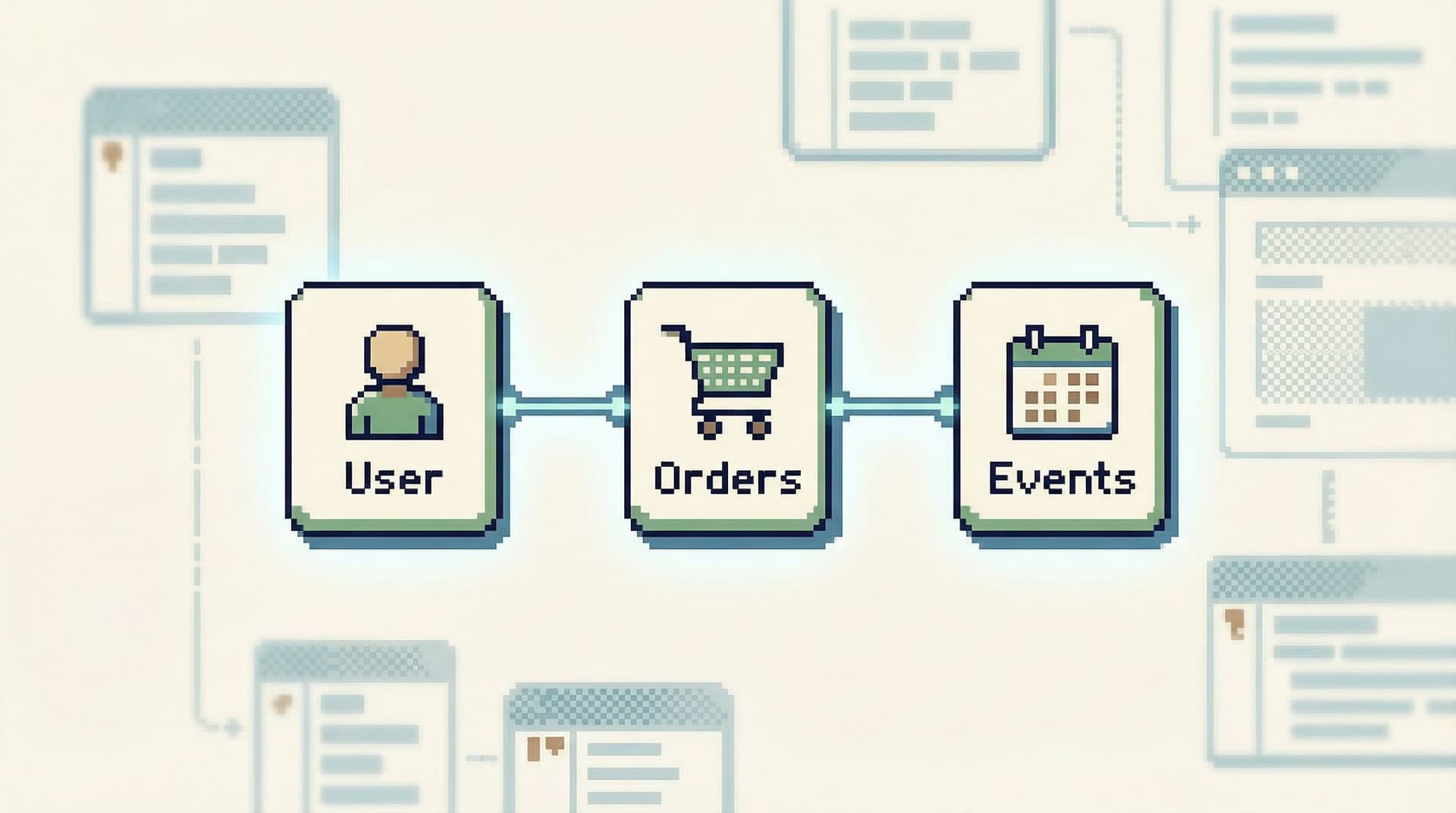
Think of this as: “What are the nouns in our system?”
- Users
- Accounts
- Subscriptions
- Orders
- Jobs
- Invoices
For each entity, design a first-class entry point:
- A search box for user ID, email, or external reference
- A lookup for order number or invoice ID
- A job run list filtered by status and time
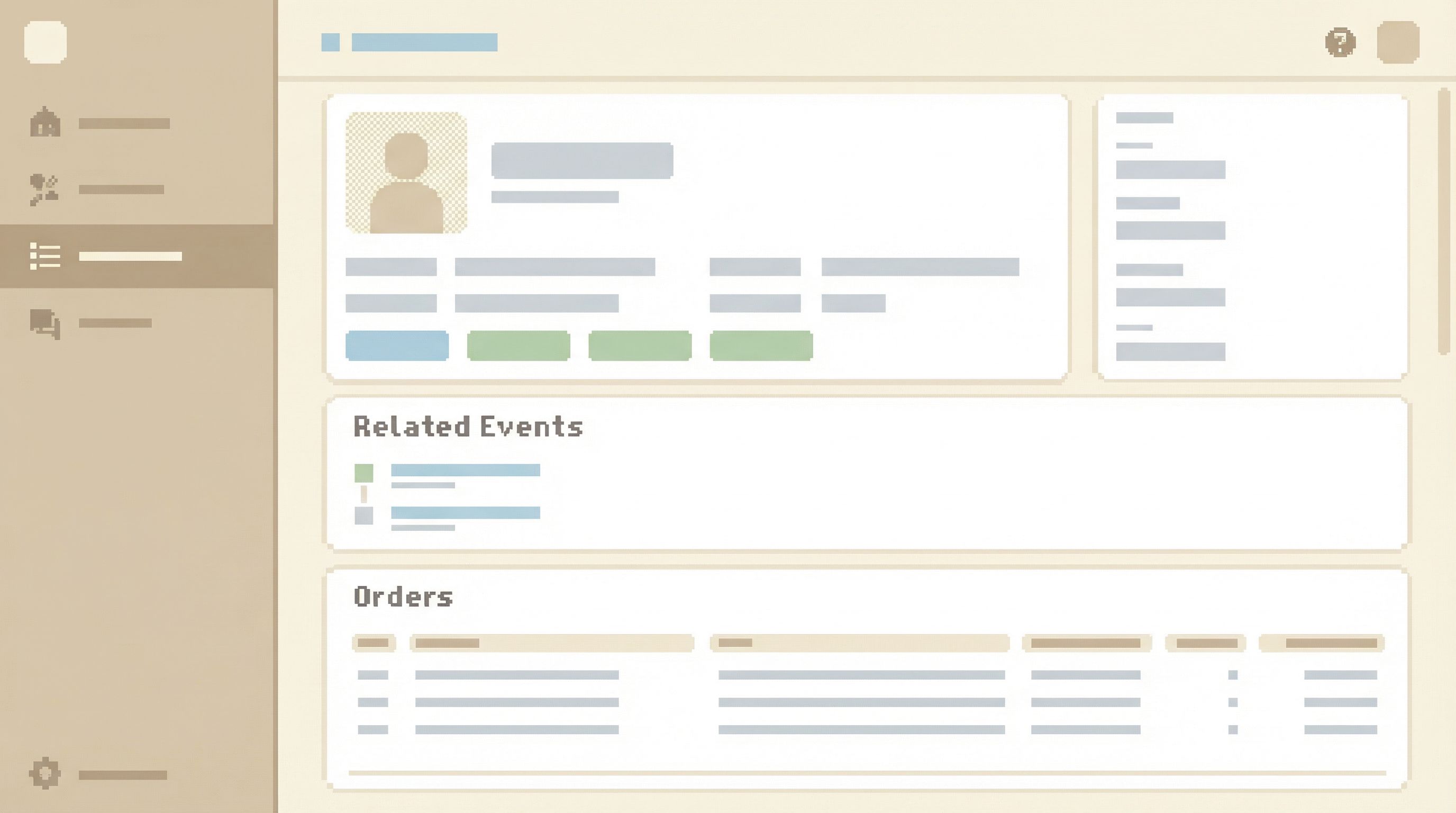
Once you land on an entity, the navigation should:
- Show just enough of the primary row (key fields, status, timestamps)
- Surface related links: “View events”, “View payments”, “View support tickets”
- Keep the surrounding chrome quiet—no schema browser shouting for attention
In Simpl, this often looks like a calm, parameterized view backed by SQL, but presented as “User 12345” instead of “SELECT * FROM users WHERE id = 12345”.
How to implement this in your own stack
Even without a dedicated browser, you can:
- List your top 3–5 entities that come up in incidents and support tickets.
- For each, define:
- The primary identifier(s)
- The 5–10 fields that matter most during debugging
- The 2–3 related tables you almost always join
- Build a simple, read-only view (in your admin, internal tool, or something like Simpl) that:
- Lets you search by those identifiers
- Shows the key fields
- Links or pivots to the related data
The goal is not to cover the entire schema. It’s to make the most common entities effortless to reach.
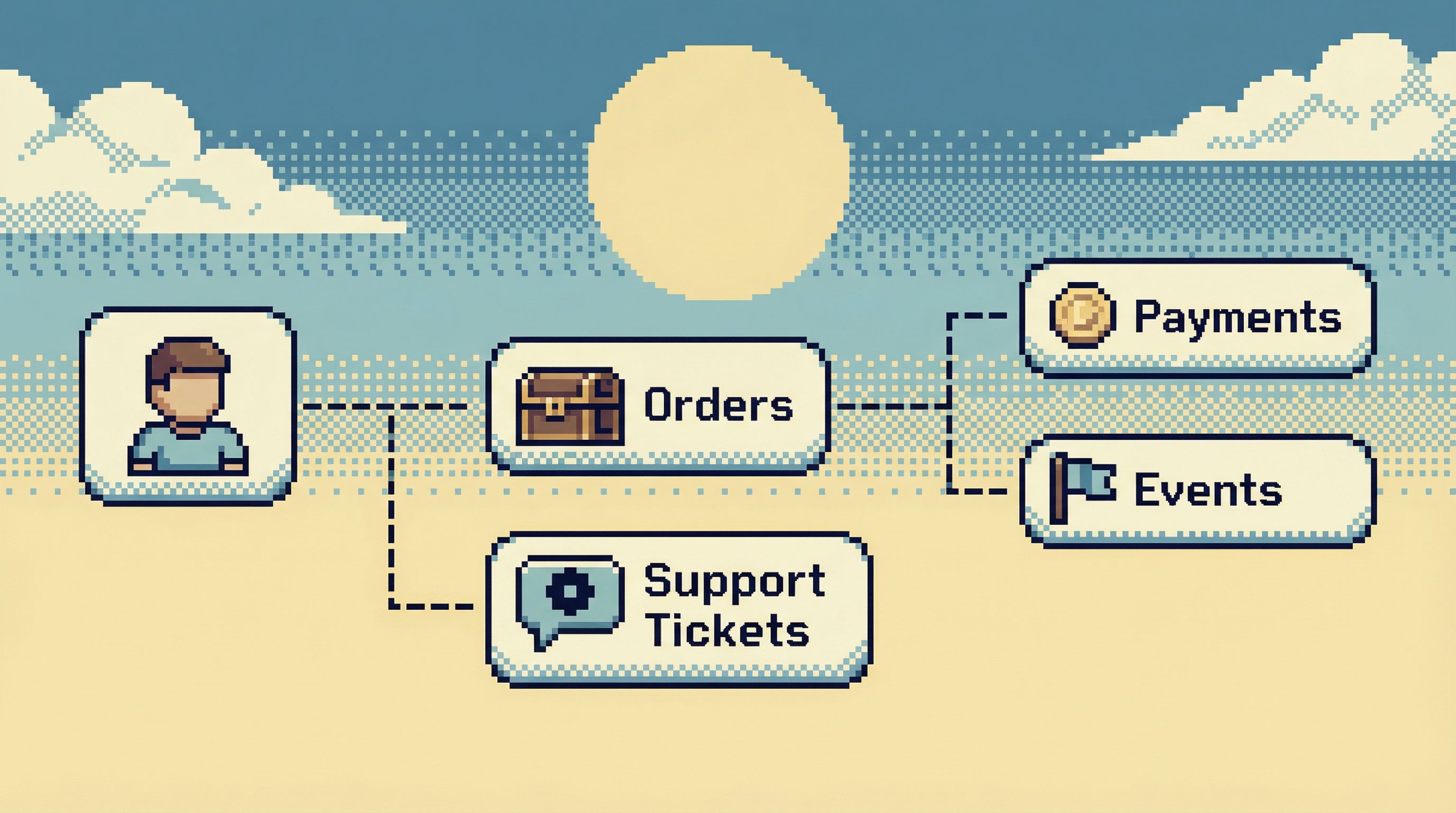
Pattern 2: Opinionated pivots between related data
Once you’re on an entity, the next question is almost always “what’s next to this?”
Examples:
- From a user to their orders
- From an order to its payment attempts
- From a job run to the rows it touched
Instead of making people:
- Open the schema tree
- Guess the right table
- Write a fresh query
…give them predefined pivots that encode the usual path.
A good pivot has three traits:
-
It’s labeled in the language of the team.
- “View payment attempts” instead of “Open
payment_attemptstable”.
- “View payment attempts” instead of “Open
-
It carries context forward.
- The user ID, order ID, or job run ID is pre-filled.
-
It keeps scope tight.
- Default time windows (e.g., last 48 hours)
- Sensible limits (e.g., first 200 rows)
In Simpl, these pivots are often modeled as saved, parameterized queries attached to an entity view. The user doesn’t see the SQL first; they see the next logical step.
Where to add pivots first
Start with:
- The path you follow in every billing incident
- The path support follows for refund or credit questions
- The path SREs follow when jobs misbehave
Capture those as named pivots. Over time, you’ll end up with a small, opinionated graph of navigation paths that describe how your system actually behaves.
Pattern 3: Time-bounded trails instead of open exploration
Most production reads are time-bound:
- “What happened around the time this alert fired?”
- “What did this user do between signup and first payment?”
- “What changed during this deploy window?”
Yet most tools treat time as just another filter.
Opinionated navigation treats time as a first-class dimension of movement.
Practical ways to do this:
- When you open a user, default to a recent window (e.g., last 24–72 hours of events).
- When you jump from an order to related events, preserve the same window.
- Let people nudge the window forward/backward in small steps: “+1h / −1h”, “Next page”, “Previous incident step”.
The goal is to make it feel like you’re sliding a window over a timeline, not re-running unrelated queries.
This pairs well with linear incident reviews, where the “trail” is essentially a sequence of time-bounded reads. The post /the-read-first-incident-running-postmortems-from-a-single-calm dives deeper into that approach.
Pattern 4: Guardrails on navigation, not just on queries
Most teams think of guardrails in terms of what queries you can run.
Navigation deserves the same care.
Examples of navigation guardrails:
-
No direct entry into hot tables from a global table list.
- You reach them only via entity views or pivots that enforce filters and limits.
-
Environment clarity baked into the chrome.
- URL, header, and subtle color differences between staging and production.
-
Intentional friction on wide, unbounded views.
- If someone tries to drop into a raw, unfiltered view of a huge table, require an extra confirmation or a narrower preset.
-
Role-based navigation, not just role-based access.
- Support might see a “User → Orders → Payments” path.
- SRE might see “Job Run → Affected Rows → Downstream Events”.
In Simpl, this shows up as:
- Read-first, environment-aware workspaces
- Pivots and views that encode safe defaults
- A query editor that still exists—but is no longer the only way in
You still have full power when you need it. You just don’t lead with it.
Pattern 5: Shareable paths instead of copied queries
The way you share work shapes how people navigate.
When the only thing you can share is a raw query, you get:
- SQL pasted into Slack channels
- Screenshots of results
- “Can you run this in prod for me?” messages
A calmer pattern is to share paths, not just text.
What a shareable path looks like:
- A URL that encodes:
- The entity (user, order, job)
- The pivots taken (user → orders → events)
- The time window
- Any extra filters applied
- When someone opens it, they land in the same context you had—without needing to think about the underlying tables.
This is especially powerful for:
- Incident reviews
- Onboarding new engineers
- Support handoffs between tiers
Instead of “here’s a query”, you send “here’s the trail I followed to understand this issue.”
Tools like Simpl are built around this idea: your work in production should be replayable and legible, not trapped in a local client.
Putting it together: a calmer navigation flow for a real incident
Imagine a billing alert fires for user U12345. Compare two versions of the same investigation.
The table-list version
- Open SQL client.
- Scan schema tree for
users. - Run
SELECT * FROM users WHERE id = 'U12345';. - Guess the order table name. Open it.
- Write another query to find orders for
U12345. - Open events table. Realize there are billions of rows. Add filters.
- Open payments table. Repeat.
- Copy queries into Slack for others to reuse.
- Try to reconstruct your path later for the incident review.
The opinionated navigation version
- Open Simpl.
- Use the User lookup entry point. Search
U12345. - Land on a User view with key fields and a default 48-hour window.
- Click “Orders for this user” pivot.
- From a suspicious order, click “Payment attempts for this order”.
- Slide the time window back 1 hour to see what led up to the failure.
- Copy the URL of your trail into the incident channel.
- Later, use the same trail in a single-query incident review.
Both paths hit similar tables. The difference is how much the tool asks you to remember and reconstruct along the way.
Where to start on your own team
You don’t have to redesign your entire stack to benefit from these patterns.
A simple sequence:
-
Observe one real debugging session.
- Note the entities, pivots, and time windows used.
- Write down every time someone opens the schema tree “just to look around”.
-
Name the core entities.
- Users, orders, jobs, subscriptions, etc.
- Pick 3–5 that show up in most incidents or support tickets.
-
Design one entity-first view.
- Search by ID or email.
- Show the 5–10 fields that matter.
- Add 1–2 obvious pivots.
-
Add time as a default dimension.
- Last 24–72 hours by default.
- Preserve the window across pivots.
-
Introduce guardrails on the noisiest paths.
- Remove direct links to your heaviest tables.
- Route access through safer, parameterized views.
-
Make paths shareable.
- Even a simple “copy link with filters” in your internal tool is a big step.
If you want a tool that starts from these assumptions instead of fighting them, that’s exactly what Simpl is built for: an opinionated database browser for calm, production-first reads.
Summary
Table lists are comfortable, but they’re not neutral. They:
- Push you into schema-first thinking
- Encourage wandering instead of linear stories
- Hide real context behind table names
- Flatten risk across wildly different datasets
Opinionated navigation patterns flip that default:
- Entity-first entry points that start from the nouns you care about
- Opinionated pivots that encode common paths between related data
- Time-bounded trails that make investigations feel like moving a window, not starting over
- Navigation guardrails that steer people away from risky, unbounded views
- Shareable paths that capture how you actually moved through the data
The result is a calmer way to read production: fewer tabs, fewer side quests, more confidence that you’re seeing the right rows in the right context.
Take the first step
Pick one real workflow this week:
- A common support question
- A recurring billing investigation
- A recent incident you had to replay
Then redesign just the navigation for that one path:
- Start from the entity, not the table list.
- Add one or two opinionated pivots.
- Make the time window explicit.
- Capture the path as something you can share.
You’ll feel the difference quickly. And once you’ve seen how much calmer one path can be, it becomes much easier to justify a more opinionated browser—whether you evolve your own internal tools or adopt something like Simpl that’s built for this style of work from the start.