The Quiet Query Queue: How to Share Production Access Without Spinning Up New Tools


Most teams hit the same wall:
- Engineers need to answer real questions against production data.
- Support and success teams need to see “what actually happened” for a customer.
- Data folks are already drowning in ad‑hoc requests.
The default reaction is almost always the same: add another tool.
A new BI workspace for support. A stripped‑down admin panel for success. A separate SQL client for incident response. Each one starts out reasonable. Each one adds:
- Another permission model to manage
- Another surface area to secure
- Another place where queries (and mistakes) can hide
You don’t actually have a production access problem. You have a sharing problem.
This post is about a quieter alternative: a query queue built around a single, calm database browser. A way to share production access without proliferating tools, roles, and dashboards.
Why this matters more than another dashboard
Sharing production data is not just a convenience issue. It’s a risk and reliability issue.
When you solve access with new tools, you usually get:
- Shadow SQL – Queries live in personal clients, screenshots, or Slack messages. No one knows what’s actually being run.
- Copy‑paste incidents – A query written for staging gets pasted into a prod client with different defaults or timeouts.
- Fragmented truth – Support has one view (in a custom admin), data has another (in BI), engineering has a third (in their SQL IDE). None of them line up cleanly.
The result: every incident, every tricky ticket, every billing question starts with “who has the right access and which tool do we trust for this?”
A quiet query queue aims for something different:
- One place where production reads happen
- One interface that feels safe to share
- One trail you can replay and refine together
A tool like Simpl is built around that stance: an opinionated database browser that makes read‑heavy work calm enough to share without turning into a full admin panel or BI suite.
If you’ve already started separating focused reads from reporting, posts like From BI Sprawl to Focused Reads go deeper on that split. Here we’ll stay close to the mechanics: how to actually share production access without multiplying tools.
The idea: a quiet queue instead of a new tool
A query queue is not a feature. It’s a workflow:
- There is a single, shared place where production queries live.
- Only a subset of people can run arbitrary queries against production.
- Everyone else can:
- Request a query
- See the result
- Reuse or lightly adapt safe patterns
- The interface makes unsafe reads hard by default, and safe reads easy.
Instead of “give support their own admin panel,” you give them:
- A way to ask clear, structured questions
- A library of vetted queries they can trigger with parameters
- A calm view of results they can share back to customers or teammates
All of this can happen inside a single, opinionated browser like Simpl, instead of a sprawl of role‑specific tools.
Step 1: Decide what actually needs direct production access
Before you design any queue, narrow the surface area.
Ask a blunt question:
Who truly needs to write arbitrary SQL against production?
Most teams find the real list is small:
- A few senior engineers
- Maybe one or two data engineers
- Occasionally, a staff‑level on‑call rotation
Everyone else doesn’t need SQL. They need answers:
- “Did this user’s subscription get double‑charged?”
- “Why did this background job run twice?”
- “What’s the current state of this order across services?”
Those are read‑heavy, structured questions. They don’t require a full SQL surface.
This is where the stance from The Calm Query Stack helps: use the smallest set of tools that can answer real questions safely. If a single browser can serve engineering, support, and incident response—do that.
Concretely:
- Grant full read access (within guardrails) to a small core group.
- Give everyone else account access to the same browser, but with:
- No arbitrary SQL editor, or a heavily constrained one
- Access to saved, parameterized queries only
You’re not blocking them from data. You’re blocking them from unsafe surfaces.
Step 2: Turn one‑off queries into reusable building blocks
A queue only works if there’s something to pull from. That means turning the queries you already write into reusable, parameterized patterns.
Start with your most common questions:
- “Show me everything about this user.”
- “Show me all events for this order in the last 24 hours.”
- “Show me the last 10 jobs for this worker and their outcomes.”
For each one:
- Write the query once in your shared browser (e.g., Simpl).
- Add safe defaults:
- Hard limits (
LIMIT 100) - Bounded time windows
- Explicit filters on tenant or environment
- Hard limits (
- Parameterize the obvious bits:
:user_id:order_id:email
- Save it with a narrative name, not a technical one:
User timeline: subscription + paymentsOrder lifecycle: events + stateJob run history: last 10 attempts
- Tag or group it by use case:
support,billing,incidents,fraud, etc.
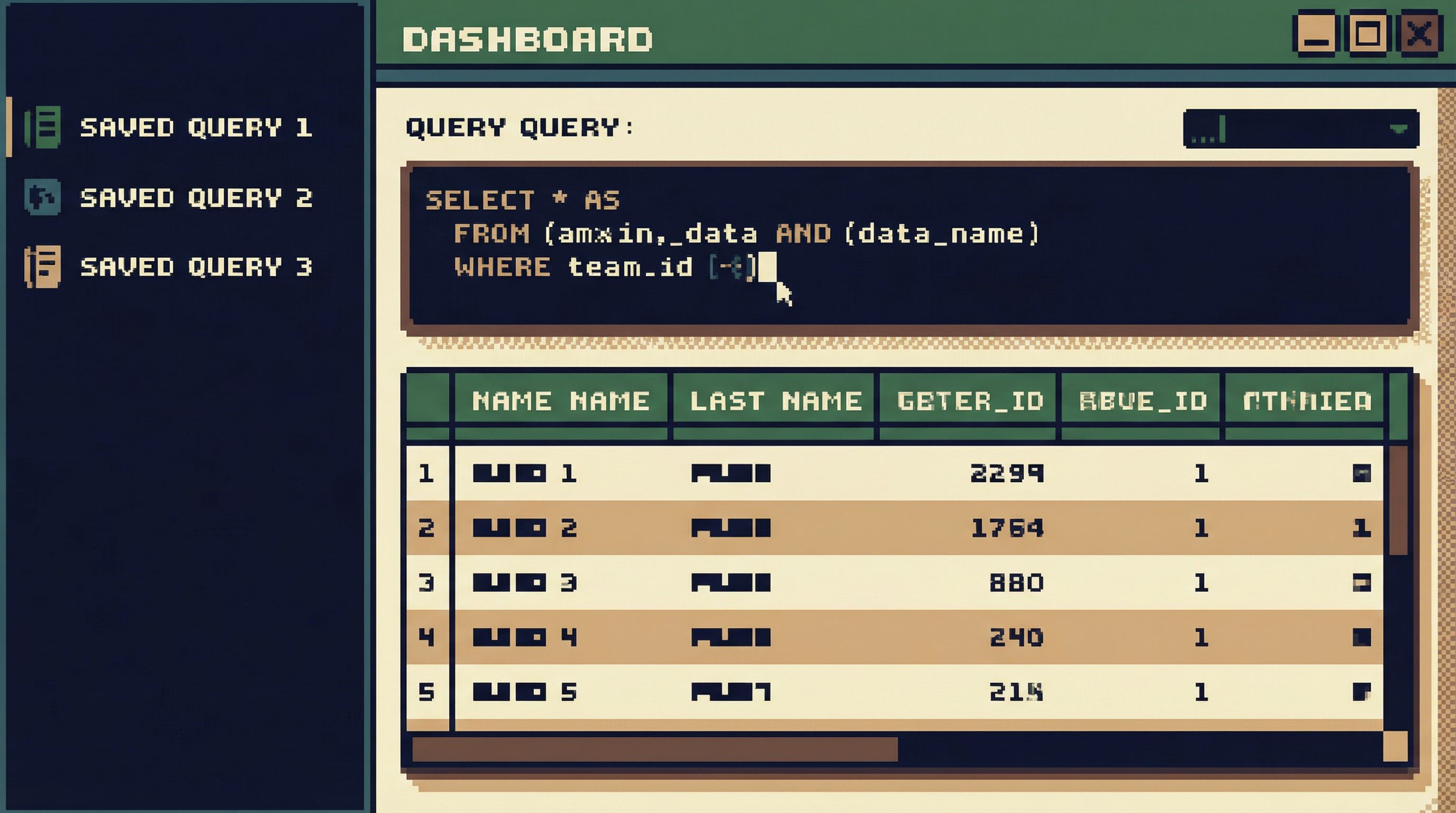
Now, instead of support asking “can someone check this user?” in Slack, they:
- Open the shared browser
- Search for
User timeline - Paste the user ID
- Run a safe, bounded query
You’ve moved from ad‑hoc SQL to a calm library of known‑good reads.
If you want more detail on how to keep those queries safe by default, Guardrails in the Query Editor goes deeper into UX patterns that keep “harmless” reads from turning into incidents.
Step 3: Make “asking for a query” a first‑class path
Not every question can be answered with a saved query. You still need a way for non‑SQL teammates to request deeper investigations without needing their own tool.
A quiet query queue has three parts:
- A simple intake format
- A small group of “query owners”
- A shared place where results live
1. Design the intake
Avoid free‑form “can someone check prod?” messages.
Instead, standardize on a small template, ideally right inside your database browser or in an adjacent system like Slack or your ticketing tool:
- Question: What are you trying to understand or confirm?
- Scope: User ID, order ID, time window, environment.
- Impact: Is this blocking a customer, an incident, or is it informational?
- Deadline: When do you actually need this answer?
You can implement this as:
- A lightweight “Request a query” form in Simpl that creates a ticket or internal note
- A Slack shortcut that posts into a
#query-queuechannel with a structured block - A template in your support tool that routes into the queue
The key: no one is asking for “access.” They’re asking for an answer.
2. Assign query owners
Pick a small rotating group of engineers or data folks who:
- Have full read access in your browser
- Are comfortable writing and reviewing SQL
- Understand your production performance constraints
Their job is not “run whatever people ask for.” It’s:
- Refine vague questions into precise ones
- Decide whether a saved query already answers it
- Write or adapt queries when needed
- Add good ones back into the shared library
3. Keep results where everyone can see them
The queue shouldn’t end with a screenshot in Slack.
For each request:
- Write or adapt the query in your shared browser
- Run it against a known‑safe role
- Save it with a name linked to the ticket or question
- Share a link back to the saved query + result context
Now the next person with a similar question doesn’t have to:
- Re‑ask it
- Re‑invent the query
- Re‑discover the edge cases
They can start from the existing query, see past runs, and move forward.
This is the stance behind From Cursor to Conversation: treat each query as the start of shared knowledge, not a private one‑off.
Step 4: Bake guardrails into the shared browser
A quiet queue only works if the shared tool feels safe.
If the same interface lets you:
- TRUNCATE a table
- Run a 10‑minute full‑table scan
- Or accidentally point a backfill at production
…you’ll never feel comfortable inviting support or success into it, even in read‑only mode.
You need guardrails as UX, not just policy:
- Read‑only roles by default – No UPDATE/DELETE for 99% of users.
- Visible cost cues – Warnings for obviously wide reads (no WHERE on hot tables, no LIMIT, unbounded time ranges).
- Safe defaults in the editor – New queries start with
LIMIT, environment is explicit, and schemas are scoped. - Narrow query surface – No “run arbitrary SQL” for non‑technical roles; only parameterized, vetted queries.
Tools like Simpl are explicitly opinionated here: they bias toward read‑first, narrow surfaces and visible guardrails instead of a blank, neutral SQL canvas.
You can approximate some of this in other tools by:
- Creating dedicated read‑only roles with strict resource limits
- Hiding or locking write capabilities behind separate connections
- Using views or materialized views to pre‑scope common access patterns
But the principle is the same: the shared interface should make the safe thing feel normal, and the risky thing feel rare and deliberate.

Step 5: Keep the queue small, linear, and replayable
A queue is only calming if it doesn’t turn into a backlog.
A few patterns help keep it lean:
- Triage by impact – Blockers and incidents first, informational later.
- Collapse duplicates – Link similar requests to the same saved query.
- Retire noisy questions – If a query keeps getting requested but is expensive or risky, change the product or logging instead of throwing more SQL at it.
Every time you answer a queued question, ask:
- Can this be turned into a reusable query?
- Can this reusable query be safely exposed to more people?
- If not, is this a hint that something in our product, logs, or metrics is missing?
The goal is not an ever‑growing library of clever SQL. It’s a small, high‑signal set of calm paths through your data.
When incidents happen, that calm path matters. A single, linear query trail is easier to replay and review than a maze of tools and screenshots—something we explore more deeply in The Single-Query Incident Review.
Step 6: Teach the team how to “stand in line”
A query queue is a cultural shift as much as a technical one.
You’re asking people to:
- Stop opening whatever tool they feel like
- Stop running ad‑hoc queries in private
- Start treating production reads as shared, replayable events
Make that explicit:
- Document the path – “If you need production data, start here.” Link to your shared browser and your request template.
- Normalize waiting – Not every question deserves an immediate, bespoke SQL answer. That’s healthy.
- Celebrate reuse – When someone solves a problem using a saved query instead of a new one, call it out.
Over time, your team will internalize a calmer stance:
- One place to go
- One way to ask
- One trail to follow
You’ll spend less time arguing about tools and more time reading what the data actually says.
Summary: sharing prod without adding noise
You don’t need another admin panel or BI workspace to share production access. You need a quieter way to:
- Decide who truly needs arbitrary SQL
- Turn one‑off queries into safe, parameterized building blocks
- Give non‑SQL teammates a clear way to ask for deeper reads
- Bake guardrails into a single, shared browser
- Keep the queue small, linear, and replayable
- Teach the team to treat production reads as shared, deliberate events
A calm query queue, built around a purpose‑built browser like Simpl, lets you:
- Reduce the number of tools touching production
- Lower the risk of ad‑hoc, invisible queries
- Make production data feel serious but not scary
You end up with one interface, one library of queries, and one shared understanding of what it means to “look at prod.”
Take the first quiet step
You don’t have to redesign your entire stack to get started.
This week, try:
- Pick one shared browser you’re willing to standardize on for production reads. If you don’t have one, explore tools like Simpl that are designed for calm, read‑first access.
- Identify three recurring questions your team asks about production data.
- Turn each into a saved, parameterized query with safe defaults, and share the links with support, success, and on‑call engineers.
That’s your first quiet query queue.
From there, you can layer in intake templates, guardrails, and ownership. But even this small move—one tool, three queries, shared links—can turn production access from a tangle of tools into a single, calm path through your data.