Read-Only, Opinionated, and Enough: A Minimalist Stack for Everyday Production Data Work


Most teams don’t need more power against production data. They need fewer ways to be distracted, fewer ways to be unsafe, and one clear way to answer concrete questions.
This is what a read-only, opinionated, “enough” stack is about: a deliberately small set of tools and patterns for everyday production data work. Not incident command centers. Not full BI platforms. Just a calm way to read what’s really happening in your systems.
A tool like Simpl exists exactly for this middle layer: a focused, read‑first database browser that makes production data feel less like a minefield and more like a shared reference.
Why this matters more than another dashboard
Most production data work is not heroic:
- A support ticket about a failed payment.
- A PM asking why a feature “sometimes” doesn’t work.
- A question about whether a migration touched the right rows.
You don’t need:
- Five tools
- Three logins
- Two “power users” on every call
You need a straight line from question → rows → decision.
If that resonates, you may also find it useful to read about a straight-line workflow for everyday production debugging.
The problem is that most teams try to answer these small, concrete questions with:
- Admin consoles that can do everything (including dangerous things).
- SQL IDEs that invite open-ended exploration under pressure.
- BI tools that are great at charts but clumsy at “show me this one user’s story.”
The result:
- People are hesitant to touch production at all.
- The same ad‑hoc queries get re‑written from scratch.
- Incidents stretch because there’s no single, trusted way to read.
A minimalist, read-only, opinionated stack flips the default:
- Read-first, write-never for everyday work.
- Opinionated paths, not blank canvases.
- One calm layer between dashboards and admin tools.
The three pillars: read-only, opinionated, enough
1. Read-only: safety as a default, not a role description
Most teams already have “read-only” roles in their databases. That’s necessary, but it’s not sufficient.
A truly read-only everyday stack means:
- No schema changes from the tool you use for daily reads.
- No ad-hoc writes, even if you “know what you’re doing.”
- No hidden footguns like bulk exports of sensitive tables without friction.
You still need real write tools: migrations, admin consoles, CLIs. But they should be:
- Fewer
- Heavier
- Used less often and more deliberately
Your everyday browser should be the opposite: light, quick to open, and incapable of doing harm.
If you want to go deeper on this access stance, see how opinionated read-only roles shape everyday database work.
2. Opinionated: fewer choices, better defaults
Opinionated tools trade surface area for clarity. They say:
- “This is how we usually look at a customer.”
- “This is the safe way to scan orders over time.”
- “This is the path from an incident to the relevant rows.”
In database terms, that looks like:
- Pre-shaped entry points: customer lookup, order trail, job run history.
- Guardrails around queries: pagination that nudges you to narrow the scope instead of
SELECT *on hot paths. - Shared, reusable trails instead of a graveyard of saved queries.
Opinionated doesn’t mean rigid. It means the first move is clear. You can still drop to raw SQL when needed, but you’re not forced to start from a blank editor every time.
We’ve written before about this stance in the context of using opinionated trails instead of saved queries.
3. Enough: deliberately incomplete
The hardest part of designing a calm stack is deciding what not to include.
“Enough” means:
- You can answer the most common, high-value questions without leaving your browser.
- You can safely explore the data around those questions.
- When you do need full power, you consciously step into a different tool.
If your everyday stack can:
- Look up a customer and follow their journey across services.
- Inspect recent jobs, payments, or notifications.
- Verify that a change did what it was supposed to.
…then it’s probably enough.
You don’t need:
- Schema migrations in the same interface.
- Full-text search across every log line.
- Real-time charts for every metric.
Those belong elsewhere.

What a minimalist everyday stack actually looks like
Let’s make this concrete. A calm, read-only, opinionated, enough stack for production data work might look like this:
-
One focused database browser (like Simpl)
- Read-only by design.
- Opinionated trails for common questions.
- Safe exploration around those trails.
-
One admin / migration tool
- Used by a smaller group.
- Explicitly for schema and data changes.
- Heavier authentication and review.
-
Existing observability and BI
- Dashboards for “something is wrong.”
- Browser for “what actually happened to these rows?”
That’s it. Not a dozen tools. Not a bespoke internal console for every service.
The key is how you wire these pieces together.
Designing your read-only layer
Start with where your team actually spends time.
Step 1: List your top 5 recurring questions
Don’t start with schemas. Start with questions:
- “What happened to this customer’s order?”
- “Why was this payment retried three times?”
- “Which jobs are stuck and why?”
- “Did this migration touch the right rows?”
- “Which users are affected by this incident?”
For each question, write down:
- Where the question appears (ticket, Slack, alert).
- Which tables you usually end up reading.
- Which joins or filters you always seem to re-type.
You’re not designing a full model. You’re discovering the few real trails your team walks every week.
If you want a deeper dive on this mindset, the post on navigating production by question, not schema goes into more detail.
Step 2: Turn questions into opinionated trails
For each recurring question, design a small, repeatable path:
- Entry point: How do you land on the right starting row?
- By user ID, email, order ID, job ID, etc.
- Trail steps: What do you always look at next?
- Related orders, payments, events, logs, retries.
- Safe defaults:
- Limit to recent data by default.
- Narrow columns to what’s actually needed.
- Use indexes and predicates that are known to be safe.
In a browser like Simpl, this often becomes:
- A small set of named trails (e.g., “Customer Journey,” “Payment Investigation,” “Job Run Timeline”).
- Opinionated pagination and filters that make it hard to accidentally scan the entire history.
- Shared patterns so that when someone says “I followed the Payment Investigation trail,” others know what they mean.
Step 3: Make read-only truly read-only
A calm stack is uncompromising about safety.
Concretely:
- Separate credentials for read-only vs admin.
- Separate tools for everyday reads vs writes.
- No shared passwords or ad-hoc connections from random laptops.
In your read-only browser:
- Hide or remove any UI for
INSERT,UPDATE,DELETE. - Disallow DDL entirely.
- Put guardrails around heavy reads (e.g., hard limits, timeouts, warnings on unbounded scans).
This is also where subtle design choices matter. Opinionated pagination, for example, can make it nearly impossible to accidentally run a SELECT * on a billion-row table. We’ve written about this in the context of how pagination shapes how teams read data.
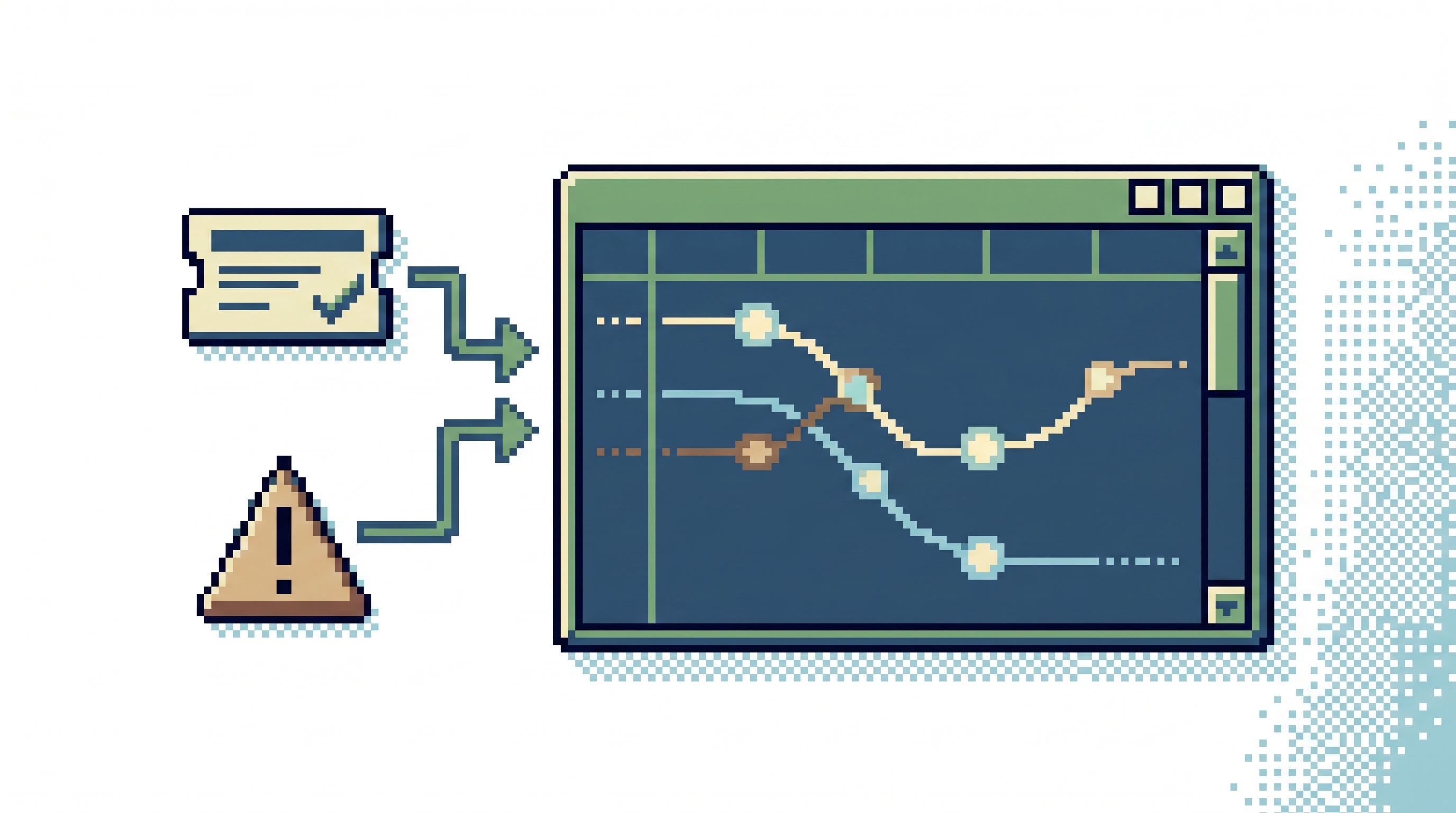
Step 4: Connect tickets and alerts directly to trails
The calmest stack is the one that starts where the question lives.
Instead of:
- Open ticket.
- Copy ID.
- Open console.
- Paste ID.
- Rebuild the query.
Aim for:
- Open ticket.
- Click “View in data browser.”
- Land on the relevant trail, already filtered.
You can do this by:
- Embedding links from your ticketing system (e.g., Jira) into your browser.
- Using URL parameters (customer ID, order ID, etc.) to pre-fill filters.
- Standardizing on a small set of IDs that every service and tool understands.
This turns your read-only browser into the default second click after any incident or question.
Daily habits that keep the stack calm
A minimalist stack is not just about tools. It’s about habits.
Here are a few that help:
1. Start from questions, not schemas
When you open your browser, ask:
“What question am I answering?”
Only then decide which trail or query to run.
Avoid:
- Wandering through tables “just to see what’s there.”
- Starting with
SELECT *and scrolling.
This keeps your work grounded and reduces noise.
2. Prefer trails over ad-hoc queries
If you catch yourself re-writing similar SQL more than twice, it’s a sign you need a trail.
Instead of:
- A folder of “useful queries” in someone’s personal client.
Aim for:
- A small, shared set of blessed trails that everyone can find and trust.
This also makes incident reviews easier: “We followed the Customer Journey and Payment Investigation trails” is much clearer than “We ran some queries.”
3. Review and prune regularly
Opinionated and enough means ongoing editing.
Once a month or once a quarter:
- Review which trails are actually used.
- Remove or archive stale ones.
- Tighten defaults where you saw people get lost or confused.
Your browser should feel like a carefully edited notebook, not a junk drawer.
4. Read production together
Make production reading a shared ritual, not a solo activity.
For example:
- During incident reviews, walk through the actual trails used.
- In onboarding, pair new engineers with someone walking a real question through the browser.
- In team meetings, pull up a calm, read-only view of recent incidents or key flows.
This spreads confidence and keeps the stack aligned with how the team really works.
Where a tool like Simpl fits
Simpl is built around this exact philosophy:
- Read-only by default for everyday production work.
- Opinionated trails instead of a blank query editor.
- Enough features to answer real questions without turning into another admin console or BI platform.
In practice, teams use Simpl as:
- The default place to land from tickets, alerts, or logs.
- The shared space where engineers can safely explore real production data.
- The calm middle layer between dashboards and schema tools.
You don’t have to adopt every pattern at once. You can start small:
- Pick a single high-value question (e.g., “What happened to this payment?”).
- Build one trail for it.
- Wire that trail into your support tickets or incident runbooks.
- Let the team use it for a week.
Then iterate.
Summary: a calmer way to work with production data
A read-only, opinionated, enough stack is not about limiting what your team can do. It’s about making the common, important work feel simple and safe.
- Read-only keeps everyday work from turning into accidental damage.
- Opinionated trails and defaults turn wandering into clear paths.
- Enough features keep the tool focused on real questions, not every possible operation.
Combined, they give you:
- Faster answers to recurring questions.
- Less fear around touching production.
- Fewer tools in every incident.
- A shared language for how you read your own data.
Take the first step
You don’t need a full redesign of your stack to get the benefits.
This week, pick one move:
- Write down your top three recurring production questions.
- Design a single, safe trail that answers one of them.
- Make that trail the default link from your tickets or alerts.
If you want a tool that’s built around this way of working, try Simpl as your read-only, opinionated browser layer. Start with one question, one trail, and see how much calmer everyday production data work can feel when your stack is deliberately small—and enough.