The Calm Migration Trail: Reading Schema Changes in Production Without Losing the Plot


Schema changes are where otherwise calm teams lose their footing.
The data is live. The stakes are high. The migration window is short. And somewhere in the middle of it, you still need to read production data and understand what’s actually happening.
This post is about that middle: how to design a calm migration trail so you can change your schema, read from production, and not lose the plot.
Tools like Simpl exist exactly for this kind of work: an opinionated database browser that lets you explore and query production calmly, without the noise of a full BI stack or admin console.
Why schema changes feel so noisy
Most teams don’t struggle to write migrations. They struggle to live with them.
A typical migration day looks like this:
- A PR with a few
ALTER TABLEstatements merges. - CI runs migrations against staging.
- Someone runs the same migrations against production.
- Dashboards flicker. Error logs spike. Support pings start.
- Engineers spread across: SQL IDEs, admin panels, notebooks, dashboards, log viewers, and a few half‑opened migration docs.
The schema is changing under your feet while you’re trying to answer basic questions:
- Is the new column being populated correctly?
- Are old reads still safe?
- Which services are still depending on the old shape?
- Did this index actually help, or just add write latency?
You’re not just managing a migration. You’re managing tool sprawl and cognitive load.
On Calm Data, we’ve already argued for narrowing this surface in posts like “The Single-Database Day: What Happens When Engineers Only Read From One Calm Surface”. A migration is where that discipline pays off.
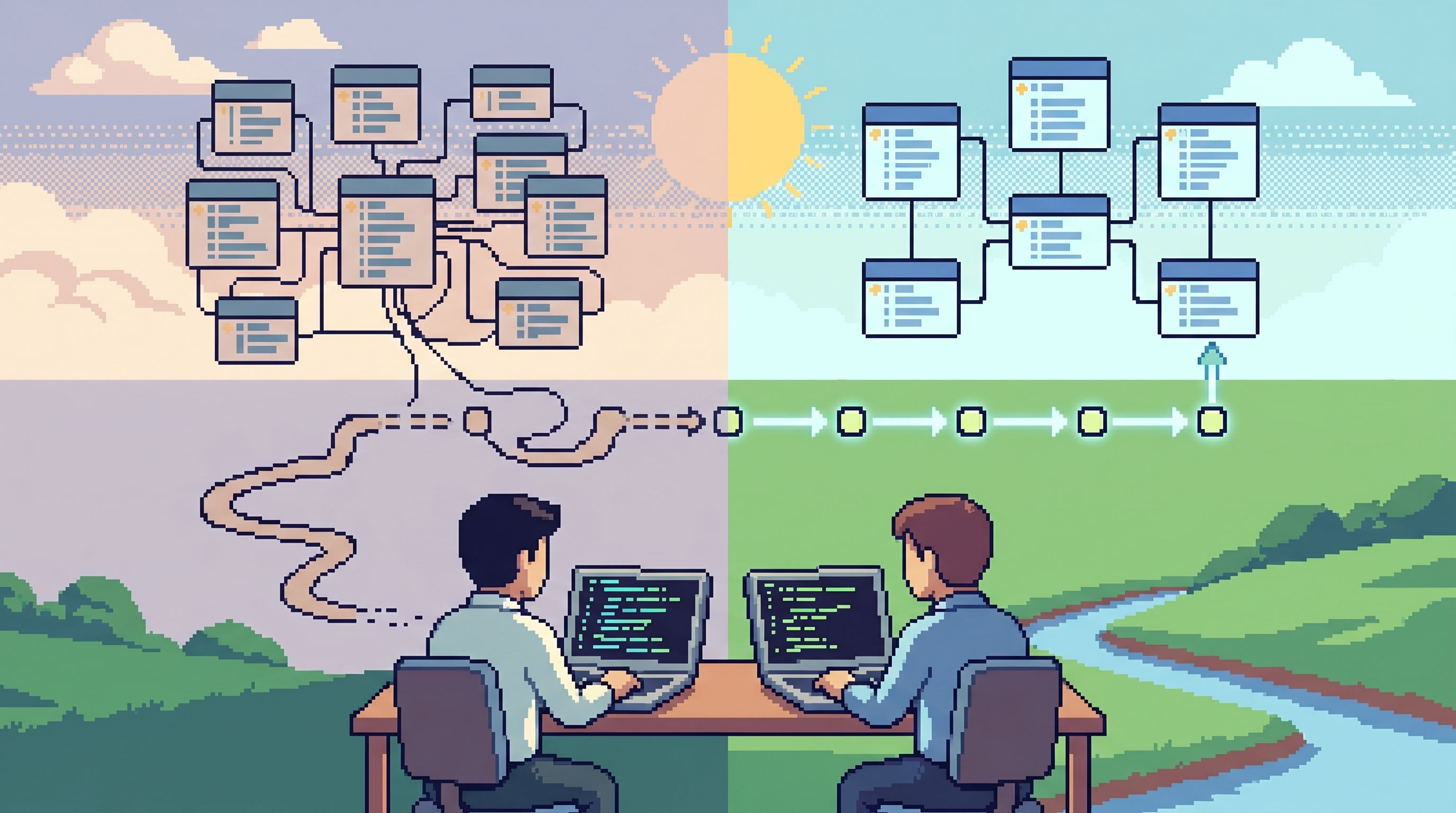
The core idea: a migration is a story, not a script
A schema migration is usually treated as a script: something you run, monitor, and roll back if needed.
A calmer posture is to treat it as a story:
- Setup – What the schema looks like now, and who depends on it.
- Transition – How you’ll get from old to new while both shapes coexist.
- Resolution – How you’ll prove the new shape is correct and safe, then retire the old one.
Reading production data is how you follow that story in real time.
If your team can’t easily answer “What changed?” and “Who is still on the old path?” by reading from production, your migration trail is too noisy.
A calm migration trail has three qualities:
- Linear – A clear sequence of steps and checks.
- Observable through reads – Every step is visible in production data.
- Shareable – Anyone on the team can replay the trail later and understand what happened.
Simpl is built around this kind of trail: opinionated, read‑only, and focused on turning production reads into a narrative instead of a pile of ad‑hoc queries.
Principle 1: Make schema changes backwards‑compatible by default
Most migration stress comes from coupling schema and code changes too tightly.
A calmer pattern:
- Change schema first, code second.
- Prefer additive changes.
- Let old and new shapes overlap for a while.
Concretely, that means:
- Add new columns as nullable or with a safe default.
- Add new tables without dropping the old ones yet.
- Add new indexes instead of rewriting existing ones.
- Avoid renames in place; use copy + backfill + cutover + cleanup instead.
This gives you a period where both:
- Old code still works against the new schema.
- New code can start writing to the new shape.
During that overlap, the only way to know if things are working is to read production data:
- Are both old and new columns coherent for the same entities?
- Are backfills progressing as expected?
- Are any rows stuck in “old‑only” or “new‑only” states?
A calm database browser like Simpl makes this overlap legible: you can pivot between old and new columns, filter by migration state, and see the story unfold row by row, without juggling multiple tools.
Principle 2: Design the migration as a readable trail
Instead of thinking “We need to run migrations,” think:
“We need a trail that anyone can read later and understand how the schema changed.”
That trail should exist at three levels:
-
Versioned migration artifacts
-
Runtime checkpoints in data Add simple, queryable signals into your schema so you can track progress:
- A
migrationsorschema_versiontable with timestamps. - Per‑row flags during backfills (
new_column_backfilled_at,migrated_version). - Shadow tables that record old vs new representations for a sample of entities.
These let you answer:
- “How far along are we?”
- “Which tenants/users are on the new shape?”
- “Do old and new representations match?”
- A
-
Human‑level trails of reads
- Capture the actual queries and filters you use to validate the migration.
- Turn them into a reusable trail or checklist for the next migration.
This is where tools like Simpl are opinionated: instead of personal SQL stashes, you get shared, replayable read paths. Paired with the ideas in “From Tables to Stories: Turning Production Reads into Sharable Debug Narratives”, your migration trail becomes a narrative, not just a log.

Principle 3: Keep reads calm while the ground is moving
During a migration, you still need to debug real issues:
- A user can’t log in.
- A billing event looks wrong.
- A background job is failing.
If every incident now requires you to remember which schema version each service is on, you’ve lost the plot.
A calmer approach:
1. One primary read surface
Pick a single surface for production reads. Notebooks, SQL IDEs, and ad‑hoc admin consoles are tempting, but they multiply context.
- Route everyday reads through one calm browser.
- Keep it read‑only for most engineers.
- Let your migration trails live there.
This is the same discipline described in “The Anti-Workspace: Why Fewer Panels Make Database Debugging Easier”. A migration is exactly when you can’t afford a cockpit of panels.
2. Show just enough schema context
During a migration, schema noise explodes:
- Old and new tables.
- Deprecated columns.
- Temporary indexes and backfill markers.
If your browser shows everything equally, people get lost.
Instead:
- Highlight active tables and columns.
- De‑emphasize or visually tag deprecated structures.
- Surface migration metadata (like backfill progress) near the rows themselves.
The patterns from “The Calm Schema Surface: Showing Just Enough Structure for Everyday Production Reads” apply directly here: context without clutter.
3. Bake migration awareness into common read paths
Your most common production reads should work regardless of migration phase.
Examples:
- A “user timeline” view that:
- Knows whether to read
billing_events_oldorbilling_events_new. - Shows both side‑by‑side during the overlap.
- Knows whether to read
- A “job status” view that:
- Includes the job’s
schema_versionormigration_state. - Lets you filter for “jobs stuck on old schema.”
- Includes the job’s
In a tool like Simpl, you can encode these as narrow, reusable queries instead of free‑form SQL. The goal isn’t to hide the migration, but to make it legible inside the flows people already use.
Principle 4: Use gentle coordination, not heroics
Schema changes often cross service boundaries:
- Multiple apps reading the same tables.
- Background jobs and batch processes.
- Third‑party integrations.
Instead of scheduling a heroic “everyone online at 2am” window, design for gentle coordination.
1. Feature flags for reads and writes
Feature flags are not just for UI toggles. They’re a natural fit for coordinating schema changes:
- Gate writes to the new schema behind a flag.
- Gate reads from the new schema behind a separate flag.
- Roll out by percentage, tenant, or environment.
You can use hosted tools like Flagsmith, Flipper, or self‑hosted options. The point is not which system you use, but that:
- Flags are short‑lived and migration‑specific.
- Ownership and cleanup are clear.
- Flags are observable in your data (e.g.,
write_path = 'old' | 'dual' | 'new').
2. Expand‑contract patterns
For risky changes (like splitting a table or changing primary keys), use an expand‑contract pattern:
-
Expand
- Add new structures (columns/tables/indexes) alongside old ones.
- Start dual‑writing where feasible.
-
Verify via reads
- Sample entities.
- Compare old vs new representations.
- Track discrepancies explicitly.
-
Cut over reads
- Flip read paths to the new structure behind a flag.
- Keep dual‑writes until you’re confident.
-
Contract
- Remove old writes.
- Drop old structures after a safe window.
Each of these phases should be visible in your calm read surface:
- Filters for
write_path. - Views that show both old and new representations.
- Simple queries to count entities still depending on the old path.
3. Automate the boring checks
Not every validation needs a human reading rows.
- Use lightweight scripts or migration tools to:
- Count mismatches between old and new columns.
- Check for nulls where there shouldn’t be any.
- Ensure foreign keys still line up.
But still keep human reads in the loop for:
- Edge cases.
- High‑value tenants.
- Cross‑table stories.
This is where a calm browser complements automation: the scripts tell you where to look; the browser lets you actually see what happened.
A concrete migration trail you can copy
Here’s a simple, opinionated trail you can adapt for most schema changes.
Step 1: Describe the story, not just the DDL
Before any SQL:
- Write a short narrative:
- What problem are we solving?
- What does the new schema enable?
- What are the phases (expand, verify, cut over, contract)?
- Add this to the migration PR and the incident/migration doc.
This keeps everyone aligned on why the schema is moving.
Step 2: Add observable metadata
As you design the migration:
- Add a
schema_versionormigration_statewhere it helps. - Plan for a
migrationstable that records:- Migration name.
- Start/end times.
- Who ran it.
- Any flags used.
These are cheap to add and invaluable when you’re reading production later.
Step 3: Implement backwards‑compatible changes first
Ship the expand phase:
- Add new columns/tables/indexes in a safe way.
- Deploy code that can write to both old and new shapes where needed.
- Keep all reads on the old path for now.
Validate using your calm browser:
- Sample entities and confirm dual‑writes are consistent.
- Check that new columns are being populated for fresh data.
Step 4: Backfill and verify through reads
Run backfills:
- Use batched jobs with clear progress markers.
- Avoid long‑running, monolithic scripts where possible.
While backfills run, keep a standing checklist of reads:
- “Show 10 random high‑traffic tenants and compare old/new values.”
- “List entities where
new_columnis null butold_columnis not.” - “Count entities by
migration_state.”
Capture these checks as a trail in your browser so others can replay them.
Step 5: Cut over reads behind a flag
Once backfills and dual‑writes look healthy:
- Introduce a read flag for the new path.
- Enable it for:
- Internal users.
- A small percentage of tenants.
- Watch:
- Error logs.
- Latency.
- Support tickets.
Use your calm read surface to:
- Compare behavior between flagged and non‑flagged tenants.
- Inspect specific incidents on both old and new paths.
Step 6: Retire the old path deliberately
After a safe window:
- Disable the old write path.
- Remove old read flags.
- Drop old columns/tables only after:
- A final sweep for any lingering dependencies.
- A clear communication to the team.
Archive the migration trail:
- Keep the narrative.
- Keep the key validation queries.
- Tag them with the migration name and date.
Over time, this becomes your migration library: reusable patterns and trails that make the next change calmer.
How a tool like Simpl fits into this
You can do everything above with raw SQL and discipline. But the whole point of Calm Data is to reduce the cognitive load of that discipline.
An opinionated browser like Simpl helps by:
- Giving you one calm surface for production reads, even during noisy migrations.
- Exposing a thin schema surface so you see just enough structure to stay oriented.
- Letting you turn ad‑hoc validation queries into shareable trails, not private stashes.
- Staying read‑only by design, so curiosity during a migration never risks accidental writes.
Combine that with habits from posts like “From Query Zoo to Query Library: Curating Reusable Read Paths for a Calmer Stack”, and your migration work stops being a string of one‑off heroics and starts looking like a practiced craft.
Summary
Schema changes don’t have to be chaotic.
A calm migration trail looks like this:
- Backwards‑compatible by default – expand before you contract.
- Readable at the data level – migration state is visible in rows, not just in docs.
- Anchored in one calm read surface – fewer tools, fewer panels, less noise.
- Coordinated with gentle mechanisms – feature flags, expand‑contract patterns, and clear metadata instead of 2am heroics.
- Captured as a story – each migration leaves behind a trail of queries and checks that the whole team can reuse.
When you treat schema changes as stories you can read in production—not just scripts you run—you keep your footing, even while the ground is moving.
Take the first step
You don’t need a full migration framework overhaul to start.
Pick one upcoming schema change and do three things differently:
- Write the story first. One short paragraph describing the phases of the migration.
- Add one observable marker. A
migration_stateorschema_versionyou can filter on. - Run the validation reads from a single calm surface. Close the extra panels. Use one browser—something like Simpl—to follow the trail.
Do that once. Capture what worked. Turn it into your team’s default pattern.
That’s the calm migration trail: small, opinionated steps that make every future schema change feel less like a cliff and more like a path you already know how to walk.