From Tables to Stories: Turning Production Reads into Sharable Debug Narratives


Most production debugging sessions end the same way: a handful of people finally understand what happened, and that understanding lives in their heads, a Slack thread, and a few half‑saved queries.
The data told a story. But the team didn’t capture it as a story.
This post is about closing that gap: turning raw production reads into calm, repeatable debug narratives your whole team can share, replay, and learn from.
Tools like Simpl make this much easier, but the mindset comes first.
Why stories beat screenshots
When you debug from production data, you’re doing narrative work:
- Something happened.
- You gather evidence across tables.
- You form and test hypotheses.
- You arrive at a coherent explanation.
If you don’t capture that as a story, a few things happen:
- The same incident gets re‑investigated every time it appears.
- Context stays siloed with whoever was on‑call that day.
- Risky queries get copy‑pasted without the reasoning that made them safe.
- New teammates learn slowly, by repeating old mistakes instead of replaying old investigations.
A sharable debug narrative fixes this. It turns:
- “Here’s a scary SQL snippet I found in the wiki”
into:
- “Here’s the sequence of reads we used to explain why user 123’s subscription canceled, and how we knew we were done.”
Narratives are calmer than ad‑hoc queries because they:
- Emphasize sequence over cleverness
- Anchor each query to a question, not a hunch
- Leave behind a trail instead of a pile
If you’ve read Post-Saved-Query Workflows: How Opinionated Trails Replace Personal SQL Stashes, this is the same idea, but focused tightly on debug work.
What a debug narrative actually is
A debug narrative is a compact, linear trail of reads that explains:
- The question you started with
- The key tables and rows you looked at
- The transitions between views (how you got from one table to the next)
- The conclusion you reached
- Any follow‑up checks you ran to feel confident
It’s not a full incident postmortem. It’s not a notebook full of experiments.
It’s more like a screenplay for a focused reading session:
Scene 1: We open the
userstable onid = 123.Scene 2: We follow
subscription_idintosubscriptions.Scene 3: We jump to
subscription_eventsfiltered by thatsubscription_id, ordered bycreated_at.Scene 4: We confirm the cancel event matches the error in the logs.
The power is in the path, not the prose.
A good narrative is:
- Short — 5–15 steps, not 50
- Concrete — actual filters, actual columns, not vague descriptions
- Reproducible — someone else can follow it without guessing
From raw tables to readable scenes
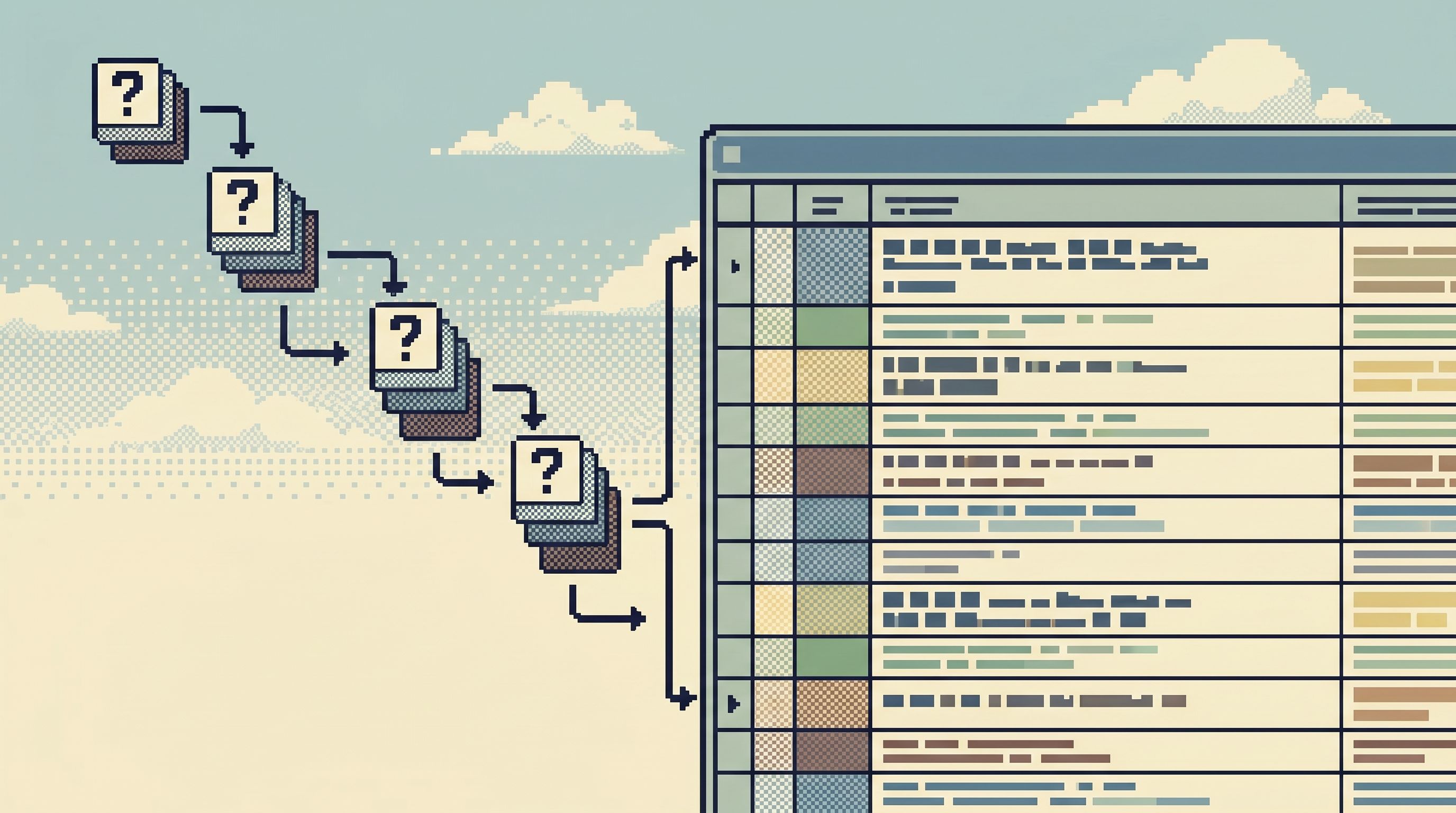
To turn tables into stories, you need to design your reads as scenes:
Each scene should answer one clear question and set up the next.
1. Start with the concrete question
Every narrative begins with a sentence like:
- “Why did subscription
sub_abccancel at 02:13 UTC?” - “Why did job
job_42retry three times and then succeed?” - “Which tenants started failing right after deploy
2026-06-10_17-23?”
Write that question down first.
Then, for each scene, ask:
- What do I need to see right now to move closer to that answer?
- Which single table and minimal filter will give me that view?
This is where a calm, narrow query surface matters. If your tool drops you into a full SQL IDE, it’s easy to start exploring instead of answering. The pattern in The Narrow Query Editor: Designing Just-Enough SQL for Everyday Production Reads is exactly what you want here.
2. Treat each query as a scene, not a scratchpad
For each step in your investigation, capture three things:
- Context — what you were trying to learn
- Shape — which table, which filters, which sort
- Outcome — what you learned, in one sentence
Example:
Scene 3 – See all events for this subscription
Table:subscription_events
Filter:subscription_id = 'sub_abc'
Sort:created_at ASC
Outcome: We see arenewal_failedevent at 02:10 and acanceled_by_systemat 02:13, matching the alert timeline.
You don’t need full SQL in the narrative. You need enough structure that someone else could reconstruct the read in a tool like Simpl or in their own environment.
3. Use identifiers as your plot threads
Good stories have recurring characters. Good debug narratives have recurring identifiers:
user_idsubscription_idjob_idtenant_idrequest_idortrace_id
Each time you move from one table to another, follow a small, stable set of IDs. That’s how you keep the story legible.
If your tools support it, lean on:
- Clickable foreign keys
- Inline previews of related rows
- Saved filters scoped to common IDs
Opinionated browsers like Simpl are built to make these transitions feel like a natural trail, not a scavenger hunt across schema trees.
4. Respect the “no scenery” rule
A common failure mode: adding columns and joins “just in case.”
That’s how a simple narrative turns into a notebook experiment.
Adopt a simple rule:
If a column or join doesn’t support the current scene’s question, it doesn’t belong.
This keeps each step visually quiet and conceptually sharp. For more on this stance, see Context Without Clutter: Showing Just Enough Metadata for Everyday Production Reads.
Capturing the trail while you work
The biggest objection to all of this is practical:
“I don’t have time to write a story during an incident.”
You shouldn’t. The trick is to let the tool capture the narrative for you, and only polish at the end.
Design your tool to leave breadcrumbs
When you’re choosing or shaping tools for production reads, favor ones that:
- Automatically record query history as a linear trail
- Let you name steps or group them into sessions
- Make it easy to annotate a step with a sentence or two
- Support read-only access so you can safely share trails
This is where a focused browser like Simpl shines: it’s opinionated around trails, not just isolated queries.
During an incident, your job is simple:
- Click and filter as you normally would
- Occasionally rename a step (“Check subscription events”, “Confirm billing run”)
- Avoid branching into ten tabs; keep a single linear path
At the end, you’ll have a raw trail that’s 80% of the narrative already.
Trim, don’t rewrite
Once the incident is under control, spend 5–10 minutes turning that raw trail into a shareable story:
- Delete dead ends that didn’t help the conclusion.
- Rename steps so each reads like a scene.
- Add one-line outcomes where they’re missing.
- Attach the original question at the top and the conclusion at the bottom.
You’re not writing literature. You’re compressing a path.

Making narratives sharable by default
A narrative that lives in someone’s local history isn’t much better than a private SQL stash. You need a way to:
- Share
- Reuse
- Evolve
without turning this into a new category of documentation overhead.
1. Choose a home with low friction
Pick a single place where debug narratives live. A few patterns that work well:
- A dedicated “Debug Trails” section in your database browser, if your tool supports it
- A lightweight internal docs space (Notion, Confluence, your handbook) with a tight template
- A simple
debug-trails/directory in your repo, one file per narrative
The key is one home, not five. Don’t spread these across Slack, wikis, and random gists.
2. Standardize the minimal template
Keep the format boring and predictable. For example:
- Title:
2026-06-13 – Subscription auto-cancel after payment failure - Question: one or two sentences
- Context: link to alert, ticket, or incident
- Trail: numbered scenes (5–15 steps)
- Conclusion: what we learned
- Follow‑ups: what we changed or need to watch
You can paste in links to specific views in Simpl or your chosen browser so others can jump straight into the same read-only state.
3. Integrate with your incident rituals
To keep this practice alive, tie it to habits you already have:
- Incident reviews — require at least one debug narrative link for any incident that touched production data.
- Onboarding — assign new engineers a few narratives to replay as part of learning the system.
- Runbooks — instead of step‑by‑step bullet lists, link to narratives that show how those steps look in real data.
Over time, you’ll grow a query library of stories, not just snippets. That’s the natural extension of the ideas in From Query Zoo to Query Library: Curating Reusable Read Paths for a Calmer Stack.
Guardrails that keep the story safe
Turning reads into narratives doesn’t just help understanding. It also quietly improves safety.
When your debug work is naturally captured as a trail:
- Risky patterns become visible — you can spot SELECT * or missing WHERE clauses and replace them with safer scenes.
- Permissions conversations get calmer — you can grant broader read access when the default experience is a guided trail instead of a blank SQL editor.
- Write‑adjacent work becomes reviewable — if a narrative leads to a migration or a config change, the reasoning is attached.
To make this real, combine narratives with a few opinionated constraints:
- Prefer read-only tools for incident work, like Simpl, and keep write access in separate, higher‑friction flows.
- Use gentle friction for heavy queries (big tables, no WHERE) so they’re rare and deliberate.
- Keep the interface quiet — one primary view, one trail, instead of a wall of panels. The stance in The Anti-Workspace: Why Fewer Panels Make Database Debugging Easier pairs well with narrative‑first debugging.
The goal isn’t to slow people down. It’s to make the safe, story‑shaped path the easiest one to take.
A simple pattern you can start this week
You don’t need a new platform rollout to move from tables to stories. You can start with a small, opinionated pattern:
-
Pick one class of recurring issue
Billing misfires, job retries, flaky webhooks — anything that shows up more than once a month. -
Run the next incident as a linear trail
One browser window, one trail, minimal branching. Rename steps as you go. -
Spend 10 minutes polishing the narrative
Delete dead ends, add one‑line outcomes, attach the original question and conclusion. -
Publish it in a single shared place
Paste links to the actual reads (or screenshots if your tools don’t support deep links yet). -
Replay it with a teammate
Ask someone who wasn’t on the incident to follow the narrative and confirm they can reach the same understanding without asking you for missing steps. -
Refine based on that replay
Add the clarifications they needed; trim anything that felt like noise.
After a few incidents, you’ll notice:
- People start asking, “Is there a narrative for this?” before they reinvent a query.
- On‑call rotations feel less like hero work and more like following well‑worn paths.
- Debug sessions feel calmer, because you’re always one step away from a story you can share.
Summary
Turning production reads into sharable debug narratives is less about writing and more about shaping how you read:
- You treat each query as a scene that answers a concrete question.
- You let your tools capture a linear trail instead of juggling tabs and scratchpads.
- You trim that trail into a short, reproducible story after the fact.
- You store those stories in one predictable place, and make them part of your incident and onboarding rituals.
- You pair narratives with calm, opinionated tooling — focused, read‑only browsers like Simpl — so the safe, story‑shaped path is the default.
The result is a quieter debugging culture: fewer heroics, fewer private SQL stashes, more shared understanding.
Take the first step
Before you overhaul anything, try this on your next real incident:
- Open your production database in a calm, read‑only browser like Simpl.
- Keep a single linear trail of the reads you run.
- Rename each step with the question it answered.
- When you’re done, spend 10 minutes trimming that trail into a 5–10 step narrative and save it in one shared place.
That’s it. One incident, one story.
Once you’ve seen how much calmer it feels to replay a narrative instead of reconstructing a session from memory and screenshots, you’ll have everything you need to make this the default way your team works with production data.