Designing Calm Defaults: How Simpl Encourages Safer, Clearer Queries

Most database tools assume that if you opened the app, you’re ready to do anything.
Run any query.
Touch any table.
Point it at production and hope everyone is careful.
That assumption is convenient. It’s also how you end up with:
- Risky
UPDATEstatements run in the wrong environment - Accidental full-table scans in the middle of peak traffic
- Confusing query history nobody can safely reuse
- Teams that quietly fear opening the database at all
Calm work with data doesn’t start with better dashboards or more permissions. It starts with better defaults.
Defaults are the first draft of how your team behaves:
- What you see when you open the tool
- What’s easy vs. what’s slightly harder
- What’s safe by default vs. what’s only safe if you remember
Simpl is built around this idea: if you design calm defaults, you get safer, clearer queries almost for free.
This post looks at what those defaults can be, why they matter, and how to bring the same ideas into your own stack—whether or not you use Simpl.
Why Calm Defaults Matter More Than “Power Features”
Most database GUIs sell themselves on power:
- Bigger editors
- More shortcuts
- More panels
- More integrations
We’ve written before about why this IDE-shaped approach creates noisy habits in Why Your Database GUI Feels Like an IDE (and Why That’s a Problem).
Power isn’t the issue. Unstructured power is.
When everything is possible from the first click, a few things happen:
- Speed outruns understanding. It’s easier to type a query than to confirm you’re in the right environment.
- Risk is invisible. A destructive
DELETEand a harmlessSELECTshare the same workflow. - Context is optional. You can query tables you don’t recognize, with joins you don’t fully understand.
Calm defaults push in the opposite direction:
- Make safe actions the path of least resistance
- Make risky actions deliberate and explicit
- Make context visible before you type anything
When you do that, you don’t have to rely on discipline alone. The tool itself nudges you toward better behavior.
Principle 1: Read-First, Write-Second
A calm database workflow starts by assuming you’re here to look, not to change.
We unpack this in detail in The Case for a Read-First Database Workflow, but the core idea is simple:
Observe before you act. Read before you write. Understand before you automate.
How this shows up as defaults
In Simpl, that principle turns into concrete design choices:
- You land in a read view, not an editor. Opening a table shows structure, relationships, and a small, focused sample of rows—not a blank SQL canvas.
SELECTis the default posture. Everything about the interface assumes you’re inspecting data first: filters, sort, quick pivots, and saved views.- Write operations are a separate, explicit flow. Anything that could change data lives behind clearer affordances and confirmation steps.
You can bring the same bias into any tool by adjusting your own defaults:
- Start sessions with
SELECT ... LIMIT 50instead of immediately draftingUPDATEstatements. - Create saved read-only queries for common checks, instead of rewriting them each time.
- Treat ad-hoc writes as a last resort, not the normal path.
The goal: make reading feel like the normal thing, and writing feel like a special thing.
Principle 2: Narrow the First View
Most tools greet you with everything:
- Every schema
- Every table
- Every column
- Every environment
It feels powerful. It’s also overwhelming.
A calmer approach is to narrow the first view to what’s actually relevant.
What narrowing looks like
In Simpl, this shows up as:
- Scoped connections. You connect to specific databases and environments with clear labels, not an undifferentiated list.
- Curated entry points. You see the tables and views people actually use, not every internal artifact.
- Focused metadata. You see the columns and relationships that matter first; everything else is a click away.
You can approximate this in other tools by:
- Pinning or starring the 10–20 tables you touch most
- Hiding or collapsing system schemas and migration tables
- Creating a short “start here” list for new teammates
Narrowing isn’t about hiding power; it’s about making the default view match the work you actually do.
Principle 3: Make Risk Visibly Different
A lot of pager anxiety comes from one simple fact: dangerous queries look too much like safe ones.
SELECT * FROM users LIMIT 50;
and
DELETE FROM users WHERE created_at < NOW() - INTERVAL '1 day';
often live in the same editor, with the same font, the same background, the same run button.
Calm defaults treat risk as a first-class concept.
How Simpl separates safe from risky
- Read-only by default for most roles. Many users never need to write. Their entire experience is scoped to inspection.
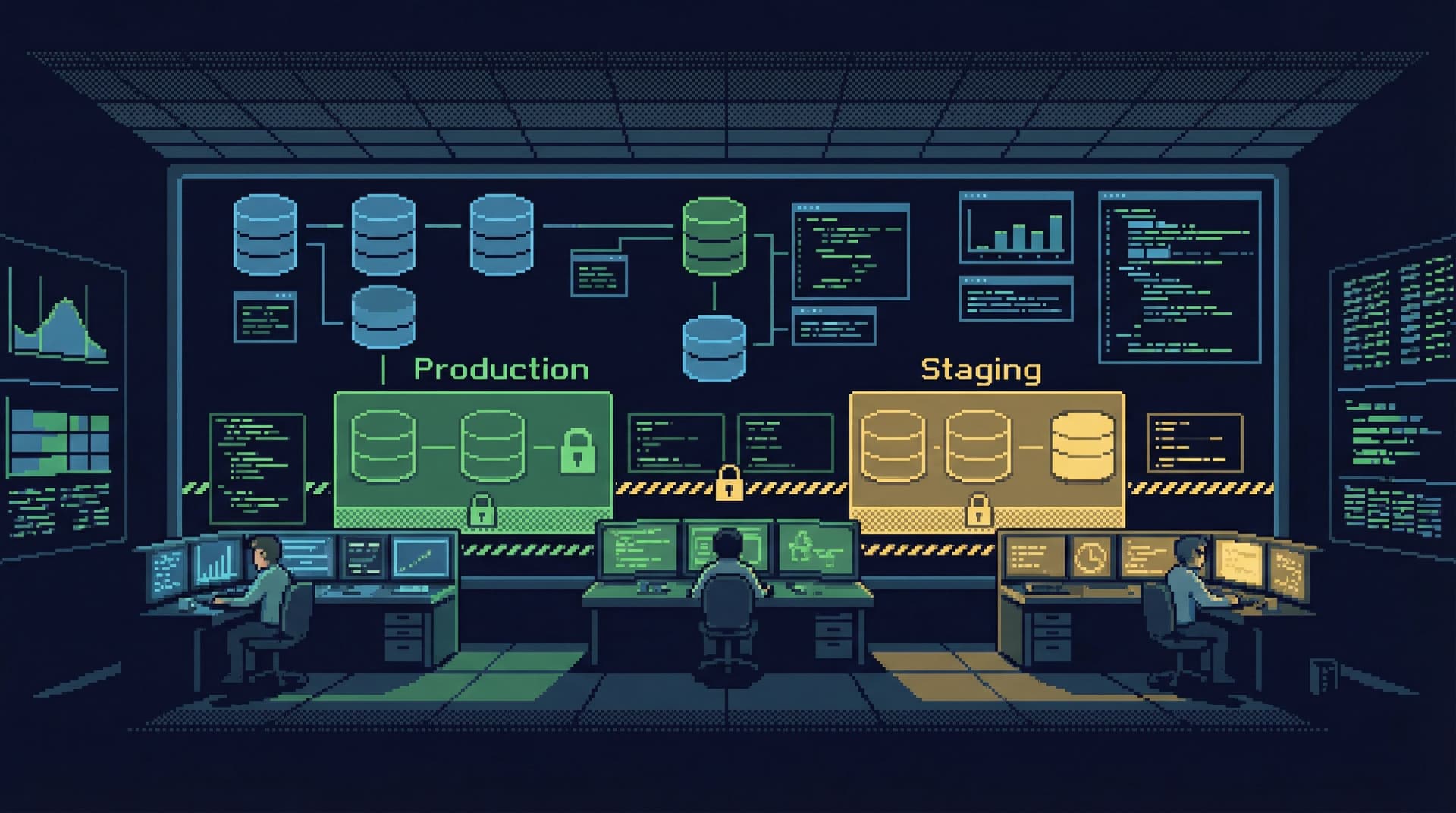
- Clear environment labeling. Production is not just another connection string. It’s visually distinct, with copy that reinforces caution.
- Guardrails for writes. When teams enable write paths, they can add confirmations, approvals, or restricted query patterns.
For your own workflows, consider:
- Using separate tools or profiles for read vs. write
- Making production connections visually loud (in a calm, simple way) so you can’t miss where you are
- Adopting conventions like: no unbounded
UPDATEorDELETE—always require aWHEREclause that’s been sanity-checked with aSELECTfirst
We dive deeper into this idea in Production Data Without Pager Anxiety: Guardrails That Actually Get Used, where the focus is on designing guardrails that people don’t immediately work around.
Principle 4: Query Fast, Think Slow
Typing SQL is not the hard part.
The hard part is:
- Deciding what question you’re actually answering
- Understanding how tables relate
- Knowing whether the result you’re seeing is plausible
If your tool optimizes only for typing speed, you end up moving quickly through the easy part and rushing the hard part.
Query Fast, Think Slow: Designing Database Tools for Deliberate Work talks about this in depth. Calm defaults embody that mindset.
How Simpl supports deliberate work
- Fast navigation, slow commitment. It’s quick to jump between tables, views, and saved queries—but harder to accidentally run something dangerous.
- Structured query history. Instead of an endless scroll of ad-hoc SQL, you see named, reusable views and flows.
- Context alongside results. When you run a query, you see schema, relationships, and notes in the same frame—so you think about the model while you look at the numbers.
You can mirror this by:
- Keeping a small library of trusted queries for common questions
- Naming and commenting queries you expect to reuse
- Adding a quick “sanity checklist” before you trust a result: row counts, date ranges, null distributions
Principle 5: Design for Shared Understanding, Not Solo Heroics
No matter how strong your defaults are, you still need people to use them in a consistent way.
Most teams live in ad-hoc mode:
- Someone asks a question in Slack
- Someone else runs a query
- A screenshot appears
- The query disappears into history
That pattern doesn’t scale. We explored how to fix it in From Ad-Hoc Queries to Repeatable Flows: Systematizing How Your Team Looks at Data.
Calm defaults assume that queries are shared artifacts, not personal scratch notes.
How Simpl encourages shared flows
- Named views instead of one-off queries. When you find a useful slice of data, you save it as something others can open, not just a line in your history.
- Lightweight documentation in context. You can attach notes to tables, columns, and views so the next person doesn’t have to reverse-engineer intent.
- Reusability over cleverness. The interface makes simple, clear queries easier to save and reuse than dense, “smart” ones.
You don’t need new software to start doing this:
- Treat every query you run more than twice as a candidate for a named, documented snippet.
- Store these in a shared repo, folder, or notebook.
- Prefer clarity over cleverness: explicit joins, explicit filters, and comments for non-obvious choices.
A team that shares queries shares understanding—and that makes incidents calmer, debugging faster, and onboarding less painful.
Bringing Calm Defaults Into Your Existing Stack
You may not be ready to switch tools yet. That’s fine. You can still borrow the same ideas.
Here’s a simple way to start.
1. Decide your “safe by default” rules
Write down 5–7 rules that describe what “safe by default” means for your team. For example:
- All new users start read-only in production
- No unbounded
UPDATE/DELETEin shared queries - Every production connection is labeled and visually distinct
- Every query used in incidents must be saved somewhere reusable
Keep this list short and opinionated.
2. Encode those rules into your tools
Look at your current stack: psql, GUI tools, ORMs, dashboards.
Where can you:
- Change defaults (e.g., default to read-only connections)
- Add small guardrails (e.g., scripts that wrap dangerous commands)
- Introduce visual cues (e.g., different themes or color accents for production)
Even small changes—like using a different background color for production windows—can cut error rates.
3. Standardize your first view
Pick what people should see when they “open the database”:
- A curated list of core tables
- A handful of trusted, named queries
- A short note on how to work safely
Document that first view and help new teammates set it up.
4. Turn ad-hoc into repeatable
For the next month, any time someone says “this query was useful,” treat that as a trigger:
- Name it
- Comment it
- Store it somewhere shared
Over time, this becomes a calm library of flows instead of a graveyard of screenshots.
5. Evaluate tools through the lens of defaults
When you do look at new tools—whether that’s Simpl or something else—ask:
- What happens before I type anything?
- What’s the easiest thing to do here—and is it safe?
- How obvious is it when I’m in production?
- How easy is it to share what I’ve learned with the team?
If the defaults feel calm, you’ll spend less energy fighting the tool and more energy understanding your data.
How Simpl Fits Into This Picture
Simpl exists because many teams want the benefits of BI and admin tools—visibility, structure, shared understanding—without the noise, dashboards, and complexity.
It’s an opinionated database browser that:
- Starts you in read-first mode
- Narrows your view to what matters
- Makes risk visible and deliberate
- Encourages shared, reusable flows instead of one-off queries
If you’re already thinking about calmer querying habits, Simpl gives you a surface that’s designed around those habits from the start.
Summary
Calm defaults are not a nice-to-have. They’re the difference between:
- Tools that quietly encourage risky, noisy behavior, and
- Tools that make safe, clear work with data feel natural.
The key ideas:
- Read-first, write-second. Assume you’re here to observe before you act.
- Narrow the first view. Show people the parts of the database that actually matter.
- Make risk visibly different. Treat destructive operations and production environments as special.
- Query fast, think slow. Optimize the mechanics so you can slow down on the reasoning.
- Design for shared understanding. Turn useful queries into repeatable flows, not one-off artifacts.
Whether you implement these ideas in your current tools or adopt something like Simpl, the goal is the same: safer, clearer queries with less noise and less anxiety.
Take the First Step
You don’t have to redesign your whole stack to benefit from calm defaults.
Pick one of these to do this week:
- Turn on read-only access for more of your team in production
- Create a small, shared library of named queries for your most common checks
- Make production connections visually distinct in your current tools
- Write down your team’s 5 “safe by default” rules and share them
If you’d like a tool that’s built around these principles from the ground up, explore Simpl. See what it feels like when the default way to browse your database is already calm.